Ga door naar hoofdinhoud
Word lid van de reparatiegemeenschap - Account aanmaken

TI-36X Pro Button Replacement

Wat je nodig hebt

  1. TI-36X Pro Button Replacement, Back Cover: stap 1, afbeelding 1 van 2 TI-36X Pro Button Replacement, Back Cover: stap 1, afbeelding 2 van 2
    • Remove the calculator's protective cover.

    • Place the calculator face down.

    Vraag FixBot

    Voeg opmerking toe

  2. TI-36X Pro Button Replacement: stap 2, afbeelding 1 van 2 TI-36X Pro Button Replacement: stap 2, afbeelding 2 van 2
    • Using a Phillips #1 screwdriver, remove the six 6mm screws from the back of the case and place them to the side.

    • Start from the notches on the top edge and use your fingers or a prying tool to carefully pry the back cover from the calculator.

    Vraag FixBot

    Voeg opmerking toe

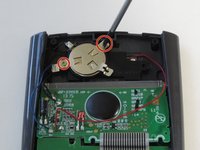
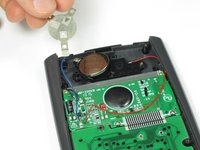
  3. TI-36X Pro Button Replacement, Battery: stap 3, afbeelding 1 van 2 TI-36X Pro Button Replacement, Battery: stap 3, afbeelding 2 van 2
    • Use a Phillips #00 screwdriver to remove the two 7.5 mm screws holding the battery cover to the case.

    • Remove the battery cover without disconnecting either end of the blue wire.

    • Use your finger to move the battery cover to the side.

    Vraag FixBot

    Voeg opmerking toe

  4. TI-36X Pro Button Replacement: stap 4, afbeelding 1 van 1
    • Use the flat side of a spudger to remove the battery by lifting the bottom edge.

    • When inserting a new battery, check the polarity (+ or -) and insert the new battery with the + side on top.

    Vraag FixBot

    Voeg opmerking toe

  5. TI-36X Pro Button Replacement, Button: stap 5, afbeelding 1 van 1
    • After removing the battery, use a Phillips #00 screwdriver to take out the 4.5mm screw directly to the right of the solar panel.

    • Do not disconnect any wires or you will need to solder them back on.

    Vraag FixBot

    Voeg opmerking toe

  6. TI-36X Pro Button Replacement: stap 6, afbeelding 1 van 1
    • Next, use a Phillips #00 screwdriver to remove the two screws located on each side of the striped ribbon between the two green circuit boards.

    Vraag FixBot

    Voeg opmerking toe

  7. TI-36X Pro Button Replacement: stap 7, afbeelding 1 van 1
    • Be careful not to scratch the gold lines on the circuit board since it may damage the circuit.

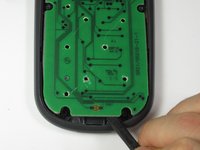
    • Carefully chisel off the 11 circular pieces that connect the lower circuit board to the calculator.

    • When reassembling the calculator, glue the lower circuit board back in place by dabbing glue into the holes that you chiseled.

    Vraag FixBot

    Voeg opmerking toe

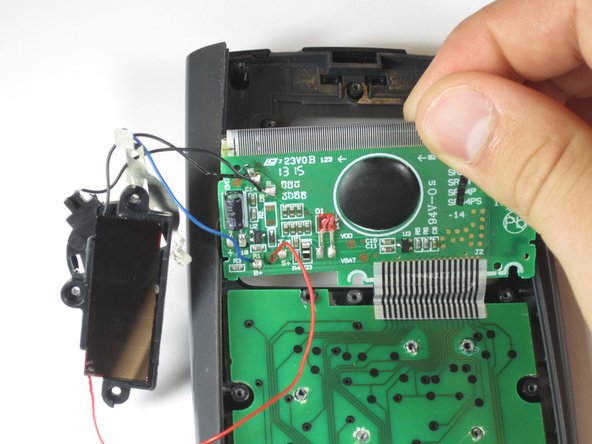
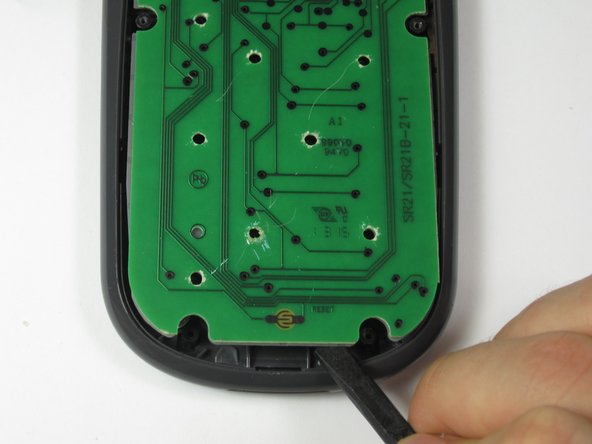
  8. TI-36X Pro Button Replacement: stap 8, afbeelding 1 van 3 TI-36X Pro Button Replacement: stap 8, afbeelding 2 van 3 TI-36X Pro Button Replacement: stap 8, afbeelding 3 van 3
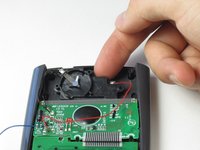
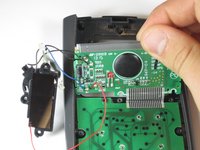
    • When removing the parts from the calculator be careful not to break any wires or ribbons. The solar panel, screen, and lower circuit board should remain connected throughout this guide.

    • Lift the top edge of the solar panel with a finger and slide it away from the circuit board to disconnect it from the calculator.

    • Carefully pry the screen out of the calculator with a prying tool or spudger.

    • Pry the lower circuit board from the calculator by inserting a prying tool between the base of the calculator and the circuit board.

    Vraag FixBot

    Voeg opmerking toe

  9. TI-36X Pro Button Replacement: stap 9, afbeelding 1 van 1
    • Grab one of the top corners of the gray rubber button pad and peel it off of the buttons.

    • If you turn the calculator over, all of the buttons will fall out.

    Vraag FixBot

    Voeg opmerking toe

  10. TI-36X Pro Button Replacement: stap 10, afbeelding 1 van 2 TI-36X Pro Button Replacement: stap 10, afbeelding 2 van 2
    Gereedschap gebruikt in deze stap:
    Tweezers
    $4.99
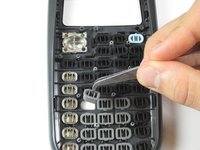
    • Locate the button that needs replacement and lift it out of the calculator with tweezers.

    • If the buttons do fall out, use the second picture to put them back properly.

    Vraag FixBot

    Voeg opmerking toe

Conclusie

To reassemble your device, follow these instructions in reverse order.

Annuleren: ik heb deze handleiding niet afgemaakt.

3 andere personen hebben deze handleiding voltooid.

Robert Sekerak

Lid sinds: 04/25/14

664 Reputatie

4 handleidingen geschreven

Team

Cal Poly, Team 11-52, Amido Spring 2014 Lid van Cal Poly, Team 11-52, Amido Spring 2014

CPSU-AMIDO-S14S11G52

4 Leden

10 handleidingen geschreven

0Gids Commentaar

Voeg opmerking toe

Weergavestatistieken:

Afgelopen 24 uren: 0

Afgelopen 7 dagen: 7

Afgelopen 30 dagen: 54

Altijd: 2,982