Ga door naar hoofdinhoud
Word lid van de reparatiegemeenschap - Account aanmaken

Sony NWZ-E473 Battery Replacement

Wat je nodig hebt

    1. Sony NWZ-E473 Battery Replacement, Back Panel: stap 1, afbeelding 1 van 1
      • Use a Phillips #00 screwdriver to unscrew the two 5 mm screws located on the bottom of the back of the device.

      Vraag FixBot

      Voeg opmerking toe

    2. Sony NWZ-E473 Battery Replacement: stap 2, afbeelding 1 van 1
      • Use a plastic opening tool to loosen the bottom portion of device.

      Vraag FixBot

      Voeg opmerking toe

    3. Sony NWZ-E473 Battery Replacement: stap 3, afbeelding 1 van 1
      • Use a plastic opening tool to loosen the top panel of the device.

      Vraag FixBot

      Voeg opmerking toe

    4. Sony NWZ-E473 Battery Replacement: stap 4, afbeelding 1 van 1
      • Use a Phillips #00 screwdriver to remove the two 3 mm screws located on the portion under the top panel of the device.

      Vraag FixBot

      Voeg opmerking toe

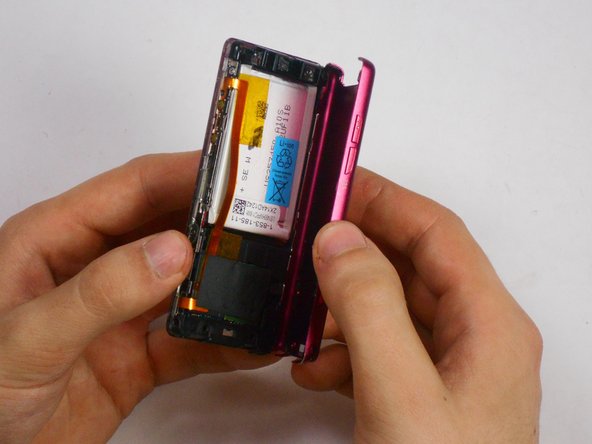
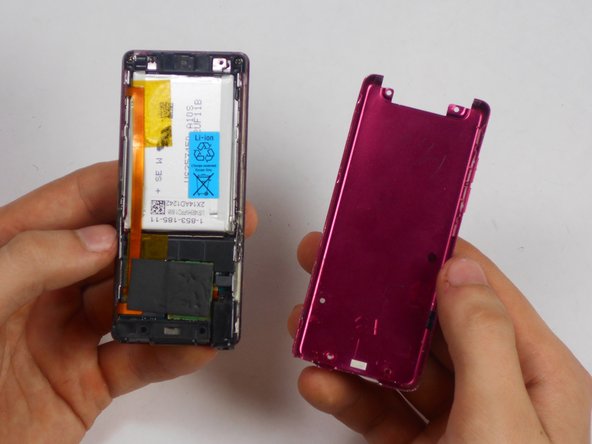
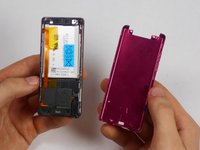
    5. Sony NWZ-E473 Battery Replacement: stap 5, afbeelding 1 van 3 Sony NWZ-E473 Battery Replacement: stap 5, afbeelding 2 van 3 Sony NWZ-E473 Battery Replacement: stap 5, afbeelding 3 van 3
      • Remove the back plate from the device.

      Vraag FixBot

      Voeg opmerking toe

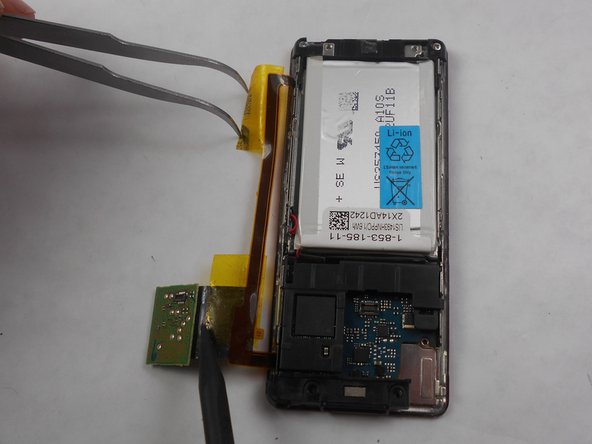
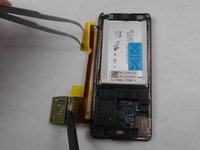
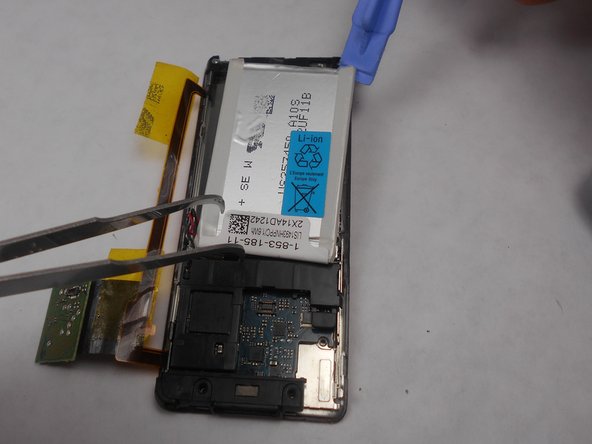
    1. Sony NWZ-E473 Battery Replacement, Battery: stap 6, afbeelding 1 van 2 Sony NWZ-E473 Battery Replacement, Battery: stap 6, afbeelding 2 van 2
      Gereedschap gebruikt in deze stap:
      Tweezers
      $4.99
      • Peel back the layer of tape along with the processor, which is located just below the battery, using the tweezers and the spudger.

      Vraag FixBot

      Voeg opmerking toe

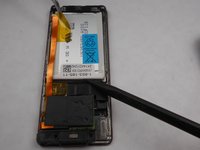
    2. Sony NWZ-E473 Battery Replacement: stap 7, afbeelding 1 van 2 Sony NWZ-E473 Battery Replacement: stap 7, afbeelding 2 van 2
      • Slide a prying tool underneath the top portion of the battery and lift it from the case.

      Vraag FixBot

      Voeg opmerking toe

    3. Sony NWZ-E473 Battery Replacement: stap 8, afbeelding 1 van 1
      • Remove the stickers from the battery terminals, which are on the underside of the battery.

      Vraag FixBot

      Voeg opmerking toe

    4. Sony NWZ-E473 Battery Replacement: stap 9, afbeelding 1 van 1
      • Use a soldering iron to remove the wires from the red and the black terminals.

      Vraag FixBot

      Voeg opmerking toe

Conclusie

To reassemble your device, follow these instructions in reverse order.

Annuleren: ik heb deze handleiding niet afgemaakt.

5 andere personen hebben deze handleiding voltooid.

Matthew Hintz

Lid sinds: 01/16/15

330 Reputatie

3 handleidingen geschreven

Team

USF Tampa, Team 17-6, Watkins Winter 2015 Lid van USF Tampa, Team 17-6, Watkins Winter 2015

USFT-WATKINS-W15S17G6

4 Leden

17 handleidingen geschreven

3Gids Commentaar

Hi their I have a Sony nwz-e355 walkman I want to replace the battery in it cause I thinks it's done I see u do a replacement for the e473 wondering if u have e355 batteries or will this e473 battery work in my walkman both need to be soildered in any feed back would help

Derek Hebert - Antwoord Deel

I have the same model. I have 2 of them purchased years ago from Ubid.com. A very cool device. SONY ought to service them when the batteries fade…

guy lewit - Antwoord Deel

Hello, if I want to attempt this replacement, where is the best way to buy such a battery? Thank you!

Juliette FD - Antwoord Deel

Voeg opmerking toe

Weergavestatistieken:

Afgelopen 24 uren: 5

Afgelopen 7 dagen: 25

Afgelopen 30 dagen: 111

Altijd: 11,518