Ga door naar hoofdinhoud
Word lid van de reparatiegemeenschap - Account aanmaken

Sony Ericsson TM506 Sound Box Replacement

Wat je nodig hebt

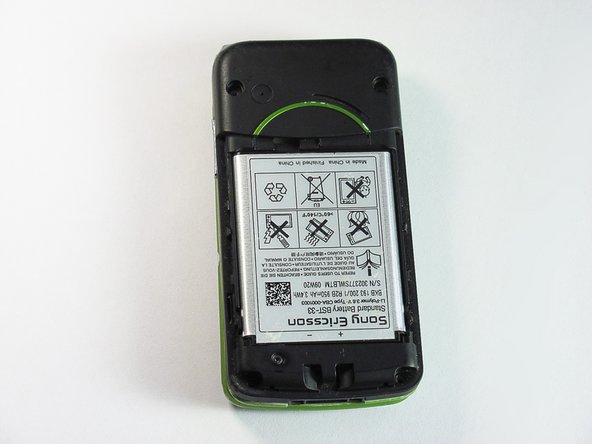
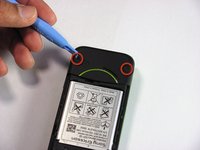
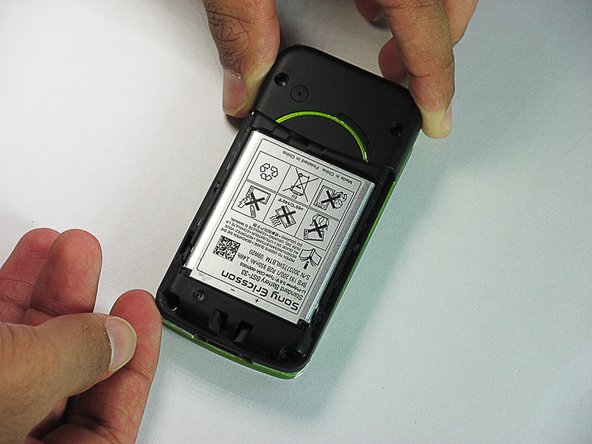
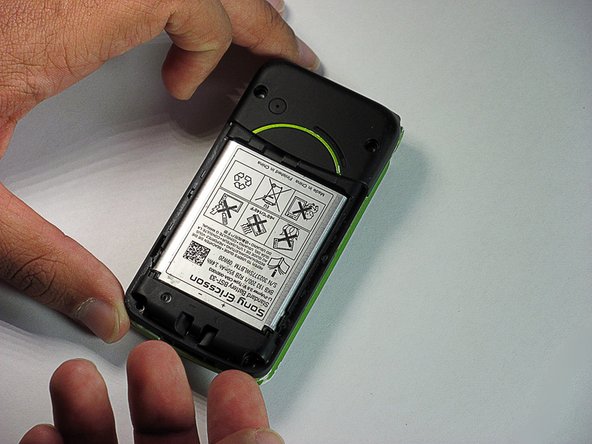
  1. Sony Ericsson TM506 Sound Box Replacement, Battery Cover: stap 1, afbeelding 1 van 3 Sony Ericsson TM506 Sound Box Replacement, Battery Cover: stap 1, afbeelding 2 van 3 Sony Ericsson TM506 Sound Box Replacement, Battery Cover: stap 1, afbeelding 3 van 3
    • Firmly hold the phone between your fingers with your thumb on the battery cover.

    • Push down with your thumb until the battery cover comes off.

    Vraag FixBot

    Voeg opmerking toe

  2. Sony Ericsson TM506 Sound Box Replacement, Back Case: stap 2, afbeelding 1 van 3 Sony Ericsson TM506 Sound Box Replacement, Back Case: stap 2, afbeelding 2 van 3 Sony Ericsson TM506 Sound Box Replacement, Back Case: stap 2, afbeelding 3 van 3
    • Unscrew the bottom two 5.4mm screws with a Torx T6 screwdriver.

    Vraag FixBot

    Voeg opmerking toe

  3. Sony Ericsson TM506 Sound Box Replacement: stap 3, afbeelding 1 van 2 Sony Ericsson TM506 Sound Box Replacement: stap 3, afbeelding 2 van 2
    • Remove the two rubber casings for the top two screws with a plastic opening tool.

    Vraag FixBot

    Voeg opmerking toe

  4. Sony Ericsson TM506 Sound Box Replacement: stap 4, afbeelding 1 van 1
    • Unscrew these two 5.4mm screws with a Torx T6 screwdriver.

    Vraag FixBot

    Voeg opmerking toe

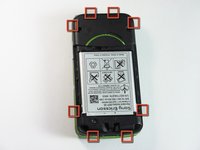
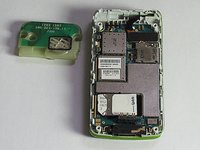
  5. Sony Ericsson TM506 Sound Box Replacement: stap 5, afbeelding 1 van 3 Sony Ericsson TM506 Sound Box Replacement: stap 5, afbeelding 2 van 3 Sony Ericsson TM506 Sound Box Replacement: stap 5, afbeelding 3 van 3
    • There are eight snap hooks located around the outer case. Carefully snap these to remove the outer case.

    Vraag FixBot

    Voeg opmerking toe

  6. Sony Ericsson TM506 Sound Box Replacement, Sound Box: stap 6, afbeelding 1 van 3 Sony Ericsson TM506 Sound Box Replacement, Sound Box: stap 6, afbeelding 2 van 3 Sony Ericsson TM506 Sound Box Replacement, Sound Box: stap 6, afbeelding 3 van 3
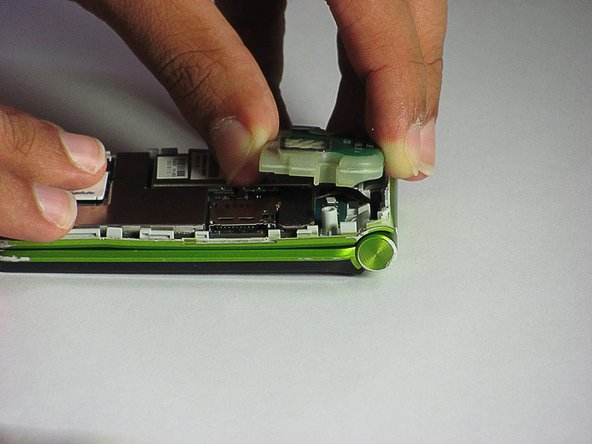
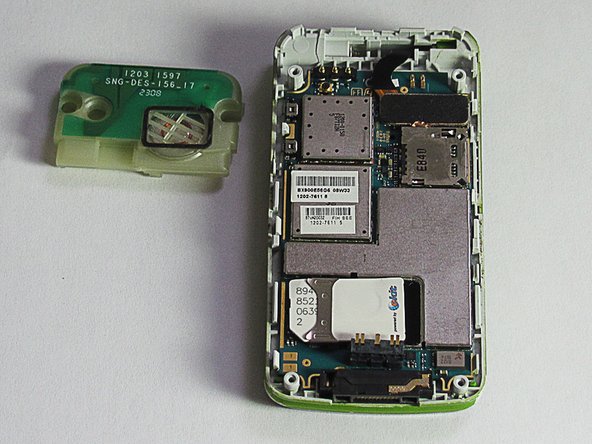
    • The sound box is attached to the case by two snap hooks.

    • Lift the sound box up to remove it from the case.

    Vraag FixBot

    Voeg opmerking toe

Conclusie

To reassemble your device, follow these instructions in reverse order.

Annuleren: ik heb deze handleiding niet afgemaakt.

Daniel

Lid sinds: 06/20/12

83 Reputatie

7 handleidingen geschreven

Team

Cal Poly, Team 1-1, Regan SU 2012 Lid van Cal Poly, Team 1-1, Regan SU 2012

CPSU-REGAN-SU12S1G1

2 Leden

16 handleidingen geschreven

0Gids Commentaar

Voeg opmerking toe

Weergavestatistieken:

Afgelopen 24 uren: 1

Afgelopen 7 dagen: 9

Afgelopen 30 dagen: 53

Altijd: 1,068