Ga door naar hoofdinhoud
Word lid van de reparatiegemeenschap - Account aanmaken

Sony DVP-NS325 Power Cable Replacement

Wat je nodig hebt

    1. Sony DVP-NS325 Power Cable Replacement, Outer Case: stap 1, afbeelding 1 van 3 Sony DVP-NS325 Power Cable Replacement, Outer Case: stap 1, afbeelding 2 van 3 Sony DVP-NS325 Power Cable Replacement, Outer Case: stap 1, afbeelding 3 van 3
      • Use a Phillips screwdriver to unscrew the five screws.

      Vraag FixBot

      Voeg opmerking toe

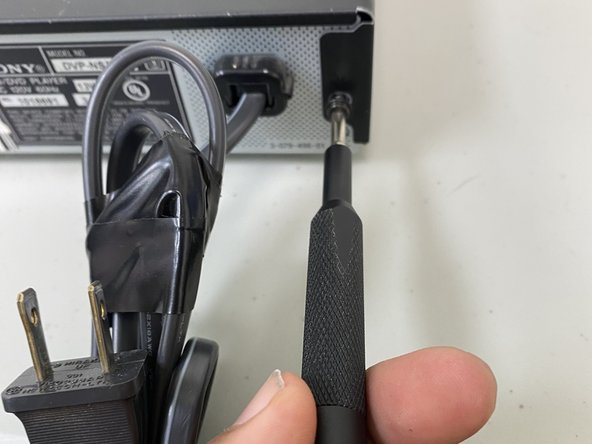
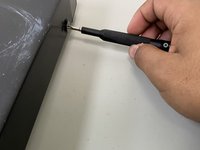
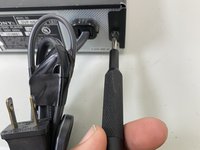
    2. Sony DVP-NS325 Power Cable Replacement: stap 2, afbeelding 1 van 3 Sony DVP-NS325 Power Cable Replacement: stap 2, afbeelding 2 van 3 Sony DVP-NS325 Power Cable Replacement: stap 2, afbeelding 3 van 3
      • Use the Philips screwdriver to remove the screws located on the sides and the back.

      • Not shown are the right side screw and the middle screw.

      Vraag FixBot

      Voeg opmerking toe

    3. Sony DVP-NS325 Power Cable Replacement: stap 3, afbeelding 1 van 1
      • Use a spudger to separate the case from the chassis.

      • Remove the case.

      Vraag FixBot

      Voeg opmerking toe

    1. Sony DVP-NS325 Power Cable Replacement, Power Cable: stap 4, afbeelding 1 van 2 Sony DVP-NS325 Power Cable Replacement, Power Cable: stap 4, afbeelding 2 van 2
      • Unscrew all screws using a Phillips screwdriver removing the outer case to access the power cable.

      Vraag FixBot

      Voeg opmerking toe

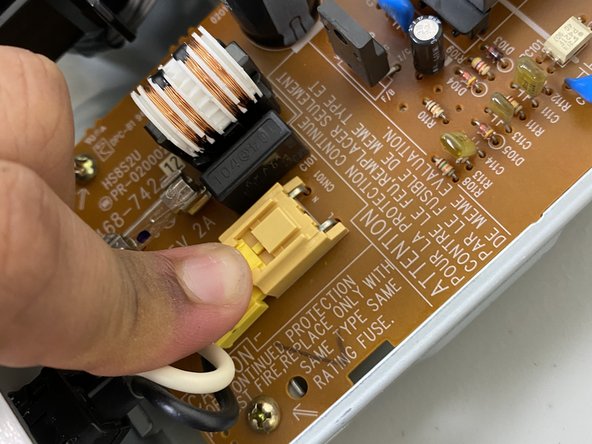
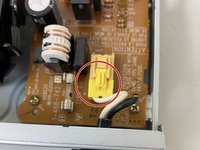
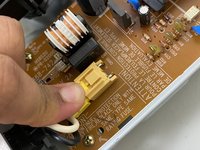
    2. Sony DVP-NS325 Power Cable Replacement: stap 5, afbeelding 1 van 2 Sony DVP-NS325 Power Cable Replacement: stap 5, afbeelding 2 van 2
      • Using a finger, press down on the clip to remove the connector for the cable.

      Vraag FixBot

      Voeg opmerking toe

    3. Sony DVP-NS325 Power Cable Replacement: stap 6, afbeelding 1 van 1
      • Using two fingers, press in both the top and bottom clips to release the holder for the power cable to remove the cable completely.

      Vraag FixBot

      Voeg opmerking toe

    4. Sony DVP-NS325 Power Cable Replacement: stap 7, afbeelding 1 van 1
      • Pull the cable out of the case to fully replace the cable.

      Vraag FixBot

      Voeg opmerking toe

Conclusie

To reassemble your device, follow these instructions in reverse order.

Annuleren: ik heb deze handleiding niet afgemaakt.

Één andere persoon heeft deze handleiding voltooid.

0Gids Commentaar

Voeg opmerking toe

Weergavestatistieken:

Afgelopen 24 uren: 2

Afgelopen 7 dagen: 10

Afgelopen 30 dagen: 32

Altijd: 313