Ga door naar hoofdinhoud
Word lid van de reparatiegemeenschap - Account aanmaken

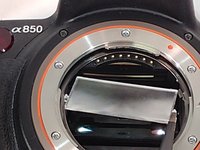
Sony Alpha DSLR- A850 Focusing Screen Replacement

Wat je nodig hebt

  1. Sony Alpha DSLR- A850 Focusing Screen Replacement, Focusing Screen: stap 1, afbeelding 1 van 3 Sony Alpha DSLR- A850 Focusing Screen Replacement, Focusing Screen: stap 1, afbeelding 2 van 3 Sony Alpha DSLR- A850 Focusing Screen Replacement, Focusing Screen: stap 1, afbeelding 3 van 3
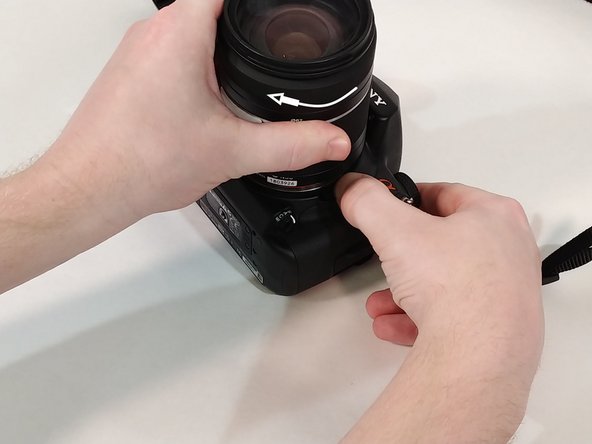
    • Push in the button next to the lens.

    • While holding the button twist the lens counter-clockwise.

    • Pull up and remove lens from camera.

  2. Sony Alpha DSLR- A850 Focusing Screen Replacement: stap 2, afbeelding 1 van 3 Sony Alpha DSLR- A850 Focusing Screen Replacement: stap 2, afbeelding 2 van 3 Sony Alpha DSLR- A850 Focusing Screen Replacement: stap 2, afbeelding 3 van 3
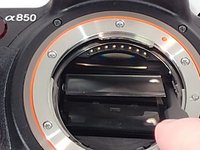
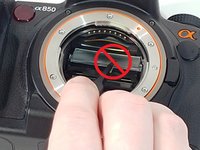
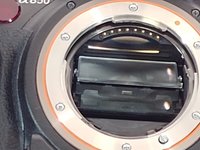
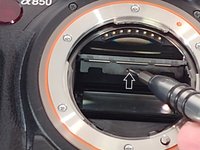
    • Inside toward the top you will find a small slit in the plastic piece.

    • Insert a flat head screw driver into the slit and pull down to access the focusing screen.

  3. Sony Alpha DSLR- A850 Focusing Screen Replacement: stap 3, afbeelding 1 van 3 Sony Alpha DSLR- A850 Focusing Screen Replacement: stap 3, afbeelding 2 van 3 Sony Alpha DSLR- A850 Focusing Screen Replacement: stap 3, afbeelding 3 van 3
    Gereedschap gebruikt in deze stap:
    Tweezers
    $4.99
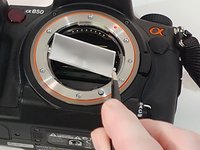
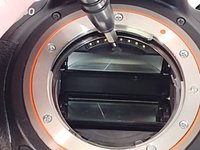
    • Using tweezers grab the focusing screen on the side by the two tabs that are on it.

    • Do not grab the focusing screen in the middle as this will damage it.

    • Pull out and remove focusing screen from camera.

  4. Sony Alpha DSLR- A850 Focusing Screen Replacement: stap 4, afbeelding 1 van 3 Sony Alpha DSLR- A850 Focusing Screen Replacement: stap 4, afbeelding 2 van 3 Sony Alpha DSLR- A850 Focusing Screen Replacement: stap 4, afbeelding 3 van 3
    • When inserting new screen make sure to orient it where the two tabs are facing towards you with the smaller tab facing up.

    • Angle the focusing screen to make installation easier.

    • Lay the new focusing screen into the plastic tray.

    • It does not snap into place.

  5. Sony Alpha DSLR- A850 Focusing Screen Replacement: stap 5, afbeelding 1 van 2 Sony Alpha DSLR- A850 Focusing Screen Replacement: stap 5, afbeelding 2 van 2
    • Insert screw driver into the slit and push up to close.

    • You can also use your thumb, if you are careful not to touch the screen as this could leave a smudge on it.

    • You will hear a click when the plastic tray is back in place.

  6. Sony Alpha DSLR- A850 Focusing Screen Replacement: stap 6, afbeelding 1 van 2 Sony Alpha DSLR- A850 Focusing Screen Replacement: stap 6, afbeelding 2 van 2
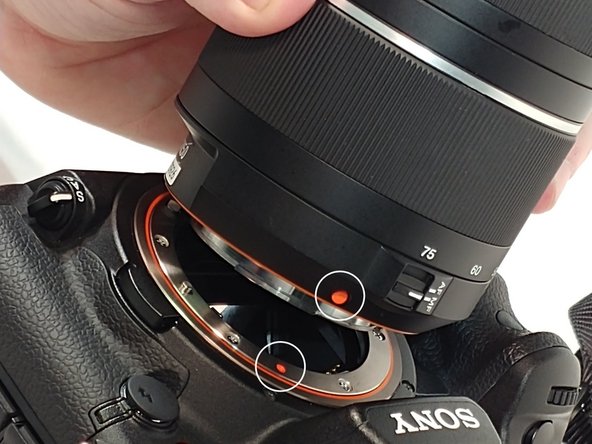
    • When re-installing the lens line up the orange dots that are one both lens and camera.

    • Fit lens into place and turn clockwise to secure it back to camera.

Conclusie

You have now completed a focusing screen replacement.

Één andere persoon heeft deze handleiding voltooid.

Walter Littlefield

Lid sinds: 03/21/18

286 Reputatie

2 handleidingen geschreven

0Gids Commentaar

Voeg opmerking toe

Weergavestatistieken:

Afgelopen 24 uren: 4

Afgelopen 7 dagen: 19

Afgelopen 30 dagen: 51

Altijd: 1,133