Ga door naar hoofdinhoud
Word lid van de reparatiegemeenschap - Account aanmaken

SodaStream Source Loader Tab Replacement

Wat je nodig hebt

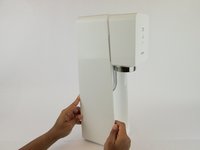
  1. SodaStream Source Loader Tab Replacement, SodaStream Source External Disassembly: stap 1, afbeelding 1 van 3 SodaStream Source Loader Tab Replacement, SodaStream Source External Disassembly: stap 1, afbeelding 2 van 3 SodaStream Source Loader Tab Replacement, SodaStream Source External Disassembly: stap 1, afbeelding 3 van 3
    • Remove the soda bottle and the CO₂ canister from the machine.

    Vraag FixBot

    Voeg opmerking toe

  2. SodaStream Source Loader Tab Replacement: stap 2, afbeelding 1 van 2 SodaStream Source Loader Tab Replacement: stap 2, afbeelding 2 van 2
    Gereedschap gebruikt in deze stap:
    Phillips #1 Screwdriver
    $8.99
    Vraag FixBot

    Voeg opmerking toe

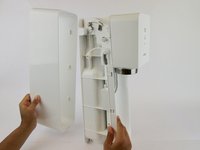
  3. SodaStream Source Loader Tab Replacement: stap 3, afbeelding 1 van 2 SodaStream Source Loader Tab Replacement: stap 3, afbeelding 2 van 2
    • Pull the outer cover away from the front of the device.

    Vraag FixBot

    Voeg opmerking toe

  4. SodaStream Source Loader Tab Replacement: stap 4, afbeelding 1 van 1
    Gereedschap gebruikt in deze stap:
    Phillips #1 Screwdriver
    $8.99
    Vraag FixBot

    Voeg opmerking toe

  5. SodaStream Source Loader Tab Replacement: stap 5, afbeelding 1 van 2 SodaStream Source Loader Tab Replacement: stap 5, afbeelding 2 van 2
    Gereedschap gebruikt in deze stap:
    Jimmy
    $7.95
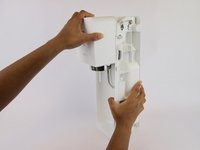
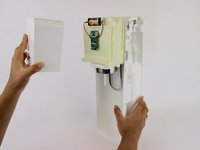
    • Firmly pull the front cover off.

    • This piece is difficult to remove and requires force. It may help to use a wide, thin object to pry it off (like a Jimmy).

    Vraag FixBot

    Voeg opmerking toe

  6. SodaStream Source Loader Tab Replacement, SodaStream Source  Internal Disassembly: stap 6, afbeelding 1 van 3 SodaStream Source Loader Tab Replacement, SodaStream Source  Internal Disassembly: stap 6, afbeelding 2 van 3 SodaStream Source Loader Tab Replacement, SodaStream Source  Internal Disassembly: stap 6, afbeelding 3 van 3
    • Push the brass bar, located in the top of the device, out of the carbonating block.

    • You can use the end of your screwdriver to push this piece out.

    Vraag FixBot

    Voeg opmerking toe

  7. SodaStream Source Loader Tab Replacement: stap 7, afbeelding 1 van 3 SodaStream Source Loader Tab Replacement: stap 7, afbeelding 2 van 3 SodaStream Source Loader Tab Replacement: stap 7, afbeelding 3 van 3
    • Slide the yellow battery cover up and away to remove it from the device.

    Vraag FixBot

    Voeg opmerking toe

  8. SodaStream Source Loader Tab Replacement: stap 8, afbeelding 1 van 2 SodaStream Source Loader Tab Replacement: stap 8, afbeelding 2 van 2
    • Unhook the bottom piece of the plastic arm on each side of the device.

    Vraag FixBot

    Voeg opmerking toe

  9. SodaStream Source Loader Tab Replacement: stap 9, afbeelding 1 van 2 SodaStream Source Loader Tab Replacement: stap 9, afbeelding 2 van 2
    • Lift the top of the plastic arm with the spudger and remove it on both sides.

    Vraag FixBot

    Voeg opmerking toe

  10. SodaStream Source Loader Tab Replacement: stap 10, afbeelding 1 van 2 SodaStream Source Loader Tab Replacement: stap 10, afbeelding 2 van 2
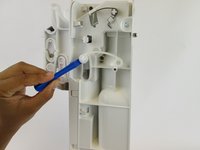
    • Remove the plastic piece, located near the front of the carbonating block, from both sides of the device using a plastic opening tool or nylon spudger.

    Vraag FixBot

    Voeg opmerking toe

  11. SodaStream Source Loader Tab Replacement: stap 11, afbeelding 1 van 2 SodaStream Source Loader Tab Replacement: stap 11, afbeelding 2 van 2
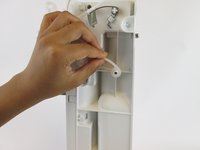
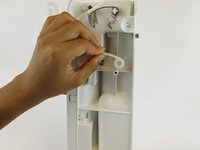
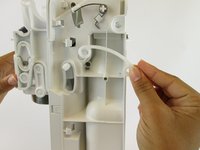
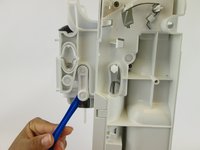
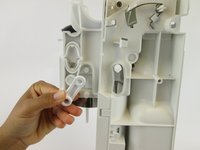
    • Remove the plastic oval and the spring within it.

    Vraag FixBot

    Voeg opmerking toe

  12. SodaStream Source Loader Tab Replacement: stap 12, afbeelding 1 van 2 SodaStream Source Loader Tab Replacement: stap 12, afbeelding 2 van 2
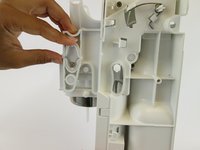
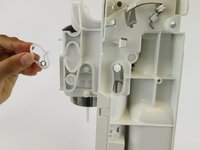
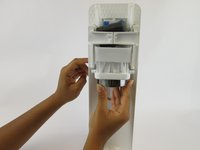
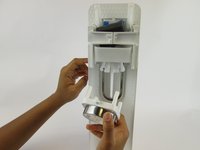
    • Pull the loader tab cover down and away from the rest of the carbonating block.

    Vraag FixBot

    Voeg opmerking toe

  13. SodaStream Source Loader Tab Replacement: stap 13, afbeelding 1 van 1
    • Remove the three 17.9 mm screws located on the right side.

    • These screws may be difficult to access.

    Vraag FixBot

    Voeg opmerking toe

  14. SodaStream Source Loader Tab Replacement: stap 14, afbeelding 1 van 2 SodaStream Source Loader Tab Replacement: stap 14, afbeelding 2 van 2
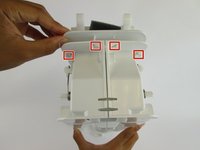
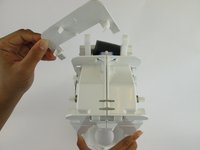
    • Unhook the four clips on the top of the carbonating block and remove the plastic cover.

    Vraag FixBot

    Voeg opmerking toe

  15. SodaStream Source Loader Tab Replacement: stap 15, afbeelding 1 van 3 SodaStream Source Loader Tab Replacement: stap 15, afbeelding 2 van 3 SodaStream Source Loader Tab Replacement: stap 15, afbeelding 3 van 3
    • Lift the clips located on both sides with the plastic spudger. Slide the front cover off.

    Vraag FixBot

    Voeg opmerking toe

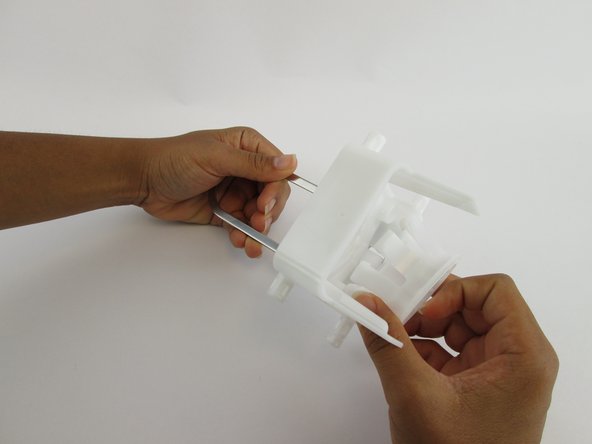
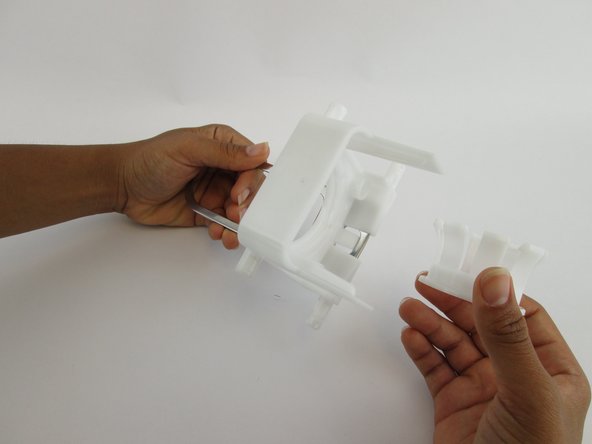
  16. SodaStream Source Loader Tab Replacement: stap 16, afbeelding 1 van 2 SodaStream Source Loader Tab Replacement: stap 16, afbeelding 2 van 2
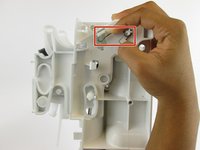
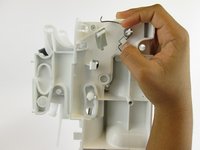
    • Unhook the silver spring arms on both sides of the device by pushing down.

    Vraag FixBot

    Voeg opmerking toe

  17. SodaStream Source Loader Tab Replacement: stap 17, afbeelding 1 van 1
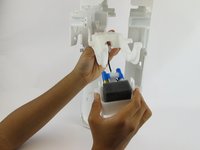
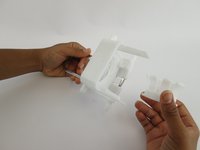
    • Grip the right and left sides of the device and pull it into two identical halves.

    • Once these two pieces are apart, all remaining internal components will fall out of the device.

    Vraag FixBot

    Voeg opmerking toe

  18. SodaStream Source Loader Tab Replacement: stap 18, afbeelding 1 van 3 SodaStream Source Loader Tab Replacement: stap 18, afbeelding 2 van 3 SodaStream Source Loader Tab Replacement: stap 18, afbeelding 3 van 3
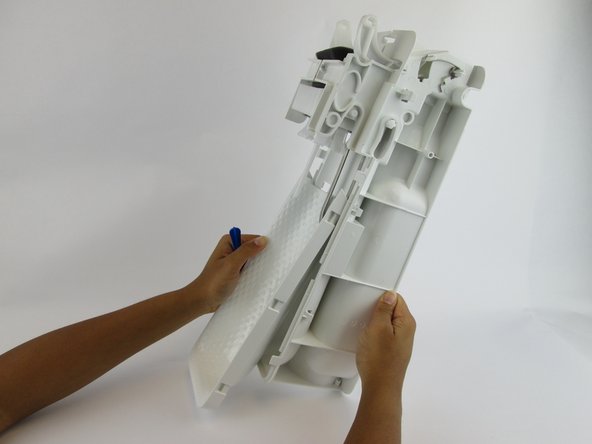
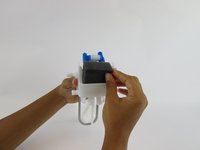
    • Pull the foam pad up and remove it from the front side of the carbonation component.

    Vraag FixBot

    Voeg opmerking toe

  19. SodaStream Source Loader Tab Replacement: stap 19, afbeelding 1 van 1
    • Remove the six 17.7 mm screws from the underside of the loader tab piece.

    Vraag FixBot

    Voeg opmerking toe

  20. SodaStream Source Loader Tab Replacement: stap 20, afbeelding 1 van 3 SodaStream Source Loader Tab Replacement: stap 20, afbeelding 2 van 3 SodaStream Source Loader Tab Replacement: stap 20, afbeelding 3 van 3
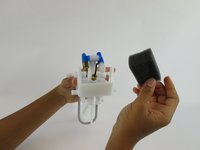
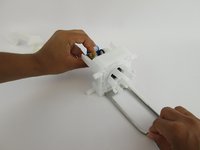
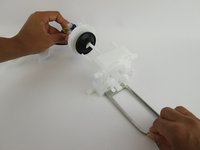
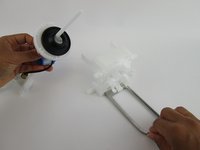
    • Pull the loader tab out of the nozzle.

    Vraag FixBot

    Voeg opmerking toe

  21. SodaStream Source Loader Tab Replacement, Loader Tab: stap 21, afbeelding 1 van 3 SodaStream Source Loader Tab Replacement, Loader Tab: stap 21, afbeelding 2 van 3 SodaStream Source Loader Tab Replacement, Loader Tab: stap 21, afbeelding 3 van 3
    • Pull the small inner plastic circle out of the large plastic loader tab piece.

    Vraag FixBot

    Voeg opmerking toe

Conclusie

To reassemble your device, follow these instructions in reverse order.

Annuleren: ik heb deze handleiding niet afgemaakt.

8 andere personen hebben deze handleiding voltooid.

Angela Mossgrove

Lid sinds: 02/20/17

1.207 Reputatie

3 handleidingen geschreven

Team

USF Tampa, Team S1-G4, Leahy Spring 2017 Lid van USF Tampa, Team S1-G4, Leahy Spring 2017

USFT-LEAHY-S17S1G4

3 Leden

41 handleidingen geschreven

6Gids Commentaar

Thank you SO much for this! I was having a lot of trouble with this thing not releasing the bottle, so I disassembled it all and put it back together and now it works a treat! Not sure what was going on but I am so excited. You weren’t kidding at the end about it all falling apart… took ages to work out how it all went back together, but now I understand it and I have a working SodaStream. 5*!

Amanda L - Antwoord Deel

Do you know where the tiny magnet goes? It fell out on the table as I was disassembling.

cheryl meeks - Antwoord Deel

I think it has something to do with the microchip for the LED’s. Can’t figure out how else the light would light. I haven’t taken it apart far enough to find the magnet. Hope this helps you.

Paul Bibeau - Antwoord Deel

You can see the magnet in step 18, the first picture. Its right below where a screw used to be.

Tom Green - Antwoord Deel

I placed sodastream on side and removed top half. I could then see where parts needed to be after they “fell out” for reassembly. More pictures of those steps would be helpful. Thank

cheryl meeks - Antwoord Deel

Voeg opmerking toe

Weergavestatistieken:

Afgelopen 24 uren: 11

Afgelopen 7 dagen: 51

Afgelopen 30 dagen: 253

Altijd: 29,065