Ga door naar hoofdinhoud

Seagate External Hard Drive drive replacement

Wat je nodig hebt

  1. Seagate External Hard Drive drive replacement, Open the housing: stap 1, afbeelding 1 van 2 Seagate External Hard Drive drive replacement, Open the housing: stap 1, afbeelding 2 van 2
    • It is best to open the case at the rear of the connectors.

    • The lid has plastic tabs (1) which are stuck in the base (2). They can be loosened by pushing the base outwzards with a flat screwdriver or similar tool.

    • The manufacturer did not intend for the case to be opened, so some damage to the case is to be expected. (3)

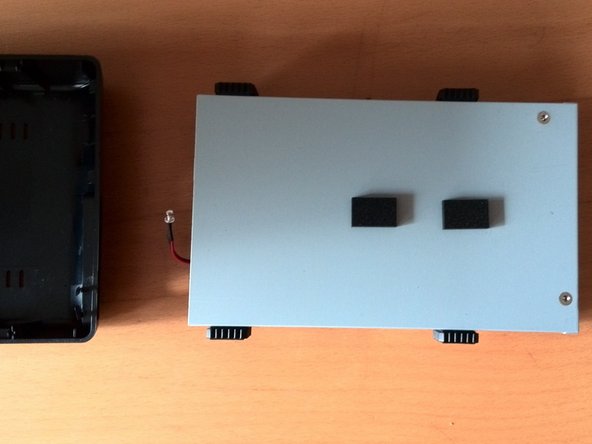
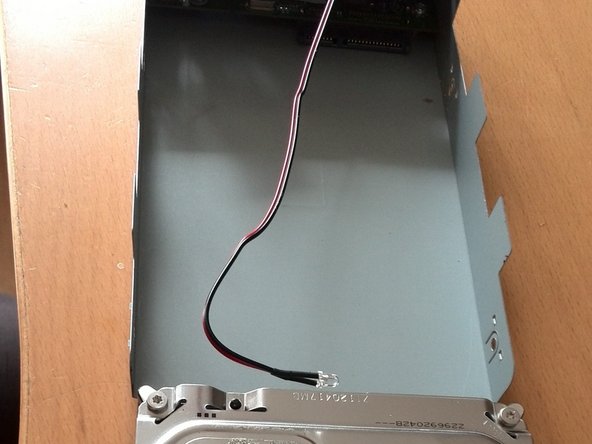
  2. Seagate External Hard Drive drive replacement, Remove the drive carriage: stap 2, afbeelding 1 van 2 Seagate External Hard Drive drive replacement, Remove the drive carriage: stap 2, afbeelding 2 van 2
    • The hard disk can now be lifted out of the plastic housing. It is not attached any further.

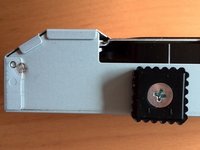
  3. Seagate External Hard Drive drive replacement, Remove the drive from the drive carriage: stap 3, afbeelding 1 van 3 Seagate External Hard Drive drive replacement, Remove the drive from the drive carriage: stap 3, afbeelding 2 van 3 Seagate External Hard Drive drive replacement, Remove the drive from the drive carriage: stap 3, afbeelding 3 van 3
    • Unscrew the side screws.

    • Remove the permanently attached cables and stickers from the hard drive.

    • Then pull the hard drive backwards with a little force.

Conclusie

Repeat the steps in reverse order to reassemble your device.

2 andere personen hebben deze handleiding voltooid.

Met dank aan deze vertalers:

de en

100%

Deze vertalers helpen ons de wereld te repareren! Doe je mee?
Begin met vertalen ›

Nicola

Lid sinds: 03/29/16

61 Reputatie

1 Handleiding geschreven

0Gids Commentaar

Voeg opmerking toe

Weergavestatistieken:

Afgelopen 24 uren: 4

Afgelopen 7 dagen: 25

Afgelopen 30 dagen: 104

Altijd: 2,732