Ga door naar hoofdinhoud
Word lid van de reparatiegemeenschap - Account aanmaken

Sanyo VPC-T850 Shutter Button Replacement

Wat je nodig hebt

  1. Sanyo VPC-T850 Shutter Button Replacement, Battery: stap 1, afbeelding 1 van 1
    • Make sure the camera is powered off by pressing and holding the small, square button embedded in the top rim of the camera.

    Vraag FixBot

    Voeg opmerking toe

  2. Sanyo VPC-T850 Shutter Button Replacement: stap 2, afbeelding 1 van 1
    • Locate the hatch found on the bottom of the camera.

    • Open the hatch by gripping the small notch and sliding it outwards.

    Vraag FixBot

    Voeg opmerking toe

  3. Sanyo VPC-T850 Shutter Button Replacement: stap 3, afbeelding 1 van 1
    • Push the small, plastic arm out of the way to free the battery.

    • The battery is spring loaded and will pop out slightly when the arm is moved.

    Vraag FixBot

    Voeg opmerking toe

  4. Sanyo VPC-T850 Shutter Button Replacement: stap 4, afbeelding 1 van 1
    • Pull the battery out of the camera and close the hatch.

    • To reinsert, there is a triangle on the battery indicating which direction to slide it in.

    Vraag FixBot

    Voeg opmerking toe

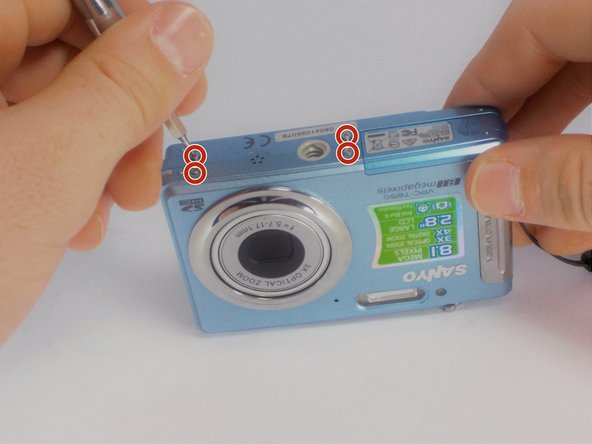
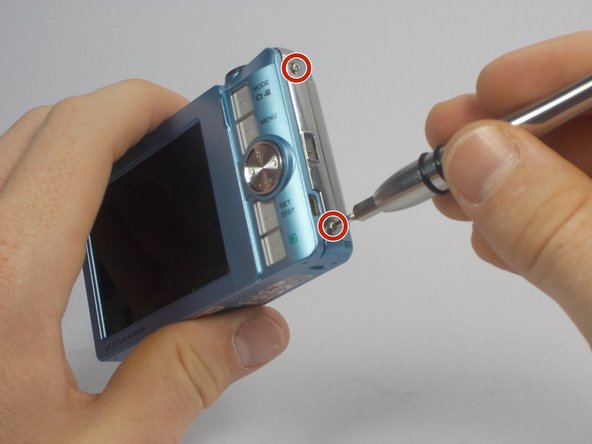
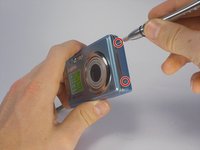
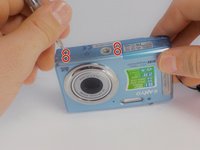
  5. Sanyo VPC-T850 Shutter Button Replacement, Outer Casing: stap 5, afbeelding 1 van 3 Sanyo VPC-T850 Shutter Button Replacement, Outer Casing: stap 5, afbeelding 2 van 3 Sanyo VPC-T850 Shutter Button Replacement, Outer Casing: stap 5, afbeelding 3 van 3
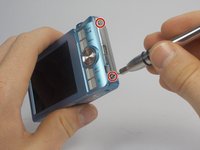
    • Using your Phillips #000 Screwdriver, remove the eight screws located around the sides and bottom of the camera.

    • Be sure to keep track of the side each screw comes from, as they come in different lengths.

    Vraag FixBot

    Voeg opmerking toe

  6. Sanyo VPC-T850 Shutter Button Replacement: stap 6, afbeelding 1 van 2 Sanyo VPC-T850 Shutter Button Replacement: stap 6, afbeelding 2 van 2
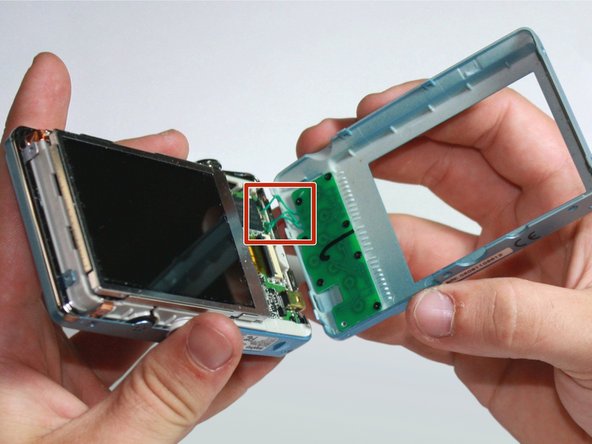
    • Orient the camera so the display is facing up.

    • Gently pull off the rear panel surrounding the display.

    • There are still three green wires connecting the panel to the rest of the camera.

    • Use your prying tool if you have difficulties removing the panel by hand.

    Vraag FixBot

    Voeg opmerking toe

  7. Sanyo VPC-T850 Shutter Button Replacement: stap 7, afbeelding 1 van 1
    • Remove the eight black screws connecting the keypad circuit board to the rear panel.

    Vraag FixBot

    Voeg opmerking toe

  8. Sanyo VPC-T850 Shutter Button Replacement: stap 8, afbeelding 1 van 2 Sanyo VPC-T850 Shutter Button Replacement: stap 8, afbeelding 2 van 2
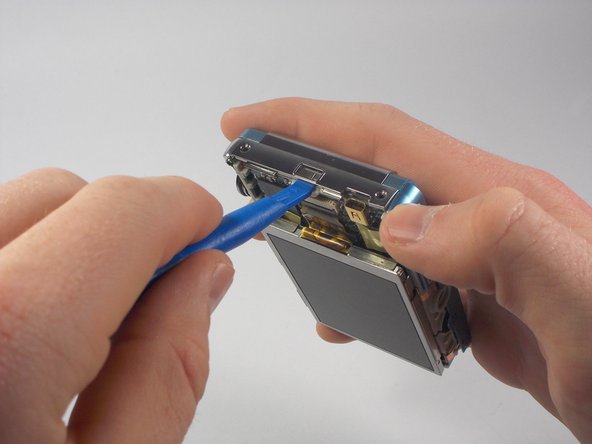
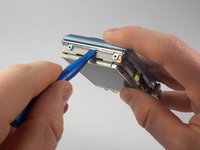
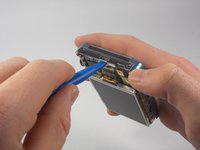
    • With a plastic opening tool, gently remove the chrome framing on the left and right sides of the camera.

    Vraag FixBot

    Voeg opmerking toe

  9. Sanyo VPC-T850 Shutter Button Replacement: stap 9, afbeelding 1 van 1
    • Flip the camera over so the lens is facing up.

    • Gently lift up the front panel to remove it from the rest of the camera.

    • Use your plastic opening tool if you have difficulties removing the panel by hand.

    Vraag FixBot

    Voeg opmerking toe

  10. Sanyo VPC-T850 Shutter Button Replacement, Shutter Button: stap 10, afbeelding 1 van 1
    • Find the chrome framing located on the top of the camera.

    • The physical shutter button apparatus is directly attached to this frame.

    Vraag FixBot

    Voeg opmerking toe

  11. Sanyo VPC-T850 Shutter Button Replacement: stap 11, afbeelding 1 van 2 Sanyo VPC-T850 Shutter Button Replacement: stap 11, afbeelding 2 van 2
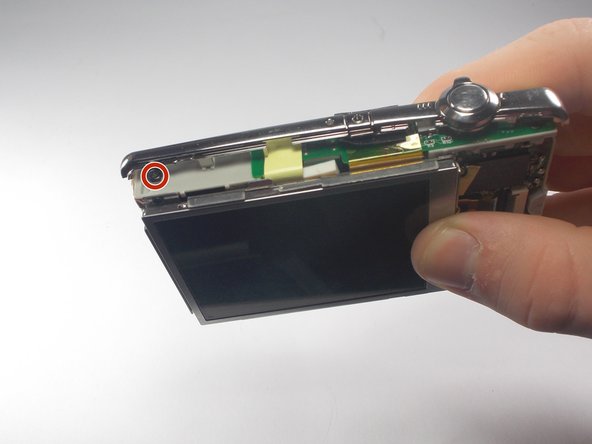
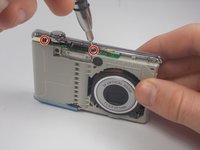
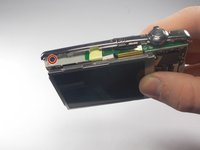
    • Remove the three black screws connecting the chrome frame to the camera.

    • Three screws are located toward the front, with the remaining one above the display.

    Vraag FixBot

    Voeg opmerking toe

  12. Sanyo VPC-T850 Shutter Button Replacement: stap 12, afbeelding 1 van 1
    • Gently remove the loosened chrome frame and connected shutter button from the camera.

    Vraag FixBot

    Voeg opmerking toe

Conclusie

To reassemble your device, follow these instructions in reverse order.

Annuleren: ik heb deze handleiding niet afgemaakt.

James Robinson

Lid sinds: 10/27/15

459 Reputatie

4 handleidingen geschreven

Team

UMass Dartmouth, Team 5-5, Gulbrandsen Fall 2015 Lid van UMass Dartmouth, Team 5-5, Gulbrandsen Fall 2015

UMASSD-GULBRANDSEN-F15S5G5

3 Leden

10 handleidingen geschreven

0Gids Commentaar

Voeg opmerking toe

Weergavestatistieken:

Afgelopen 24 uren: 2

Afgelopen 7 dagen: 11

Afgelopen 30 dagen: 40

Altijd: 672