Ga door naar hoofdinhoud
Word lid van de reparatiegemeenschap - Account aanmaken

Samsung Watch Active Battery Replacement

Wat je nodig hebt

  1. Samsung Watch Active Battery Replacement, Tools: stap 1, afbeelding 1 van 1
    • Assemble all your tools

    Vraag FixBot
  2. Samsung Watch Active Battery Replacement: stap 2, afbeelding 1 van 1
    • Turn watch faced down to reveal the screws. Remove the straps by pulling on pin switches to release.

    Vraag FixBot
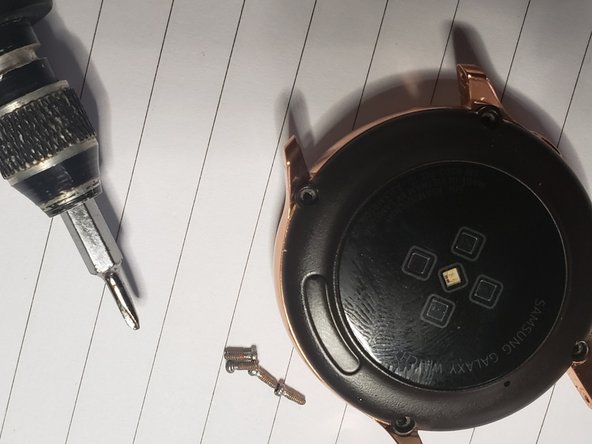
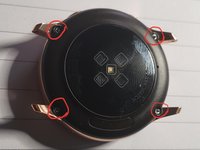
  3. Samsung Watch Active Battery Replacement: stap 3, afbeelding 1 van 2 Samsung Watch Active Battery Replacement: stap 3, afbeelding 2 van 2
    • remove the 4 screws

    Vraag FixBot
  4. Samsung Watch Active Battery Replacement: stap 4, afbeelding 1 van 1
    • Use the tin metal pry tool to gently penetrate the back.

    Vraag FixBot
  5. Samsung Watch Active Battery Replacement: stap 5, afbeelding 1 van 1
    • Use the metal pry tool as support for the opening blue pick

    Vraag FixBot
  6. Samsung Watch Active Battery Replacement: stap 6, afbeelding 1 van 1
    • Gently Lift the back to reveal a connector, use a tweezer to remove it then you will have access to the back

    Vraag FixBot
  7. Samsung Watch Active Battery Replacement: stap 7, afbeelding 1 van 1
    • Separate back fully from rest of the body

    Vraag FixBot
  8. Samsung Watch Active Battery Replacement: stap 8, afbeelding 1 van 1
    • use tweezer to remove all 3 connectors and remove the screw

    Vraag FixBot
  9. Samsung Watch Active Battery Replacement: stap 9, afbeelding 1 van 1
    • Use Spudger to lift panel housing from body

    Vraag FixBot
  10. Samsung Watch Active Battery Replacement: stap 10, afbeelding 1 van 1
    • Remove housing from watch body

    Vraag FixBot
  11. Samsung Watch Active Battery Replacement: stap 11, afbeelding 1 van 1
    • Lift off motherboard and use tweezer to lift up bettery connector from the plastic housing

    Vraag FixBot
  12. Samsung Watch Active Battery Replacement: stap 12, afbeelding 1 van 1
    • use spudger to lift battey out of plastic housing

    Vraag FixBot
  13. Samsung Watch Active Battery Replacement: stap 13, afbeelding 1 van 1
    • Separate battery from the plastic body, then install replacement battery

    Vraag FixBot
Conclusie

To reassemble your device, follow these instructions in reverse order.

4 andere personen hebben deze handleiding voltooid.

Jimi Aloba

Lid sinds: 10/18/19

347 Reputatie

1 Handleiding geschreven

2Gids Commentaar

I have so benefited from this portal , I have now made my own contribution. Hope it helps someone.

Jimi Aloba - Antwoord Deel

Excellent guide Haven't done it yet. Where can I find the battery for this watch, also what type of screwdriver are you using for the 1st 4 screws? None of mine fit it.

mnmacd - Antwoord Deel

Voeg opmerking toe

Weergavestatistieken:

Afgelopen 24 uren: 2

Afgelopen 7 dagen: 16

Afgelopen 30 dagen: 66

Altijd: 1,905