Ga door naar hoofdinhoud
Word lid van de reparatiegemeenschap - Account aanmaken

Samsung SPEX SCH-R210 Keypad Replacement

Wat je nodig hebt

    1. Samsung SPEX SCH-R210 Keypad Replacement, Back Cover: stap 1, afbeelding 1 van 3 Samsung SPEX SCH-R210 Keypad Replacement, Back Cover: stap 1, afbeelding 2 van 3 Samsung SPEX SCH-R210 Keypad Replacement, Back Cover: stap 1, afbeelding 3 van 3
      • Lay the phone on its front side so the back is visible.

      • Use your thumb to gently and firmly press down on the triangle arrow found on the cover of the phone.

      • Press down on the arrow until you hear a popping sound, which will remove the cover of the phone.

      • Slide the cover down from the phone to remove it. Set the cover aside.

      Vraag FixBot

      Voeg opmerking toe

    1. Samsung SPEX SCH-R210 Keypad Replacement, Battery: stap 2, afbeelding 1 van 1
      • Locate the access notch at the end of the battery compartment.

      Vraag FixBot

      Voeg opmerking toe

    2. Samsung SPEX SCH-R210 Keypad Replacement: stap 3, afbeelding 1 van 1
      • Place your thumb on the edge of the battery near the access notch.

      • Lift the battery to remove it from the phone. Set the battery aside.

      Vraag FixBot

      Voeg opmerking toe

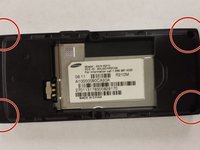
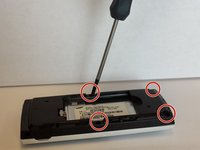
    1. Samsung SPEX SCH-R210 Keypad Replacement, Keypad: stap 4, afbeelding 1 van 2 Samsung SPEX SCH-R210 Keypad Replacement, Keypad: stap 4, afbeelding 2 van 2
      • Remove the four 4.8 mm screws from the midframe using a Phillips #00 screwdriver.

      Vraag FixBot

      Voeg opmerking toe

    2. Samsung SPEX SCH-R210 Keypad Replacement: stap 5, afbeelding 1 van 1
      • Remove the headphone cover from the left side of the midframe.

      Vraag FixBot

      Voeg opmerking toe

    3. Samsung SPEX SCH-R210 Keypad Replacement: stap 6, afbeelding 1 van 1
      • Remove the volume cover from the right side of the midframe.

      Vraag FixBot

      Voeg opmerking toe

    4. Samsung SPEX SCH-R210 Keypad Replacement: stap 7, afbeelding 1 van 1
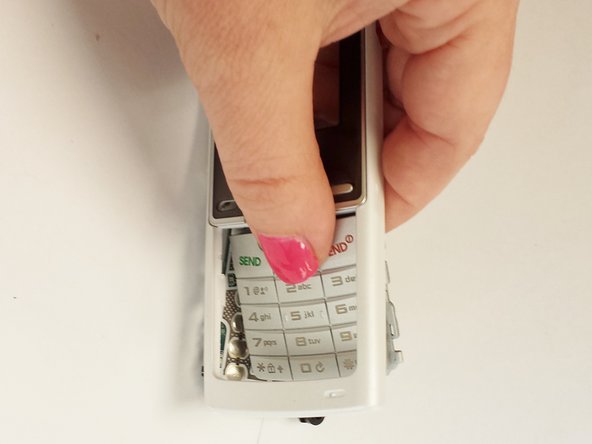
      • Use your hands to separate the midframe from the rest of the phone.

      • This may take a little effort to remove.

      Vraag FixBot

      Voeg opmerking toe

    5. Samsung SPEX SCH-R210 Keypad Replacement: stap 8, afbeelding 1 van 1
      • Use a 1.5 mm hex screwdriver to remove the three 2.4 mm screws around the motherboard.

      Vraag FixBot

      Voeg opmerking toe

    6. Samsung SPEX SCH-R210 Keypad Replacement: stap 9, afbeelding 1 van 1
      • Lift the metal plate off of the motherboard and set it aside.

      Vraag FixBot

      Voeg opmerking toe

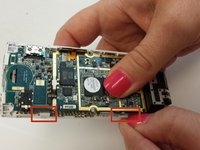
    7. Samsung SPEX SCH-R210 Keypad Replacement: stap 10, afbeelding 1 van 2 Samsung SPEX SCH-R210 Keypad Replacement: stap 10, afbeelding 2 van 2
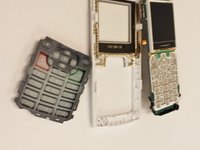
      • Push on the white plastic tabs and the keypad at the same time to remove the motherboard.

      Vraag FixBot

      Voeg opmerking toe

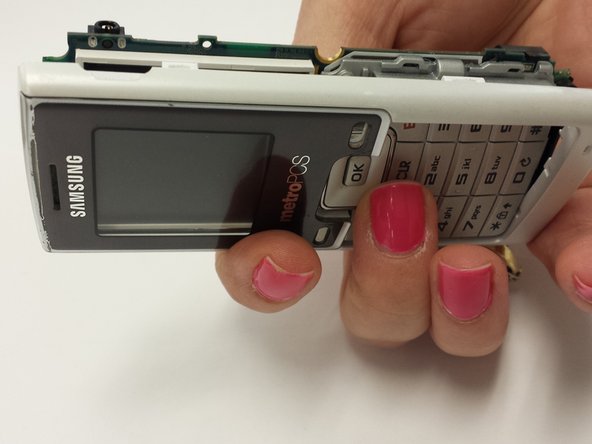
    8. Samsung SPEX SCH-R210 Keypad Replacement: stap 11, afbeelding 1 van 2 Samsung SPEX SCH-R210 Keypad Replacement: stap 11, afbeelding 2 van 2
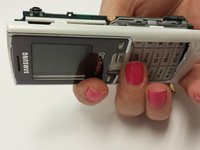
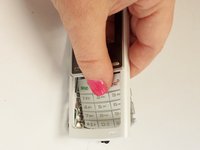
      • Turn the phone over to its front side.

      • Apply pressure on the keypad.

      • The keypad will come out easily.

      Vraag FixBot

      Voeg opmerking toe

Conclusie

To reassemble your device, follow these instructions in reverse order.

Annuleren: ik heb deze handleiding niet afgemaakt.

Susan

Lid sinds: 07/11/13

331 Reputatie

3 handleidingen geschreven

Team

WRI115, Team 1-4, Ruszkiewicz Spring 2013 Lid van WRI115, Team 1-4, Ruszkiewicz Spring 2013

WRI115-RUSZKIEWICZ-S13S1G4

3 Leden

35 handleidingen geschreven

0Gids Commentaar

Voeg opmerking toe

Weergavestatistieken:

Afgelopen 24 uren: 0

Afgelopen 7 dagen: 2

Afgelopen 30 dagen: 26

Altijd: 648