Deze vertaling is door een computer gegenereerd en is nog niet door iemand nagekeken. Spreek je deze taal? Bekijk het hier.

Samsung SGH-A137 toetsenbord vervangen

Gayle Eberhardt Mitchell en 2 andere bijdragers
Voor het laatst geüpdatet op 5 aug 2026
Bekeken: 836
Statistieken weergeven:
- Afgelopen 24 uur:
- 7
- Afgelopen 7 dagen:
- 23
- Afgelopen 30 dagen:
- 77
- Altijd:
- 836
Commentaar: 0
Niemand heeft een opmerking bij deze handleiding geplaatst. Ben jij de eerste?
Go to guide commentsVoltooid: 1 2
1 persoon heeft deze handleiding als "voltooid" gemarkeerd. Ben jij de volgende?
2 personen hebben deze handleiding als "voltooid" gemarkeerd. Een daarvan ben jij—lekker bezig!
Favorieten: 0 1
Niemand heeft deze handleiding gemarkeerd als favoriet of volgt de handleiding. Ben jij de eerste?
1 persoon heeft deze handleiding als favoriet gemarkeerd (en blijft daarmee op de hoogte van meldingen)—dat ben jij!
Inleiding
Ga naar stap 1 ↓Overmatig gebruik van de sms-/e-mailfunctie kan het toetsenbord verslijten en zelfs beschadigen, afhankelijk van de uitgeoefende druk. Dit proces wordt nog steeds als matig moeilijk beschouwd, maar met geduld kan het met uitstekende resultaten worden voltooid. Vergeet niet dat u met gevoelige elektronische onderdelen werkt, dus haast u niet door de stappen en let in het bijzonder op stap 4. Te veel druk of te snel werken kan ervoor zorgen dat de kleine plastic klemmetjes afbreken bij het verwijderen van de achterbehuizing, wat een goede afdichting bij het weer in elkaar zetten van de telefoon in de weg staat.
Wat je nodig hebt
Gereedschap
-
Spudger4.9


-
-
-
Gebruik je duimen om de achterbehuizing naar beneden te trekken en te verwijderen, zodat de batterij bloot komt te liggen.
 Vraag FixBot
-
-
-
Zoek de uitsparing in de behuizing onder de batterij. (zie rood vierkant)
-
Plaats uw vinger in de uitsparing en trek de batterij omhoog om deze te verwijderen.
-
-
-
-
-
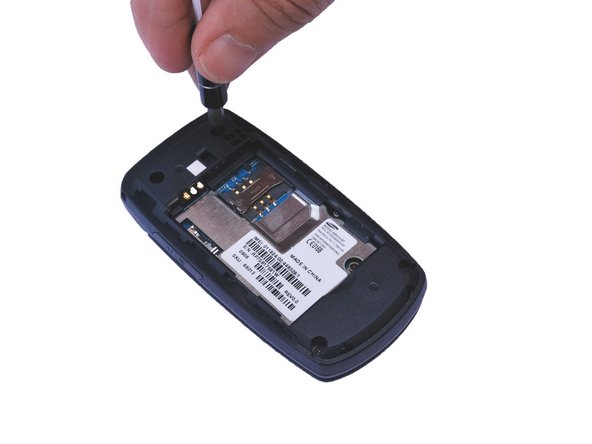
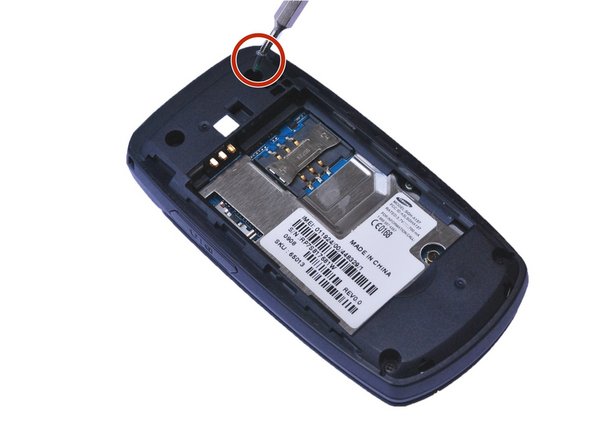
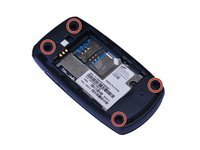
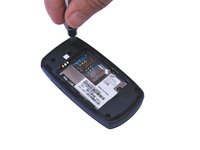
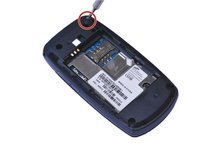
Zoek de 4 schroefgaten en verwijder de 0,4 mm kruiskopschroeven met een #000 kruiskopschroevendraaier. (Zie rode cirkels)
-
-
-
Wrik met een plastic Openingsgereedschap de achterkant van de telefoon voorzichtig open bij de naad.
-
-
-
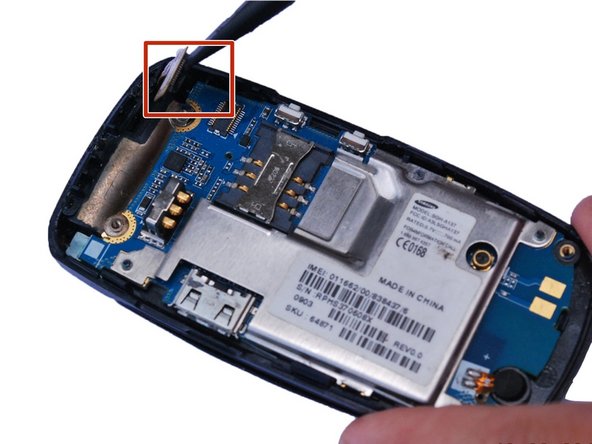
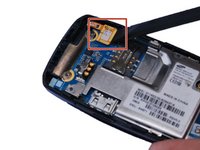
Plaats de platte kant van een spudger onder de rand van de drukaansluiting en wrik de (kabel)aansluiting voorzichtig recht omhoog uit het stopcontact. (Gemarkeerd door het rode vierkant)
-
-
-
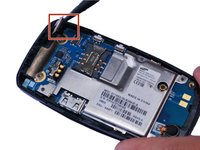
Gebruik een kunststof openingsgereedschap om het moederbord voorzichtig omhoog te wippen.
-
-
-
-
-
-
Duw het toetsenblok voorzichtig naar buiten in de richting van de achterkant.
-
-






Volg deze instructies in omgekeerde volgorde om uw apparaat weer in elkaar te zetten.
Annuleren: ik heb deze handleiding niet afgemaakt.
Één andere persoon heeft deze handleiding voltooid.

Team

USF Sarasota-Manatee, Team 1-1, Stewart Fall 2015 Lid van USF Sarasota-Manatee, Team 1-1, Stewart Fall 2015
USFSM-STEWART-F15S1G1
5 Leden
120 handleidingen geschreven
