Ga door naar hoofdinhoud
Word lid van de reparatiegemeenschap - Account aanmaken

Samsung NP700Z5AH Battery Replacement

Wat je nodig hebt

    1. Samsung NP700Z5AH Battery Replacement, Battery: stap 1, afbeelding 1 van 1
      • Remove the ten 6.6mm Philips#00 screws securing the lower case to the upper case.

      Vraag FixBot

      Voeg opmerking toe

    2. Samsung NP700Z5AH Battery Replacement: stap 2, afbeelding 1 van 3 Samsung NP700Z5AH Battery Replacement: stap 2, afbeelding 2 van 3 Samsung NP700Z5AH Battery Replacement: stap 2, afbeelding 3 van 3
      • Using your fingers, pinch the edge of the SD card and pull to remove it.

      Vraag FixBot

      Voeg opmerking toe

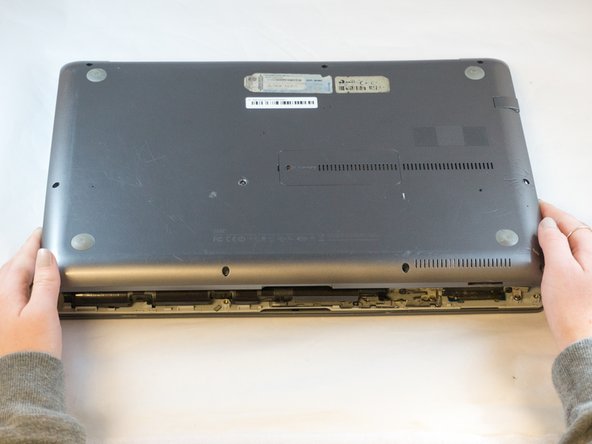
    3. Samsung NP700Z5AH Battery Replacement: stap 3, afbeelding 1 van 2 Samsung NP700Z5AH Battery Replacement: stap 3, afbeelding 2 van 2
      • Wedge your fingers in between the upper case and the lower case

      • Gently pull the lower case away from the upper case to remove it

      Vraag FixBot

      Voeg opmerking toe

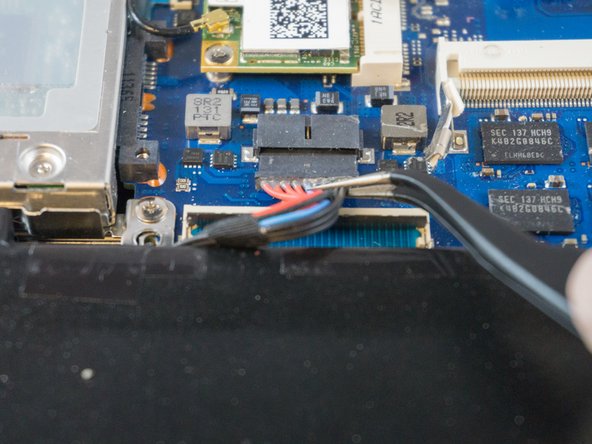
    4. Samsung NP700Z5AH Battery Replacement: stap 4, afbeelding 1 van 2 Samsung NP700Z5AH Battery Replacement: stap 4, afbeelding 2 van 2
      Gereedschap gebruikt in deze stap:
      Tweezers
      $4.99
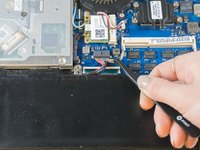
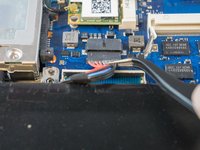
      • Using tweezers or your fingertips, carefully pull on the battery connector to disconnect it from the motherboard.

      • Be sure to pull straight backwards, or you risk damaging the wires.

      Vraag FixBot

      Voeg opmerking toe

    5. Samsung NP700Z5AH Battery Replacement: stap 5, afbeelding 1 van 1
      • Remove the two 4.4mm Phillips#00 screws from the battery case.

      Vraag FixBot

      Voeg opmerking toe

    6. Samsung NP700Z5AH Battery Replacement: stap 6, afbeelding 1 van 2 Samsung NP700Z5AH Battery Replacement: stap 6, afbeelding 2 van 2
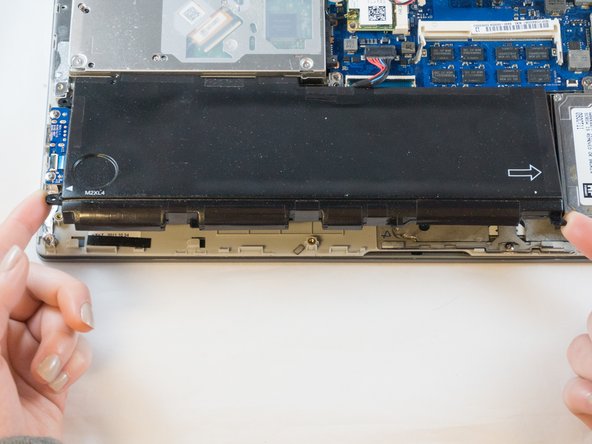
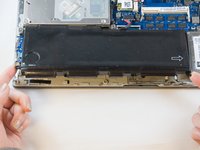
      • Place your fingers on the corner sections of the battery.

      • Lift to remove the battery.

      • If you choose to use tools to remove the battery be careful not to damage it. A damaged lithium-ion battery may leak dangerous chemicals and/or catch fire. Use only plastic pry tools.

      Vraag FixBot

      Voeg opmerking toe

Conclusie

To reassemble your device, follow these instructions in reverse order.

Annuleren: ik heb deze handleiding niet afgemaakt.

5 andere personen hebben deze handleiding voltooid.

1Gids Commentaar

ifixit@distinctlydifferent.co.uk

Jacqueline - Antwoord Deel

Voeg opmerking toe

Weergavestatistieken:

Afgelopen 24 uren: 1

Afgelopen 7 dagen: 10

Afgelopen 30 dagen: 42

Altijd: 1,663