Deze vertaling is door een computer gegenereerd en is nog niet door iemand nagekeken. Spreek je deze taal? Bekijk het hier.
Inleiding
Hoe het toetsenbord van de telefoon te verwijderen en vervangen.
Wat je nodig hebt
-
-
-
Leg de telefoon neer met het scherm naar beneden gericht.
-
Schuif het paneel met je duim weg van de camera. Hierdoor komt de accu bloot te liggen.
 Vraag FixBot
-
-
-
Steek de punt van de spudger aan de linkerkant van de accu.
-
Wrik de accu eruit. Deze zal kantelen in de richting van de witte pijl.
-
-
-
-
-
Verwijder de zes 3,5 mm schroeven met een Phillips #000 kruiskopschroevendraaier. Schroef tegen de klok in los.
-
-
-
Wrik voorzichtig rond de randen met de spudger om het achterpaneel te verwijderen.
-
De zijknoppen zullen loskomen en eruit vallen, dus leg deze op een veilige plek.
-
-
-
-
-
-
Verwijder voorzichtig de zwarte bedrading om de printplaat vrij te maken.
-
Verwijder de bedrading door voorzichtig de gouden aansluiting los te wrikken die aan de groene printplaat is bevestigd.
-
-
-
Trek voorzichtig aan het zwarte en blauwe lint omhoog om de printplaat los te maken.
-
-
-
-
-
Gebruik een kruiskopschroevendraaier om de zes 3,5 mm schroeven te verwijderen door ze los te draaien.
-
De antenne-unit klikt los.
-
-
-
-
-
Verwijder de twee schroeven aan de basis langs de rand van het zilveren onderdeel, waar je zojuist het zwarte uiteinde hebt verwijderd.
-
De schroeven zijn 2,7 mm lang.
-
De onderste zwarte eindkap klikt los.
-
-
-
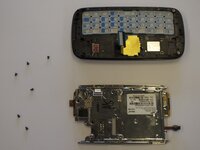
Verwijder de zes schroeven van 2,7 mm waarmee de zilveren plaat vastzit en leg deze opzij (afb. 1).
-
Scheid de zilveren plaat van de omlijsting van de telefoon (afb. 2).
-
-
-
Het zilveren onderdeel dat je overhoudt, is de fysieke toetsenbordmodule.
-
-


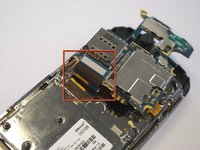
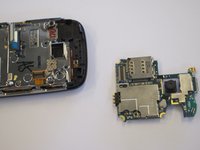


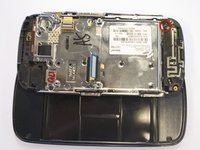
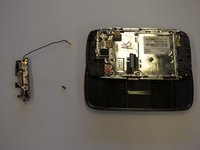



Volg deze instructies in omgekeerde volgorde om je apparaat weer in elkaar te zetten.

Team

Cal Poly, Team 8-10, Regan Spring 2011 Lid van Cal Poly, Team 8-10, Regan Spring 2011
CPSU-REGAN-S11S8G10
4 Leden
132 handleidingen geschreven
