Ga door naar hoofdinhoud
Word lid van de reparatiegemeenschap - Account aanmaken

Samsung Galaxy Note Midframe Replacement

Wat je nodig hebt

  1. Samsung Galaxy Note Midframe Replacement, Rear Case: stap 1, afbeelding 1 van 2 Samsung Galaxy Note Midframe Replacement, Rear Case: stap 1, afbeelding 2 van 2
    • Pry with a plastic opening tool, or your fingernail, in the divot to the right of the rear-facing camera, near the volume rocker.

    Vraag FixBot
  2. Samsung Galaxy Note Midframe Replacement: stap 2, afbeelding 1 van 2 Samsung Galaxy Note Midframe Replacement: stap 2, afbeelding 2 van 2
    • Lift and remove the rear case from the phone.

    Vraag FixBot
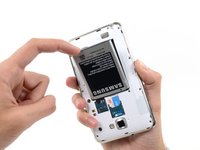
  3. Samsung Galaxy Note Midframe Replacement, Battery: stap 3, afbeelding 1 van 2 Samsung Galaxy Note Midframe Replacement, Battery: stap 3, afbeelding 2 van 2
    • Insert your finger in the notch of the battery compartment.

    • Press the battery toward the rear facing camera while pulling outward.

    Vraag FixBot
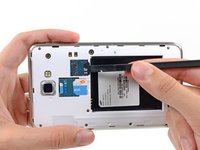
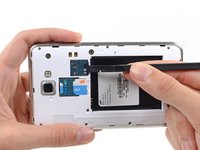
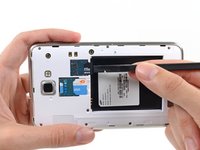
  4. Samsung Galaxy Note Midframe Replacement, MicroSD Card: stap 4, afbeelding 1 van 3 Samsung Galaxy Note Midframe Replacement, MicroSD Card: stap 4, afbeelding 2 van 3 Samsung Galaxy Note Midframe Replacement, MicroSD Card: stap 4, afbeelding 3 van 3
    • Use the flat end of a spudger, or your fingernail, to press the microSD card slightly deeper into its slot until you hear a click.

    • After the click, release the card and it will pop out of its slot.

    • For reassembly, push the microSD card into the slot until it clicks in place.

    Vraag FixBot
  5. Samsung Galaxy Note Midframe Replacement: stap 5, afbeelding 1 van 1
    • Remove the microSD card from its slot in the midframe.

    Vraag FixBot
  6. Samsung Galaxy Note Midframe Replacement, SIM Card: stap 6, afbeelding 1 van 2 Samsung Galaxy Note Midframe Replacement, SIM Card: stap 6, afbeelding 2 van 2
    • Use a plastic opening tool, or your fingernail, to push the SIM card out of its compartment.

    Vraag FixBot
  7. Samsung Galaxy Note Midframe Replacement: stap 7, afbeelding 1 van 2 Samsung Galaxy Note Midframe Replacement: stap 7, afbeelding 2 van 2
    • Slide the SIM card out the rest of the way with your thumb and remove it from the device.

    Vraag FixBot
  8. Samsung Galaxy Note Midframe Replacement, Midframe: stap 8, afbeelding 1 van 1
    • Remove the nine 3.4 mm Phillips #00 screws securing the midframe to the display assembly.

    Vraag FixBot
  9. Samsung Galaxy Note Midframe Replacement: stap 9, afbeelding 1 van 2 Samsung Galaxy Note Midframe Replacement: stap 9, afbeelding 2 van 2
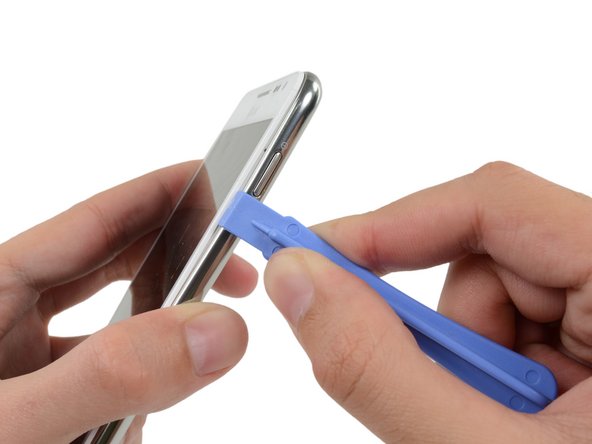
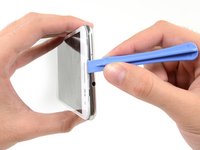
    • Insert your plastic opening tool to the left of the power button between the midframe and the front panel assembly and pry.

    Vraag FixBot
  10. Samsung Galaxy Note Midframe Replacement: stap 10, afbeelding 1 van 3 Samsung Galaxy Note Midframe Replacement: stap 10, afbeelding 2 van 3 Samsung Galaxy Note Midframe Replacement: stap 10, afbeelding 3 van 3
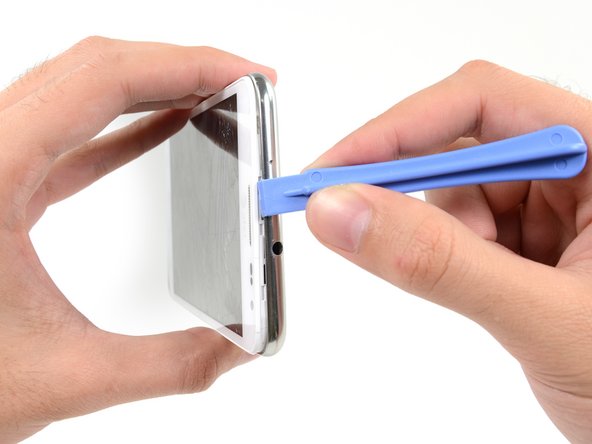
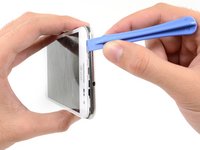
    • Slide the plastic opening tool down the seam.

    Vraag FixBot
  11. Samsung Galaxy Note Midframe Replacement: stap 11, afbeelding 1 van 3 Samsung Galaxy Note Midframe Replacement: stap 11, afbeelding 2 van 3 Samsung Galaxy Note Midframe Replacement: stap 11, afbeelding 3 van 3
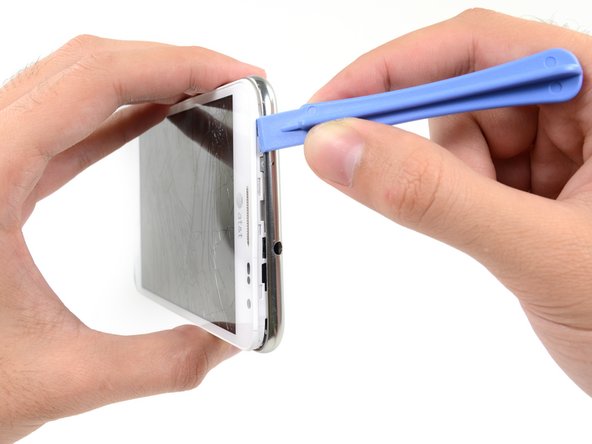
    • Insert your plastic opening tool to the left of the headphone jack between the midframe and the display assembly.

    • Slide the opening tool along the top edge of the phone.

    • Continue to run the plastic opening tool around the perimeter of the phone until the midframe is separated.

    Vraag FixBot
  12. Samsung Galaxy Note Midframe Replacement: stap 12, afbeelding 1 van 2 Samsung Galaxy Note Midframe Replacement: stap 12, afbeelding 2 van 2
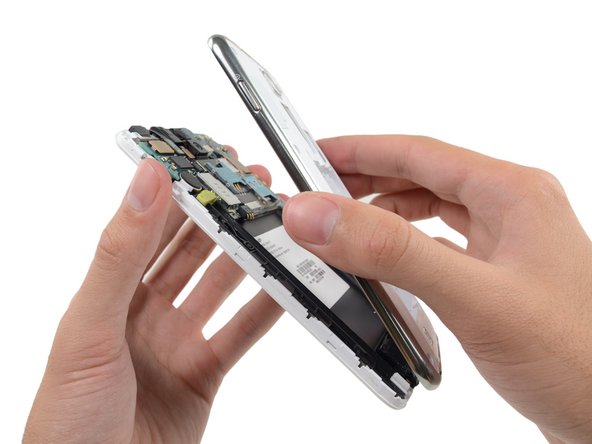
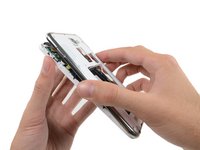
    • Remove the midframe from the display assembly.

    Vraag FixBot
Conclusie

To reassemble your device, follow these instructions in reverse order.

16 andere personen hebben deze handleiding voltooid.

Sam Goldheart

Lid sinds: 10/18/12

477.293 Reputatie

538 handleidingen geschreven

Team

iFixit Lid van iFixit

Staff

123 Leden

25.721 handleidingen geschreven

0Gids Commentaar

Voeg opmerking toe

Weergavestatistieken:

Afgelopen 24 uren: 1

Afgelopen 7 dagen: 16

Afgelopen 30 dagen: 87

Altijd: 11,307