Ga door naar hoofdinhoud
Word lid van de reparatiegemeenschap - Account aanmaken

Samsung Galaxy Gear Camera Replacement

Wat je nodig hebt

  1. Samsung Galaxy Gear Camera Replacement, Band: stap 1, afbeelding 1 van 1
    • Loosen the camera ribbon so it will easily pass through the watch body.

    Vraag FixBot

    Voeg opmerking toe

  2. Samsung Galaxy Gear Camera Replacement: stap 2, afbeelding 1 van 2 Samsung Galaxy Gear Camera Replacement: stap 2, afbeelding 2 van 2
    • Grip the body of the watch and pull the band upward.

    • Do the same with the adjacent band, but there will be no camera ribbon to pass through the watch body.

    Vraag FixBot

    Voeg opmerking toe

  3. Samsung Galaxy Gear Camera Replacement, Camera: stap 3, afbeelding 1 van 2 Samsung Galaxy Gear Camera Replacement, Camera: stap 3, afbeelding 2 van 2
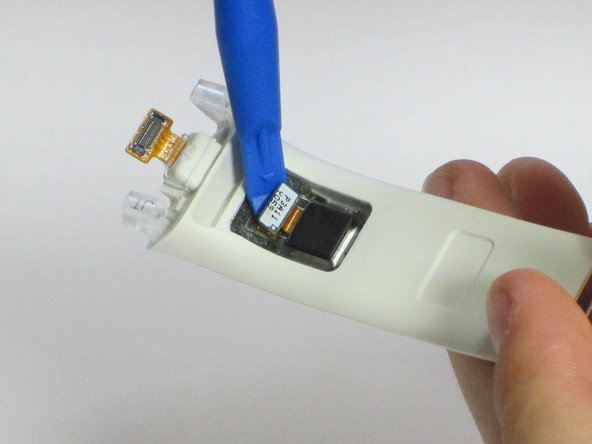
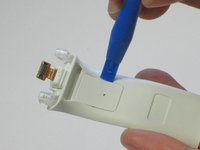
    • Use the plastic opening tool to pry the camera backdoor.

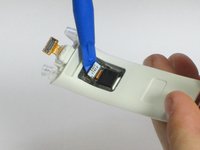
    • Use the plastic opening tool to pry the tab and pull the camera.

    Vraag FixBot

    Voeg opmerking toe

Conclusie

To reassemble your device, follow these instructions in reverse order.

Annuleren: ik heb deze handleiding niet afgemaakt.

3 andere personen hebben deze handleiding voltooid.

Jenny Verheul

Lid sinds: 04/28/16

194 Reputatie

1 Handleiding geschreven

Team

Cal Poly, Team 1-9, Maness Spring 2016 Lid van Cal Poly, Team 1-9, Maness Spring 2016

CPSU-MANESS-S16S1G9

4 Leden

7 handleidingen geschreven

0Gids Commentaar

Voeg opmerking toe

Weergavestatistieken:

Afgelopen 24 uren: 1

Afgelopen 7 dagen: 8

Afgelopen 30 dagen: 31

Altijd: 2,740