Deze vertaling is door een computer gegenereerd en is nog niet door iemand nagekeken. Spreek je deze taal? Bekijk het hier.
Inleiding
Het toetsenbord van de Samsung Epix is een belangrijk onderdeel van het apparaat en cruciaal voor de werking ervan. Als je toetsenbord niet meer reageert of versleten is, leidt deze handleiding je door het vervangingsproces, zodat je de werking van je apparaat snel en efficiënt kunt herstellen. Volg elke stap zorgvuldig en bewaar gereedschap en schroeven in een veilige bak, aangezien deze onderdelen essentieel zijn voor de structurele integriteit van het apparaat. Ga voorzichtig om met alle onderdelen om schade te voorkomen en een soepele vervanging mogelijk te maken.
Voordat je begint:
- Bereid je werkplek voor: Maak een ruimte vrij waarin je comfortabel en zonder onderbrekingen kunt werken.
- Schakel je telefoon uit en zorg ervoor dat deze niet op de oplader is aangesloten.
Dit artikel leidt je door het proces van het veilig vervangen van je Samsung Epix toetsenbord om het weer in nieuwstaat te herstellen. Laten we beginnen!
Wat je nodig hebt
-
-
-
Druk net onder de camera van de telefoon op de knop en houd deze ingedrukt.
-
Terwijl de knop ingedrukt wordt gehouden, schuift u het achterpaneel eraf om het volledig te verwijderen.
 Vraag FixBot
-
-
-
Pak de onderhoeken van de batterij vast met twee vingers en til deze voorzichtig op.
-
Til de batterij voorzichtig op en verwijder deze uit de telefoon.
-
-
-
-
-
Gebruik een plastic openingstool om de schroefafdekking in de linkerbovenhoek van de telefoon te verwijderen door deze omhoog te wippen.
-
-
-
-
Gebruik de Phillips #00 kruiskopschroevendraaier om de zes schroeven aan de achterkant van de telefoon te verwijderen.
-
-
-
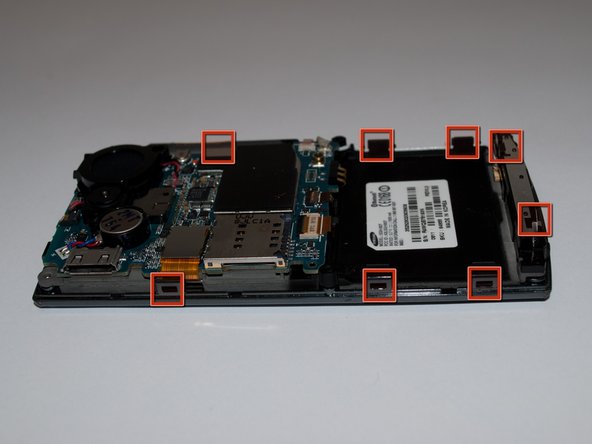
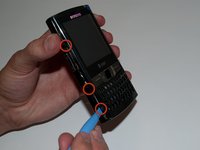
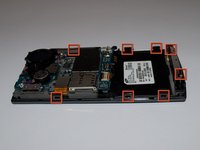
Steek het hefboomgereedschap in de naad aan de zijkant van de telefoon en draai het een beetje. Doe dit voor elk van de acht clips om ze los te maken.
-
-
-
Zodra alle acht clips zijn losgehaakt, til je het achterpaneel voorzichtig van de telefoon.
-
-
-
Gebruik de plastic openingstool om de lintkabel in de rechterbenedenhoek van het moederbord los te klikken.
-
-
-
Pak het rubberen toetsenbord in de hoek vast met uw vingers en til het op om het te verwijderen.
-
Til het op en haal het voorzichtig uit de omlijsting om het te verwijderen.
-
-




Volg deze instructies in omgekeerde volgorde om je apparaat weer in elkaar te zetten.
Annuleren: ik heb deze handleiding niet afgemaakt.
2 andere personen hebben deze handleiding voltooid.

Team

Cal Poly, Team 15-15, Regan Spring 2011 Lid van Cal Poly, Team 15-15, Regan Spring 2011
CPSU-REGAN-S11S15G15
5 Leden
45 handleidingen geschreven
