Ga door naar hoofdinhoud
Word lid van de reparatiegemeenschap - Account aanmaken

Samsung Blackjack Antenna Replacement

Wat je nodig hebt

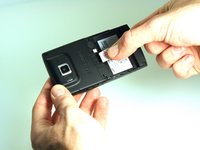
    1. Samsung Blackjack Antenna Replacement, Battery Cover: stap 1, afbeelding 1 van 3 Samsung Blackjack Antenna Replacement, Battery Cover: stap 1, afbeelding 2 van 3 Samsung Blackjack Antenna Replacement, Battery Cover: stap 1, afbeelding 3 van 3
      • Hold the device with the screen facing away from you and the camera towards you.

      • Place your thumb on the bottom half of the phone and slide the cover off while gently pushing down on the cover.

      Vraag FixBot

      Voeg opmerking toe

    1. Samsung Blackjack Antenna Replacement, Battery: stap 2, afbeelding 1 van 2 Samsung Blackjack Antenna Replacement, Battery: stap 2, afbeelding 2 van 2
      • Place your fingers on both sides of the bottom of the battery and lift upwards.

      • Pull the battery away from the phone.

      Vraag FixBot

      Voeg opmerking toe

    1. Samsung Blackjack Antenna Replacement, SIM Card: stap 3, afbeelding 1 van 3 Samsung Blackjack Antenna Replacement, SIM Card: stap 3, afbeelding 2 van 3 Samsung Blackjack Antenna Replacement, SIM Card: stap 3, afbeelding 3 van 3
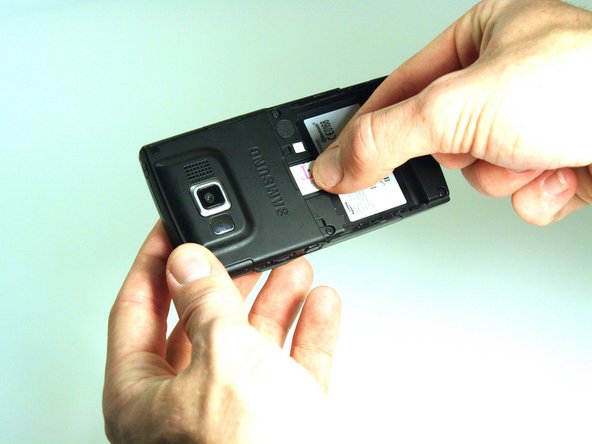
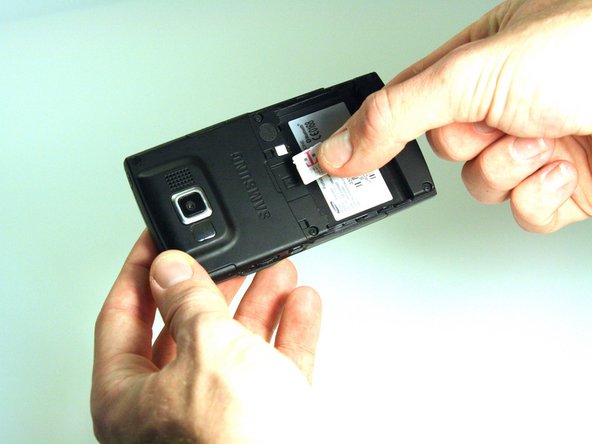
      • Place your thumb on the SIM card.

      • Slide the card out of the slot.

      Vraag FixBot

      Voeg opmerking toe

    1. Samsung Blackjack Antenna Replacement, Back Phone Casing: stap 4, afbeelding 1 van 2 Samsung Blackjack Antenna Replacement, Back Phone Casing: stap 4, afbeelding 2 van 2
      • Use the spudger to remove the rubber stoppers from the top of the cover.

      • Use the Phillips 00 screw driver to remove the screws from each of the four corners and the two on sides (six total).

      Vraag FixBot

      Voeg opmerking toe

    2. Samsung Blackjack Antenna Replacement: stap 5, afbeelding 1 van 3 Samsung Blackjack Antenna Replacement: stap 5, afbeelding 2 van 3 Samsung Blackjack Antenna Replacement: stap 5, afbeelding 3 van 3
      • Use the spudger to loosen and separate the front and back covers.

      • Pick up the back cover once loosened.

      • The front and back covers will be attached to each other by a gold wire.

      • Remove the gold wire connecting the back cover to the motherboard to completely separate the covers.

      Vraag FixBot

      Voeg opmerking toe

    1. Samsung Blackjack Antenna Replacement, Antenna: stap 6, afbeelding 1 van 2 Samsung Blackjack Antenna Replacement, Antenna: stap 6, afbeelding 2 van 2
      Gereedschap gebruikt in deze stap:
      Tweezers
      $4.99
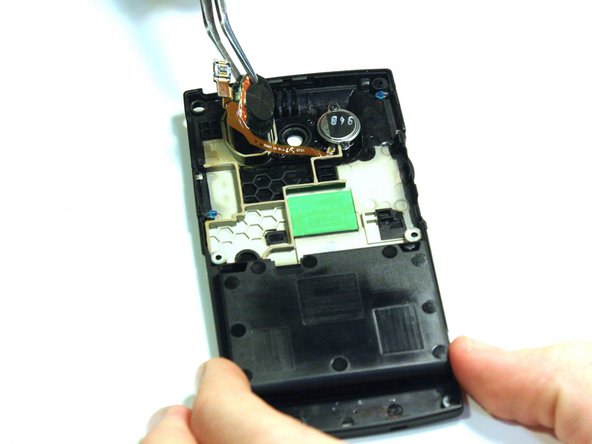
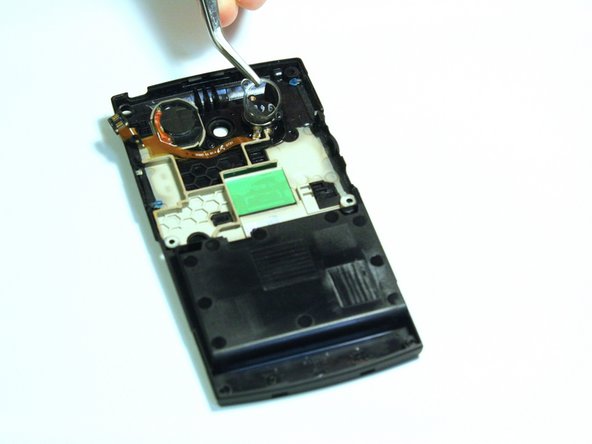
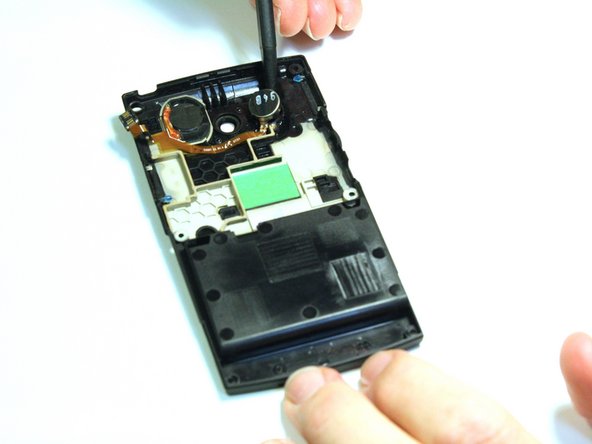
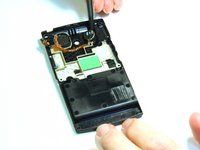
      • Note: The antenna is located on the back case of the phone. Flip over the back case of the phone so that the interior is facing up.

      • Use spudger to help loosen the antenna.

      • Once the antenna is loose, use tweezers to remove antenna.

      Vraag FixBot

      Voeg opmerking toe

    2. Samsung Blackjack Antenna Replacement: stap 7, afbeelding 1 van 3 Samsung Blackjack Antenna Replacement: stap 7, afbeelding 2 van 3 Samsung Blackjack Antenna Replacement: stap 7, afbeelding 3 van 3
      • Use the Phillips 00 screwdriver to remove the screw from the casing around the speaker.

      • Use tweezers to lift the casing around the speaker.

      • Use spudger to dislodge the speaker.

      Vraag FixBot

      Voeg opmerking toe

Conclusie

To reassemble your device, follow these instructions in reverse order.

Annuleren: ik heb deze handleiding niet afgemaakt.

Kristin Manna

Lid sinds: 10/22/12

29 Reputatie

10 handleidingen geschreven

Team

Clemson, Team 14-4, Benson Fall 2012 Lid van Clemson, Team 14-4, Benson Fall 2012

CLEM-BENSON-F12S14G4

3 Leden

96 handleidingen geschreven

0Gids Commentaar

Voeg opmerking toe

Weergavestatistieken:

Afgelopen 24 uren: 2

Afgelopen 7 dagen: 8

Afgelopen 30 dagen: 23

Altijd: 831