Inleiding
In order to replace the battery, have a Phillips screwdriver handy. Make sure you are able to keep track of all the screws removed and where they belong (a magnetic project mat would be helpful). If your battery is damaged and needs to be replaced, replacement batteries should be purchased from the laptop's original manufacturing company (batteries can be bought online or in person from a Samsung retailer). Ensure that the battery is disposed of properly, according to your city's ordinances.
Wat je nodig hebt
-
-
-
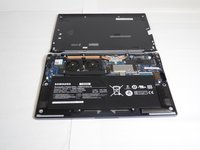
Turn the laptop upside down so that the underside of the laptop is facing you.
-
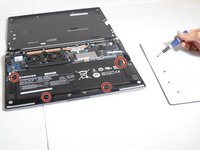
Use a Phillips #000 screwdriver to unscrew the 4.3 mm screws located on the edges and corners of the laptop.
 Vraag FixBot
-
-
-
-
-
-
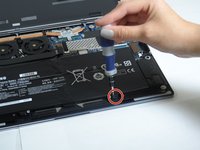
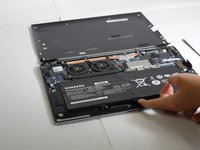
Unscrew the four 4.55 mm Phillips #000 screws on the edges of the battery.
-
-




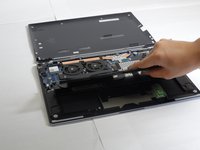
To reassemble your device, follow these instructions in reverse order.
Annuleren: ik heb deze handleiding niet afgemaakt.
7 andere personen hebben deze handleiding voltooid.

Team

Baylor, Team 2-3, Grigsby Spring 2015 Lid van Baylor, Team 2-3, Grigsby Spring 2015
BU-GRIGSBY-S15S2G3
4 Leden
16 handleidingen geschreven
4Gids Commentaar
http://www.myfixguide.com/manual/samsung...
There are no RAM modules. They are welded in the mother board.
Best regards!
any updated amazon product?
I just bought and installed this battery from Amazon: https://www.amazon.com/gp/product/B07NW7...
