Ga door naar hoofdinhoud
Word lid van de reparatiegemeenschap - Account aanmaken

Samsung ATIV Book 4 Battery Replacement

Wat je nodig hebt

  1. Samsung ATIV Book 4 Battery Replacement, Battery: stap 1, afbeelding 1 van 2 Samsung ATIV Book 4 Battery Replacement, Battery: stap 1, afbeelding 2 van 2
    • Place the computer upside down.

    • Remove 2 rubber pads, by prying up on them.

    • There may be adhesive holding them down. If this is the case, the plastic opening tool may be needed to remove them.

    • Remove the seven 6.5mm screws on exterior of computer.

    Vraag FixBot

    Voeg opmerking toe

  2. Samsung ATIV Book 4 Battery Replacement: stap 2, afbeelding 1 van 2 Samsung ATIV Book 4 Battery Replacement: stap 2, afbeelding 2 van 2
    • Remove the panel by sliding it down and lifting it away from the computer.

    • Remove the four 4.4mm screws that are underneath the panel.

    • Remove the two 6.5mm screws that were underneath the rubber pads.

    Vraag FixBot

    Voeg opmerking toe

  3. Samsung ATIV Book 4 Battery Replacement: stap 3, afbeelding 1 van 2 Samsung ATIV Book 4 Battery Replacement: stap 3, afbeelding 2 van 2
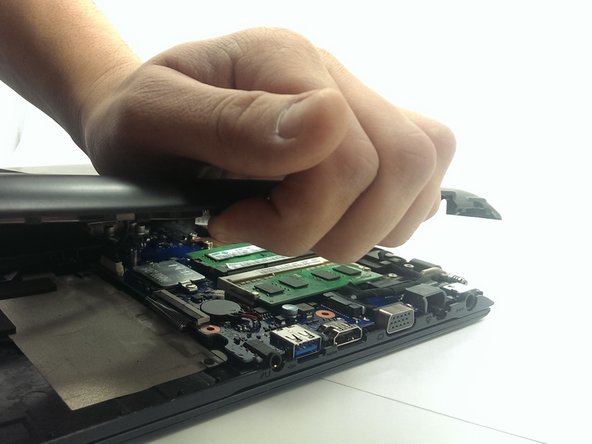
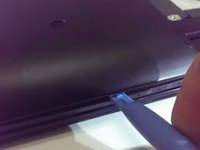
    • Using the plastic opening tool, pry plastic panel away from computer.

    • Start prying at one point and work your way around the entire computer until panel is free come computer.

    • Remove the panel from computer, once all tabs are broken free.

    Vraag FixBot

    Voeg opmerking toe

  4. Samsung ATIV Book 4 Battery Replacement: stap 4, afbeelding 1 van 1
    • Remove the four 3.5mm screws holding the battery.

    • Peel back the tape securing the wires to the battery.

    • Lift and remove the battery from its location.

    • Don't pull/tear the wires connected to battery harness.

    Vraag FixBot

    Voeg opmerking toe

  5. Samsung ATIV Book 4 Battery Replacement: stap 5, afbeelding 1 van 1
    • Disconnect the battery harness from computer.

    • Completely remove the battery and replace it.

    Vraag FixBot

    Voeg opmerking toe

  6. Samsung ATIV Book 4 Battery Replacement: stap 6, afbeelding 1 van 1
    • Plug battery harness back in.

    • Assure the wires are pointed up (towards you) then plugging back in, as shown.

    Vraag FixBot

    Voeg opmerking toe

Conclusie

To reassemble your device, follow these instructions in reverse order.

Annuleren: ik heb deze handleiding niet afgemaakt.

4 andere personen hebben deze handleiding voltooid.

Chad

Lid sinds: 03/17/15

443 Reputatie

2 handleidingen geschreven

Team

Michigan Tech, Team 1-7, Lauer Spring 2015 Lid van Michigan Tech, Team 1-7, Lauer Spring 2015

MTU-LAUER-S15S1G7

2 Leden

6 handleidingen geschreven

0Gids Commentaar

Voeg opmerking toe

Weergavestatistieken:

Afgelopen 24 uren: 2

Afgelopen 7 dagen: 8

Afgelopen 30 dagen: 53

Altijd: 10,620