Ga door naar hoofdinhoud
Word lid van de reparatiegemeenschap - Account aanmaken
Ricoh YF-20 Super Button Mechanism Replacement

Wat je nodig hebt

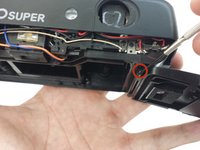
  1. Ricoh YF-20 Super Button Mechanism Replacement, Front Cover: stap 1, afbeelding 1 van 2 Ricoh YF-20 Super Button Mechanism Replacement, Front Cover: stap 1, afbeelding 2 van 2
    • Use the screwdriver to unscrew the indicated screws from the left, right, bottom, and back sides of the camera.

    Vraag FixBot
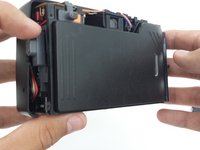
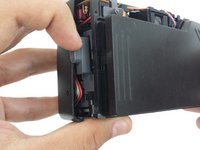
  2. Ricoh YF-20 Super Button Mechanism Replacement: stap 2, afbeelding 1 van 3 Ricoh YF-20 Super Button Mechanism Replacement: stap 2, afbeelding 2 van 3 Ricoh YF-20 Super Button Mechanism Replacement: stap 2, afbeelding 3 van 3
    • Loosen the back cover from both the left and the right sides of the camera. Take off the back cover.

    • The lid of the battery compartment may fall off because it is not attached to anything.

    Vraag FixBot
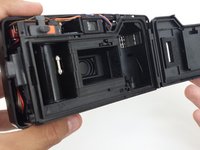
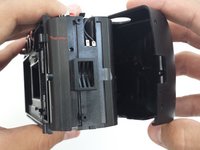
  3. Ricoh YF-20 Super Button Mechanism Replacement: stap 3, afbeelding 1 van 3 Ricoh YF-20 Super Button Mechanism Replacement: stap 3, afbeelding 2 van 3 Ricoh YF-20 Super Button Mechanism Replacement: stap 3, afbeelding 3 van 3
    • Open the film compartment.

    • Press your finger on top of the grey latch on the left side of the camera.

    Vraag FixBot
  4. Ricoh YF-20 Super Button Mechanism Replacement: stap 4, afbeelding 1 van 3 Ricoh YF-20 Super Button Mechanism Replacement: stap 4, afbeelding 2 van 3 Ricoh YF-20 Super Button Mechanism Replacement: stap 4, afbeelding 3 van 3
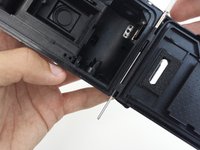
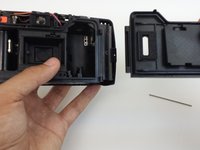
    • Removing the film compartment door is optional. However, it may aid maneuverability in future steps.

    • Use a thin object like a toothpick or a small screwdriver to push down on the metal pin holding the film compartment door in place.

    • Use your fingers to completely remove the metal pin.

    • Remove the film compartment door.

    Vraag FixBot
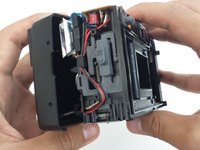
  5. Ricoh YF-20 Super Button Mechanism Replacement: stap 5, afbeelding 1 van 2 Ricoh YF-20 Super Button Mechanism Replacement: stap 5, afbeelding 2 van 2
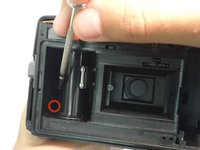
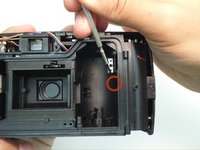
    • Use a thin shaft screwdriver and unscrew the two indicated screws within the film compartment.

    Vraag FixBot
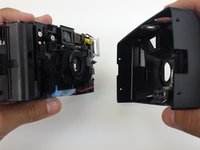
  6. Ricoh YF-20 Super Button Mechanism Replacement: stap 6, afbeelding 1 van 3 Ricoh YF-20 Super Button Mechanism Replacement: stap 6, afbeelding 2 van 3 Ricoh YF-20 Super Button Mechanism Replacement: stap 6, afbeelding 3 van 3
    • Loosen the front cover from the left and right sides of the camera.

    • Take off the front cover.

    Vraag FixBot
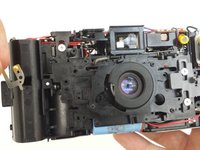
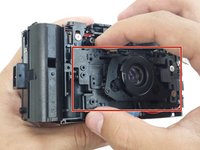
  7. Ricoh YF-20 Super Button Mechanism Replacement, Buttons: stap 7, afbeelding 1 van 3 Ricoh YF-20 Super Button Mechanism Replacement, Buttons: stap 7, afbeelding 2 van 3 Ricoh YF-20 Super Button Mechanism Replacement, Buttons: stap 7, afbeelding 3 van 3
    • Remove and set the front and back covers aside

    • Unscrew the screw that holds the front plate brace in place.

    • Take out the brace.

    Vraag FixBot
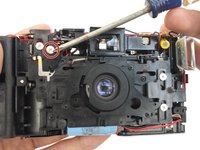
  8. Ricoh YF-20 Super Button Mechanism Replacement: stap 8, afbeelding 1 van 3 Ricoh YF-20 Super Button Mechanism Replacement: stap 8, afbeelding 2 van 3 Ricoh YF-20 Super Button Mechanism Replacement: stap 8, afbeelding 3 van 3
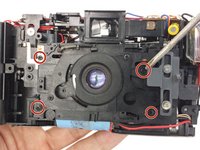
    • Unscrew the four screws keeping the front face plate in place.

    • The top left screw also holds a metal clip in place.

    • Remove metal clip.

    Vraag FixBot
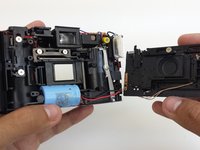
  9. Ricoh YF-20 Super Button Mechanism Replacement: stap 9, afbeelding 1 van 3 Ricoh YF-20 Super Button Mechanism Replacement: stap 9, afbeelding 2 van 3 Ricoh YF-20 Super Button Mechanism Replacement: stap 9, afbeelding 3 van 3
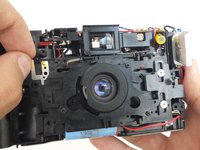
    • After removing the metal clip in the previous step, the front face plate can be removed.

    • The front face plate is attached to the camera body by two small wires. Carefully remove the plate and completely separate it from the camera body.

    Vraag FixBot
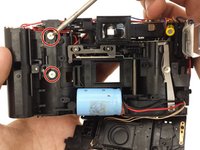
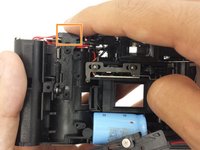
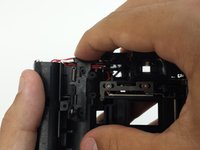
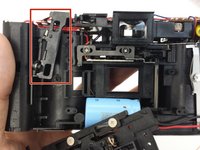
  10. Ricoh YF-20 Super Button Mechanism Replacement: stap 10, afbeelding 1 van 3 Ricoh YF-20 Super Button Mechanism Replacement: stap 10, afbeelding 2 van 3 Ricoh YF-20 Super Button Mechanism Replacement: stap 10, afbeelding 3 van 3
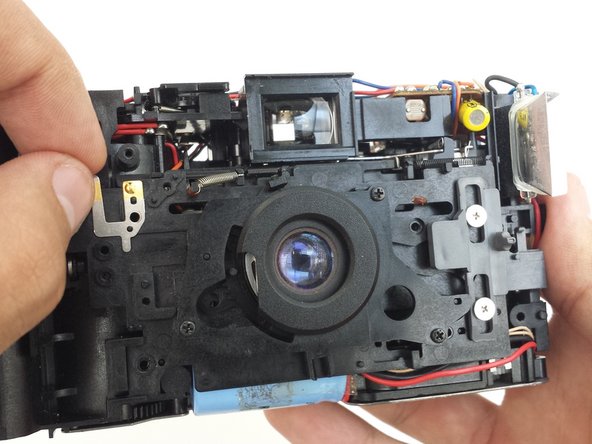
    • Unscrew the two screws that hold the button mechanism in place.

    • Press down on button mechanism to unlatch it from the camera body. When pressed down, the bottom of the mechanism should push outward.

    Vraag FixBot
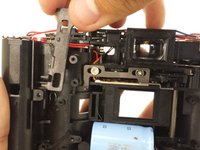
  11. Ricoh YF-20 Super Button Mechanism Replacement: stap 11, afbeelding 1 van 3 Ricoh YF-20 Super Button Mechanism Replacement: stap 11, afbeelding 2 van 3 Ricoh YF-20 Super Button Mechanism Replacement: stap 11, afbeelding 3 van 3
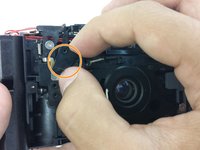
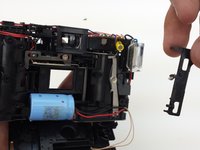
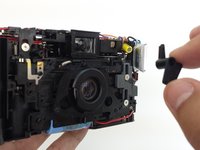
    • Lift the button mechanism up carefully, removing the spring at the top of the mechanism from where it is attached to the camera body.

    • Take out the button mechanism.

    Vraag FixBot
Conclusie

To reassemble your device, follow these instructions in reverse order. Take your e-waste to an R2 or e-Stewards certified recycler.

Eric Dazet

Lid sinds: 04/10/12

352 Reputatie

5 handleidingen geschreven

Team

Cal Poly, Team 6-21, Amido Spring 2012 Lid van Cal Poly, Team 6-21, Amido Spring 2012

CPSU-AMIDO-S12S6G21

4 Leden

21 handleidingen geschreven

0Gids Commentaar

Voeg opmerking toe

Weergavestatistieken:

Afgelopen 24 uren: 2

Afgelopen 7 dagen: 10

Afgelopen 30 dagen: 57

Altijd: 1,695