Ga door naar hoofdinhoud
Word lid van de reparatiegemeenschap - Account aanmaken

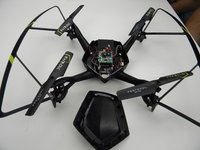
Protocol Dronium III AP Camera Replacement

Wat je nodig hebt

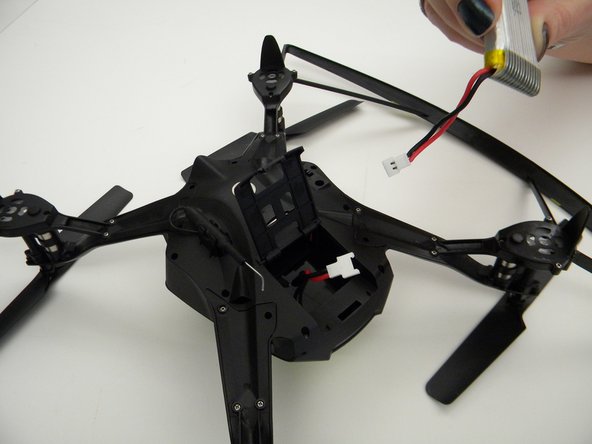
  1. Protocol Dronium III AP Camera Replacement, Drone Battery Pack: stap 1, afbeelding 1 van 2 Protocol Dronium III AP Camera Replacement, Drone Battery Pack: stap 1, afbeelding 2 van 2
    • Ensure the drone is powered off.

    • Press in and lift battery compartment cover.

    • A soft pry tool may be used for easier access.

    Vraag FixBot
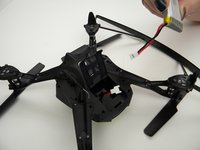
  2. Protocol Dronium III AP Camera Replacement: stap 2, afbeelding 1 van 1
    • Remove battery pack from body of drone.

    Vraag FixBot
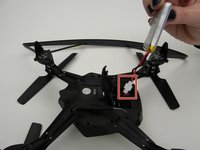
  3. Protocol Dronium III AP Camera Replacement: stap 3, afbeelding 1 van 2 Protocol Dronium III AP Camera Replacement: stap 3, afbeelding 2 van 2
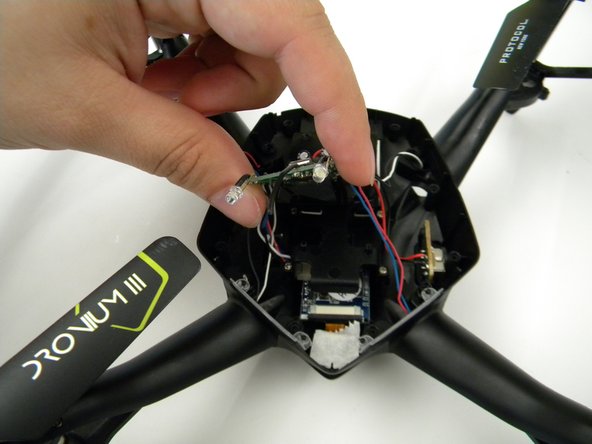
    • Disconnect white connectors between the battery pack and drone.

    Vraag FixBot
  4. Protocol Dronium III AP Camera Replacement, Camera: stap 4, afbeelding 1 van 1
    • Remove the eight (8) 5mm screws attaching the motor arms to the body using a JIS #00 screwdriver.

    Vraag FixBot
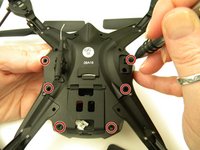
  5. Protocol Dronium III AP Camera Replacement: stap 5, afbeelding 1 van 2 Protocol Dronium III AP Camera Replacement: stap 5, afbeelding 2 van 2
    • Remove the six (6) 5mm screws attaching the Body Cover to the Body of the drone using a JIS #00 screwdriver.

    • Remove the Body Cover.

    Vraag FixBot
  6. Protocol Dronium III AP Camera Replacement: stap 6, afbeelding 1 van 2 Protocol Dronium III AP Camera Replacement: stap 6, afbeelding 2 van 2
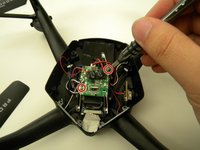
    • Remove the two (2) 5mm screws attaching the Motherboard to the body of the drone using a JIS #00 screwdriver.

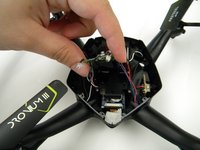
    • Lift the Motherboard off the mounting position.

    • Do not pull hard on the Motherboard as solder connections are fragile.

    Vraag FixBot
  7. Protocol Dronium III AP Camera Replacement: stap 7, afbeelding 1 van 1
    Gereedschap gebruikt in deze stap:
    Tweezers
    $4.99
    • Remove the tape covering the camera with the tweezers.

    Vraag FixBot
  8. Protocol Dronium III AP Camera Replacement: stap 8, afbeelding 1 van 2 Protocol Dronium III AP Camera Replacement: stap 8, afbeelding 2 van 2
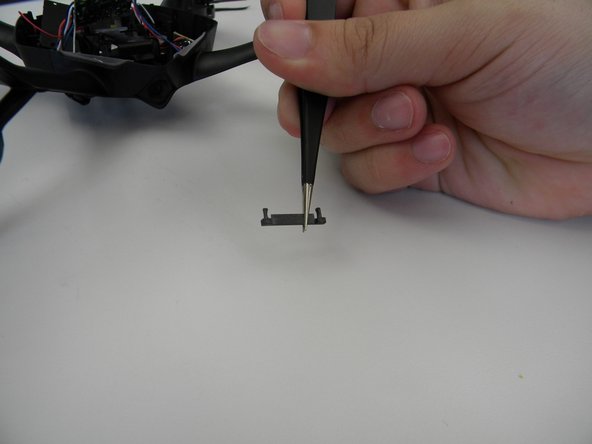
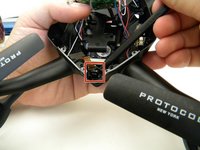
    • Remove the plastic holding the ribbon cable connector with the tweezers.

    • Be careful with the ribbon cable, it is easy to damage.

    Vraag FixBot
  9. Protocol Dronium III AP Camera Replacement: stap 9, afbeelding 1 van 1
    • Move the ribbon cable out of the way with the Spuger.

    Vraag FixBot
  10. Protocol Dronium III AP Camera Replacement: stap 10, afbeelding 1 van 2 Protocol Dronium III AP Camera Replacement: stap 10, afbeelding 2 van 2
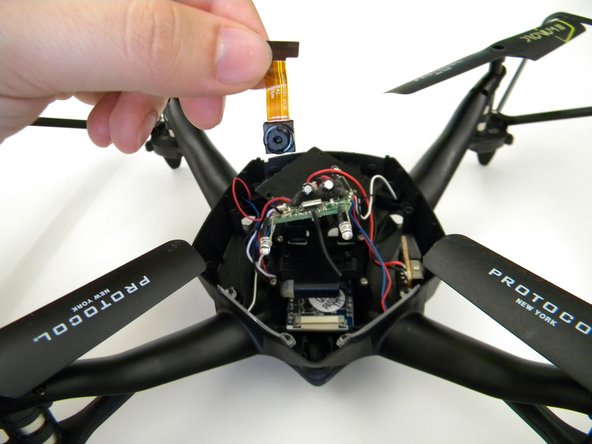
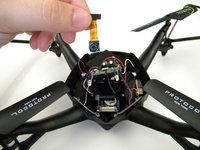
    • Remove the camera by gently prying it out of the bracket with the spudger.

    Vraag FixBot
Conclusie

To reassemble your device, follow these instructions in reverse order.

Steven Mooers

Lid sinds: 10/18/17

401 Reputatie

4 handleidingen geschreven

Team

UW Tacoma, Team S1-G1, Rose Fall 2017 Lid van UW Tacoma, Team S1-G1, Rose Fall 2017

UWT-ROSE-F17S1G1

4 Leden

4 handleidingen geschreven

0Gids Commentaar

Voeg opmerking toe

Weergavestatistieken:

Afgelopen 24 uren: 2

Afgelopen 7 dagen: 3

Afgelopen 30 dagen: 26

Altijd: 448