Inleiding
Being able to remove the keyboard will allow you to replace it or clean up the connections if the keyboard is not working properly.
Wat je nodig hebt
-
-
-
Flip the device over. Using a Phillips #00 screwdriver, remove the black 10mm screw on each three legs of the phone.
-
Using a Phillips #00 screwdriver, remove the two silver 7mm screws as pictured.
 Vraag FixBot
-
-
-
-
Gently lift and separate the back housing from the rest of the device. Now you've got the back housing off!
-
-
-
-
-
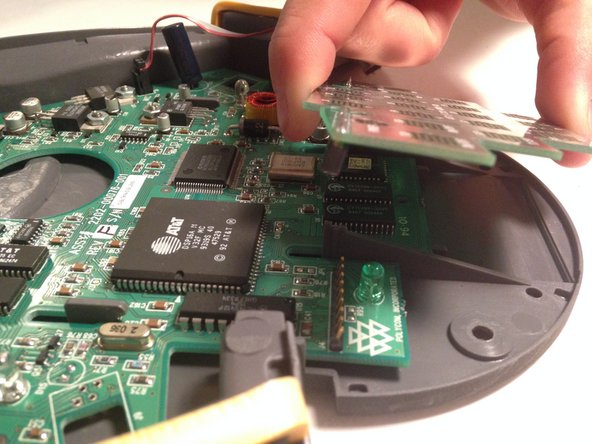
Gently lift the internal keyboard off of the motherboard.
-
-


To reassemble your device, follow these instructions in reverse order.

Team

USF Sarasota-Manatee, Team 1-3, Stewart Fall 2014 Lid van USF Sarasota-Manatee, Team 1-3, Stewart Fall 2014
USFSM-STEWART-F14S1G3
3 Leden
108 handleidingen geschreven
