Ga door naar hoofdinhoud
Word lid van de reparatiegemeenschap - Account aanmaken

PlayStation 3 Blu-ray Disc Drive Replacement

Wat je nodig hebt

  1. PlayStation 3 Blu-ray Disc Drive Replacement, Smart Plate: stap 1, afbeelding 1 van 2 PlayStation 3 Blu-ray Disc Drive Replacement, Smart Plate: stap 1, afbeelding 2 van 2
    • Use the tip of a spudger to remove the black rubber screw cover from the side of the PS3.

    • The screw cover may be underneath a warranty sticker. This sticker will change appearance, and show "VOID" after it has been removed.

    Vraag FixBot

    Voeg opmerking toe

  2. PlayStation 3 Blu-ray Disc Drive Replacement: stap 2, afbeelding 1 van 1
    • Remove the single 8.5 mm T10 Security Torx screw from the smart plate.

    Vraag FixBot

    Voeg opmerking toe

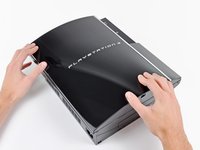
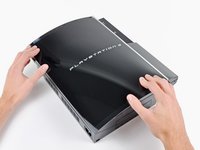
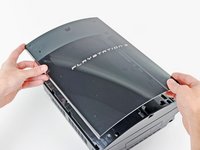
  3. PlayStation 3 Blu-ray Disc Drive Replacement: stap 3, afbeelding 1 van 3 PlayStation 3 Blu-ray Disc Drive Replacement: stap 3, afbeelding 2 van 3 PlayStation 3 Blu-ray Disc Drive Replacement: stap 3, afbeelding 3 van 3
    • Pull the smart plate toward the hard drive bay, then lift it off the body of the PS3.

    Vraag FixBot

    Voeg opmerking toe

  4. PlayStation 3 Blu-ray Disc Drive Replacement: stap 4, afbeelding 1 van 1
    • Be sure to keep track of the small metal bracket loosely held in the top cover, if equipped.

    Vraag FixBot

    Voeg opmerking toe

  5. PlayStation 3 Blu-ray Disc Drive Replacement, Top Cover: stap 5, afbeelding 1 van 1
    • Remove the following seven screws:

    • Six 52 mm Phillips screws

    • One 30 mm Phillips screw

    Vraag FixBot

    Voeg opmerking toe

  6. PlayStation 3 Blu-ray Disc Drive Replacement: stap 6, afbeelding 1 van 1
    • Lift the top cover from its rear edge and rotate it toward the front of the PS3.

    • Remove the top cover.

    • There is a plastic hook located in a hole on the top back right hand side corner. Carefully push the plastic hook a bit from the rear of the machine with a spudger to release the rear right of the casing.

    Vraag FixBot

    Voeg opmerking toe

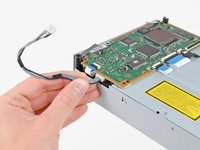
  7. PlayStation 3 Blu-ray Disc Drive Replacement, Blu-ray Disc Drive: stap 7, afbeelding 1 van 1
    • Disconnect the Blu-ray power cable from the motherboard.

    • Pull the connector straight up and out of its socket.

    Vraag FixBot

    Voeg opmerking toe

  8. PlayStation 3 Blu-ray Disc Drive Replacement: stap 8, afbeelding 1 van 1
    • Lift the Blu-ray drive from the edge nearest the power supply and rotate it away from the chassis enough to access its ribbon cable.

    Vraag FixBot

    Voeg opmerking toe

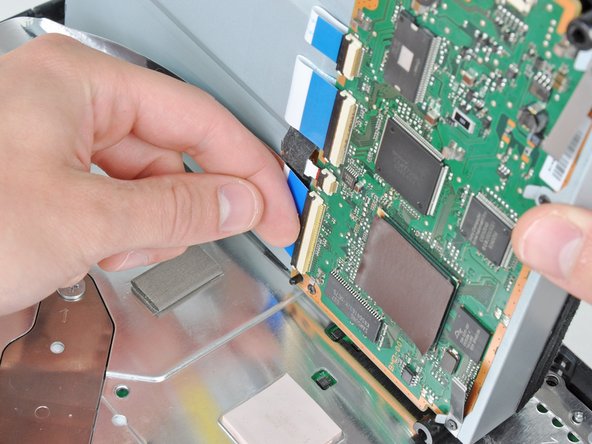
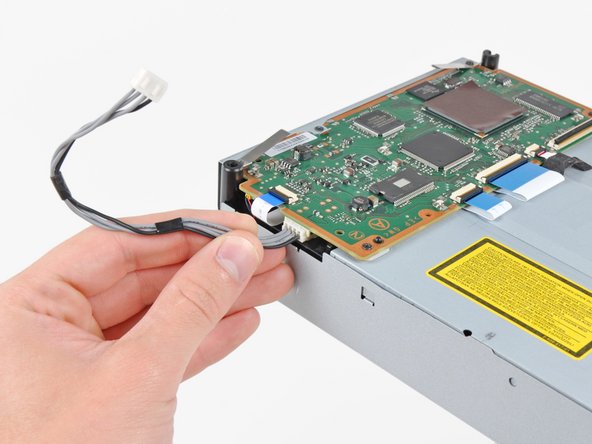
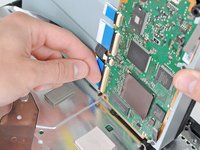
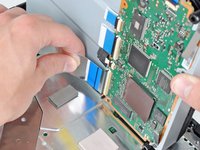
  9. PlayStation 3 Blu-ray Disc Drive Replacement: stap 9, afbeelding 1 van 3 PlayStation 3 Blu-ray Disc Drive Replacement: stap 9, afbeelding 2 van 3 PlayStation 3 Blu-ray Disc Drive Replacement: stap 9, afbeelding 3 van 3
    • Use your fingernail to flip up the retaining flap on the Blu-ray ribbon cable socket.

    • Be sure you are prying up on the retaining flap, not the socket itself.

    • Pull the ribbon cable out of its socket.

    • Remove the Blu-ray drive from the PS3.

    • If replacing the Blu-ray drive, transfer the power cable to your new drive.

    Vraag FixBot

    Voeg opmerking toe

Conclusie

To reassemble your device, follow these instructions in reverse order.

Annuleren: ik heb deze handleiding niet afgemaakt.

159 andere personen hebben deze handleiding voltooid.

16Gids Commentaar

Most helpful. Thx need to buy parts.and tools needed to fix game game. Were to buy ?

The Unknown Soldier - Antwoord Deel

Not sure myself, need one too. Look under comments section under ps3 laser replacement for more info. They are supposed to sell them on this website but I think they are still out.

Brian Parks - Antwoord Deel

Can I use any fat PS3 blu-ray drive in a fat PS3 or do I need a certain on????? I have a 80gb fat PS3

tonyhb - Antwoord Deel

No, you need a certain one + you have to take off the daughter board from your old drive and put it on the new one.

aangelcg - Antwoord Deel

Very helpful

Machaulay pastorini - Antwoord Deel

Voeg opmerking toe

Weergavestatistieken:

Afgelopen 24 uren: 31

Afgelopen 7 dagen: 212

Afgelopen 30 dagen: 1,057

Altijd: 421,431