Deze vertaling is door een computer gegenereerd en is nog niet door iemand nagekeken. Spreek je deze taal? Bekijk het hier.
Inleiding
Volg deze handleiding om het toetsenbord van de mobiele telefoon te verwijderen.
Wat je nodig hebt
-
-
-
Druk op de knop die zich net boven het Sprint™-logo bevindt en schuif vervolgens de klep naar beneden.
 Vraag FixBot
-
-
-
Gebruik de kleine inkeping aan de linkerkant van de telefoon om de batterij te verwijderen.
-
-
-
-
-
Nadat je de batterij en stylus hebt verwijderd, draai je de 5 Torx-schroeven los (gebruik hiervoor een T-5 Torx-schroevendraaier)
-
-
-
-
Draai de laatste twee schroeven los met de eerder gebruikte schroevendraaier.
-
-
-
Gebruik het plastic Openingsgereedschap om de achterbehuizing voorzichtig van de behuizing van de telefoon te scheiden.
-
-
-
-
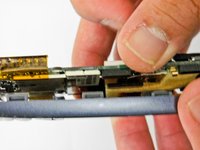
Gebruik een plastic Openingsgereedschap om voorzichtig tussen de achterkant en de randbehuizing te wrikken (Afbeelding 2) totdat ze volledig van elkaar gescheiden zijn (Afbeelding 3).
-
-
-
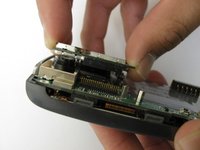
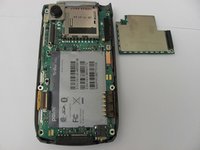
Verwijder de antennechip door de twee schroeven los te draaien met een Torx T-5-schroevendraaier (Afbeelding 1).
-
Zodra de schroeven losgedraaid zijn, maakt u de antennechip voorzichtig met uw handen los (Afbeelding 2).
-
-
-
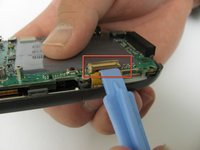
Gebruik het plastic Openingsgereedschap om het lipje te ontgrendelen dat de toetsenbordverbinding vasthoudt (Afbeelding 1).
-
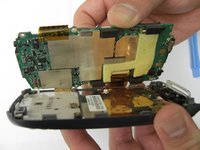
Zodra de toetsenbordverbinding is losgekoppeld, gebruikt u uw handen om het moederbord voorzichtig van het achterpaneel te scheiden (Afbeelding 2).
-
-
-
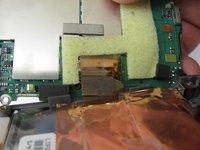
Gebruik het plastic Openingsgereedschap om de lcd-verbinding van het moederbord los te maken om het moederbord volledig los te koppelen van het achterpaneel (Afbeelding 2).
-
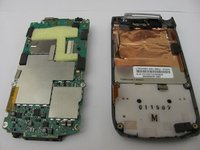
Zodra de lcd-verbinding is ontgrendeld, hoort het moederbord volledig los te zijn van het achterpaneel, toetsenbord en lcd (Afbeelding 3).
-
-
-
-
-
Zodra het moederbord is verwijderd, zou het lcd-scherm op de behuizing aan de voorzijde van de telefoon moeten rusten.
-
-
-
-
-
Verwijder met een spudger het gel-toetsenbord uit de behuizing aan de voorzijde.
-


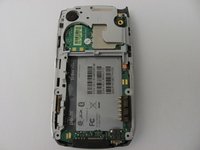
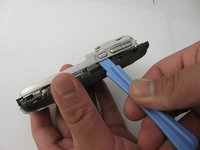
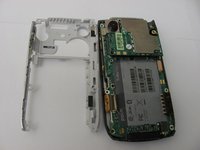


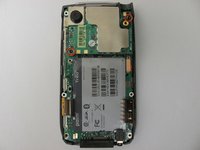






Volg deze instructies in omgekeerde volgorde om uw apparaat weer in elkaar te zetten.

Team

Cal Poly, Team 12-37, Regan Spring 2012 Lid van Cal Poly, Team 12-37, Regan Spring 2012
CPSU-REGAN-S12S12G37
4 Leden
84 handleidingen geschreven
