Ga door naar hoofdinhoud
Word lid van de reparatiegemeenschap - Account aanmaken

PSP 300x Motherboard Replacement

Wat je nodig hebt

  1. PSP 300x Motherboard Replacement, Battery: stap 1, afbeelding 1 van 3 PSP 300x Motherboard Replacement, Battery: stap 1, afbeelding 2 van 3 PSP 300x Motherboard Replacement, Battery: stap 1, afbeelding 3 van 3
    • Place the PSP face down and locate the battery cover on the left side of the device.

    • Lift and remove the battery cover to reveal the battery.

    • Remove the battery.

    Vraag FixBot
  2. PSP 300x Motherboard Replacement, Front Casing: stap 2, afbeelding 1 van 1
    • Peel back the warranty sticker that is behind the battery with a spudger or your fingernail.

    Vraag FixBot
  3. PSP 300x Motherboard Replacement: stap 3, afbeelding 1 van 2 PSP 300x Motherboard Replacement: stap 3, afbeelding 2 van 2
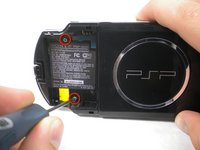
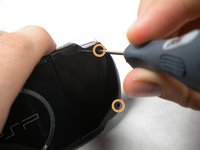
    • Unscrew all four screws from the back of the PSP with the Phillips #00 Screwdriver.

    • Two are located behind the battery's warranty sticker.

    • Two are located on the right side of the PSP.

    Vraag FixBot
  4. PSP 300x Motherboard Replacement: stap 4, afbeelding 1 van 1
    • Next, unscrew the two screws located at the top of the PSP.

    Vraag FixBot
  5. PSP 300x Motherboard Replacement: stap 5, afbeelding 1 van 1
    • Then, remove the single screw from the bottom edge of the PSP (which is positioned next to the barcode).

    Vraag FixBot
  6. PSP 300x Motherboard Replacement: stap 6, afbeelding 1 van 2 PSP 300x Motherboard Replacement: stap 6, afbeelding 2 van 2
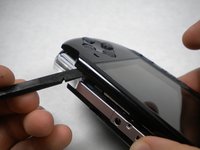
    • Slide the spudger in between the outer casing of the PSP, beginning at the "R" shoulder button, and gently pry off the casing.


    • Remove the front casing completely.

    Vraag FixBot
  7. PSP 300x Motherboard Replacement, LCD Screen: stap 7, afbeelding 1 van 2 PSP 300x Motherboard Replacement, LCD Screen: stap 7, afbeelding 2 van 2
    • Push the homebar to the right to release the tab located on the right side of the LCD screen.

    • DO NOT completely remove the homebar, as it is still connected by ribbon cables.

    Vraag FixBot
  8. PSP 300x Motherboard Replacement: stap 8, afbeelding 1 van 3 PSP 300x Motherboard Replacement: stap 8, afbeelding 2 van 3 PSP 300x Motherboard Replacement: stap 8, afbeelding 3 van 3
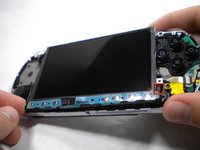
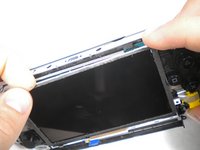
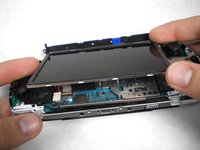
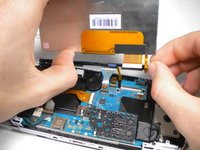
    • Slowly lift the LCD screen off the PSP starting at the top edge corner.

    • Again, the LCD screen is attached by ribbon cables, so do not remove it completely.

    • Orientation of PSP is flipped in photo.

    Vraag FixBot
  9. PSP 300x Motherboard Replacement: stap 9, afbeelding 1 van 2 PSP 300x Motherboard Replacement: stap 9, afbeelding 2 van 2
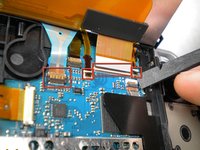
    • Flip the small brown locks on the four ribbon cable connectors up using a spudger or fingernail.

    • Pull all four ribbon cables out.

    • Now remove the LCD screen and homebar from the PSP.

    Vraag FixBot
  10. PSP 300x Motherboard Replacement: stap 10, afbeelding 1 van 1
    • Remove the metal tab that lies above the LCD screen.

    • Upon reassembly, make note that the stamped lettering faces down, and the large tab fits just above the motherboard to the right hand side of the left trigger.

    Vraag FixBot
  11. PSP 300x Motherboard Replacement, Trigger Buttons: stap 11, afbeelding 1 van 1
    • Remove the screw securing 'L' trigger to the PSP.

    Vraag FixBot
  12. PSP 300x Motherboard Replacement: stap 12, afbeelding 1 van 1
    • Remove the white plastic piece that holds the 'L' trigger in place.

    Vraag FixBot
  13. PSP 300x Motherboard Replacement: stap 13, afbeelding 1 van 1
    • Remove the 'L' trigger from the PSP.

    Vraag FixBot
  14. PSP 300x Motherboard Replacement: stap 14, afbeelding 1 van 1
    • Remove the screw securing the 'R' trigger.

    Vraag FixBot
  15. PSP 300x Motherboard Replacement: stap 15, afbeelding 1 van 1
    • Remove the white plastic piece that holds the 'R' trigger in place.

    Vraag FixBot
  16. PSP 300x Motherboard Replacement: stap 16, afbeelding 1 van 1
    • Remove the 'R' trigger from the PSP.

    Vraag FixBot
  17. PSP 300x Motherboard Replacement, Analog Stick: stap 17, afbeelding 1 van 1
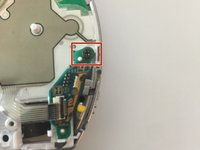
    • Remove the screw from the bottom left edge of the PSP.

    Vraag FixBot
  18. PSP 300x Motherboard Replacement: stap 18, afbeelding 1 van 1
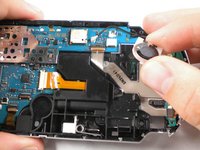
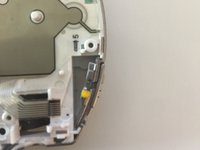
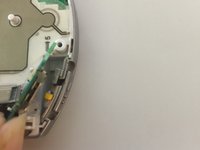
    • Being careful not to break the ribbon cable, use the spudger to peel the adhesive button of the the 'L' trigger off the PSP.

    Vraag FixBot
  19. PSP 300x Motherboard Replacement: stap 19, afbeelding 1 van 2 PSP 300x Motherboard Replacement: stap 19, afbeelding 2 van 2
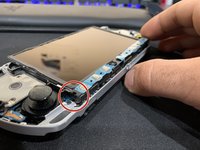
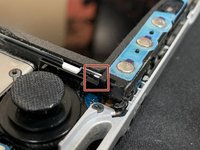
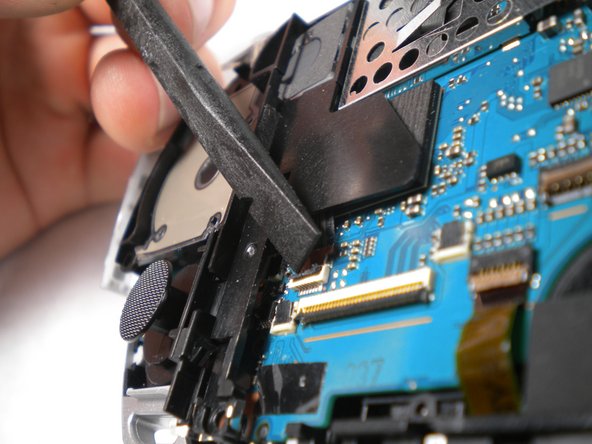
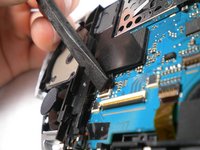
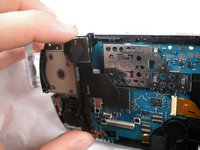
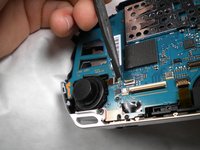
    • Using a fingernail or spudger, flip up the retaining bracket on the d-pad and 'L' trigger ribbon cable.

    • Lift the black plastic bracket along with the d-pad contact pad, disconnecting the ribbon cable as you lift.

    Vraag FixBot
  20. PSP 300x Motherboard Replacement: stap 20, afbeelding 1 van 1
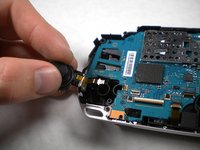
    • Remove the cable from the connector and remove the entire black piece from the PSP.

    Vraag FixBot
  21. PSP 300x Motherboard Replacement: stap 21, afbeelding 1 van 1
    • Remove the screw holding the analog stick in place.

    Vraag FixBot
  22. PSP 300x Motherboard Replacement: stap 22, afbeelding 1 van 2 PSP 300x Motherboard Replacement: stap 22, afbeelding 2 van 2
    • Flip up the lock on the analog sticks ribbon cable.

    • Remove the analog stick from the PSP.

    Vraag FixBot
  23. PSP 300x Motherboard Replacement, Button Pad: stap 23, afbeelding 1 van 1
    • After removing the LCD Screen, the Button Pad should be easy to remove.

    Vraag FixBot
  24. PSP 300x Motherboard Replacement, Power Jack: stap 24, afbeelding 1 van 1
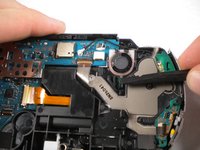
    • Flip up the lock and detach the ribbon cable above the power jack.

    Vraag FixBot
  25. PSP 300x Motherboard Replacement: stap 25, afbeelding 1 van 1
    • Remove the screw from the power jack.

    Vraag FixBot
  26. PSP 300x Motherboard Replacement: stap 26, afbeelding 1 van 1
    • Carefully bend back the black tab holding the power jack in place and start pulling the jack up to release it from this clip.

    Vraag FixBot
  27. PSP 300x Motherboard Replacement: stap 27, afbeelding 1 van 1
    • Pull the plug connecting the power jack to the motherboard.

    • Remove the power jack.

    Vraag FixBot
  28. PSP 300x Motherboard Replacement, Speaker: stap 28, afbeelding 1 van 2 PSP 300x Motherboard Replacement, Speaker: stap 28, afbeelding 2 van 2
    • Push the black tab at the bottom of the speaker to pop the speaker out of place, and remove the speaker.

    • The speaker is spring loaded, so be sure to keep an eye on it in case it starts doing flips into the air when you push the tab. Be careful not to lose or damage it!

    • Make sure the new/replacement speaker does not spring out during reassembly.

    Vraag FixBot
  29. PSP 300x Motherboard Replacement, Motherboard: stap 29, afbeelding 1 van 1
    • Remove the cable carefully by lifting upwards from port attached to the motherboard .

    Vraag FixBot
  30. PSP 300x Motherboard Replacement: stap 30, afbeelding 1 van 1
    • Flip up both of the locks and remove both cables as shown

    Vraag FixBot
  31. PSP 300x Motherboard Replacement: stap 31, afbeelding 1 van 1
    • Flip up the lock and remove the ribbon cable located at the bottom edge of the PSP.

    Vraag FixBot
  32. PSP 300x Motherboard Replacement: stap 32, afbeelding 1 van 1
    • Use a Phillips #00 screwdriver to remove the bottom left screw attached to the PSP

    Vraag FixBot
  33. PSP 300x Motherboard Replacement, Remove Power Switch Panel: stap 33, afbeelding 1 van 3 PSP 300x Motherboard Replacement, Remove Power Switch Panel: stap 33, afbeelding 2 van 3 PSP 300x Motherboard Replacement, Remove Power Switch Panel: stap 33, afbeelding 3 van 3
    • Remove the screw located at the top of the power switch panel.

    • Gently lift and remove the panel from the switch side

    Vraag FixBot
  34. PSP 300x Motherboard Replacement: stap 34, afbeelding 1 van 1
    • Remove the silver rim on the right side of the PSP.

    Vraag FixBot
  35. PSP 300x Motherboard Replacement: stap 35, afbeelding 1 van 1
    • Remove the silver rim on the left side of the PSP.

    Vraag FixBot
  36. PSP 300x Motherboard Replacement: stap 36, afbeelding 1 van 2 PSP 300x Motherboard Replacement: stap 36, afbeelding 2 van 2
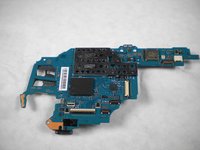
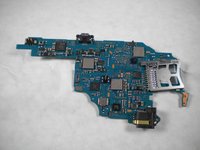
    • Remove the motherboard from the PSP

    Vraag FixBot
Conclusie

To reassemble your device, follow these instructions in reverse order.

17 andere personen hebben deze handleiding voltooid.

mbnewsom

Lid sinds: 10/28/09

3.478 Reputatie

11 handleidingen geschreven

0Gids Commentaar

Voeg opmerking toe

Weergavestatistieken:

Afgelopen 24 uren: 11

Afgelopen 7 dagen: 103

Afgelopen 30 dagen: 573

Altijd: 54,092