Deze vertaling is door een computer gegenereerd en is nog niet door iemand nagekeken. Spreek je deze taal? Bekijk het hier.
Inleiding
Dit is de handleiding voor het vervangen van de joysticks van je gamecontroller, de PDP Victrix Pro BFG. Of je nu je controller wilt aanpassen of niet-reagerende knoppen wilt repareren, deze handleiding leidt je door het proces. Je kunt deze handleiding ook gebruiken om de knoppen te vervangen. Controleer voor de zekerheid de sectie Probleemoplossing voor eventuele gerelateerde problemen en ga voorzichtig met de onderdelen om om schade of letsel te voorkomen. Laten we beginnen!
Wat je nodig hebt
-
-
-
Gebruik de paarse Module Swap Tool die bij het apparaat wordt geleverd om de 4 inbusschroeven te verwijderen.
-
Verwijder de joystick-/knopmodules uit de controller.
 Vraag FixBot
-
-
-
-
Draai de joystick-/knopmodule om.
-
Verwijder vier 1 mm-schroeven met een kruiskopschroevendraaier (PH0).
-
Neem de plaat met de knoppen eraf en leg deze opzij.
-
-
-
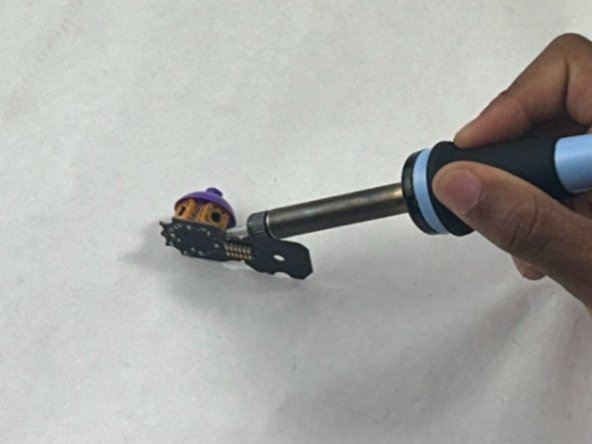
Gebruik een soldeerbout om de onderkant van de joystick los te solderen.
-
-


Volg deze instructies in omgekeerde volgorde om je apparaat weer in elkaar te zetten.

Team

UMass Dartmouth, Team 1-1, Santin Spring 2024 Lid van UMass Dartmouth, Team 1-1, Santin Spring 2024
UMASSD-SANTIN-S24S1G1
3 Leden
33 handleidingen geschreven
