Deze vertaling is door een computer gegenereerd en is nog niet door iemand nagekeken. Spreek je deze taal? Bekijk het hier.

P775DM3 Toetsenbordvervanging

Felice Suglia en 3 andere bijdragers
Voor het laatst geüpdatet op 14 aug 2026
Bekeken: 5,4K
Statistieken weergeven:
- Afgelopen 24 uur:
- 3
- Afgelopen 7 dagen:
- 21
- Afgelopen 30 dagen:
- 94
- Altijd:
- 5.375
Commentaar: 3
3 guide comments.
Go to guide commentsVoltooid: 6 7
6 mensen hebben deze handleiding als "voltooid" gemarkeerd. Ben jij de volgende?
7 personen hebben deze handleiding als "voltooid" gemarkeerd. Een daarvan ben jij—lekker bezig!
Favorieten: 0 1
Niemand heeft deze handleiding gemarkeerd als favoriet of volgt de handleiding. Ben jij de eerste?
1 persoon heeft deze handleiding als favoriet gemarkeerd (en blijft daarmee op de hoogte van meldingen)—dat ben jij!
Door de gemeenschap gemaakte handleiding
Deze handleiding is gemaakt door een enthousiasteling uit de gemeenschap, en niet door de iFixit-stafleden.
Inleiding
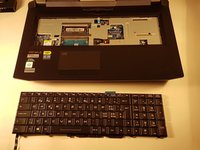
Ga naar stap 1 ↓Deze handleiding laat zien hoe je het toetsenbord van een why! P775DM3-laptop verwijdert en vervangt. Nadat je het toetsenbord hebt losgemaakt, ontgrendel je voorzichtig de drie connectoren voordat je het verwijdert.
Wat je nodig hebt
Onderdelen
Gereedschap


-
-
-
-
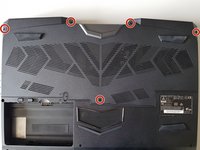
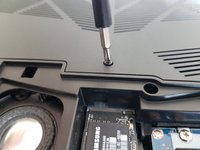
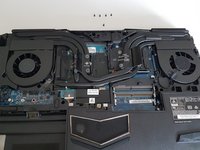
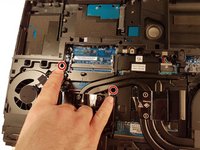
Draai de vijf rood omcirkelde schroeven los.
-
-
-
-
-
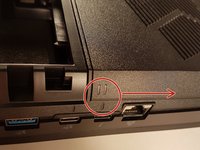
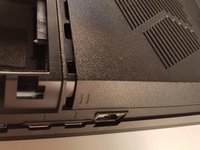
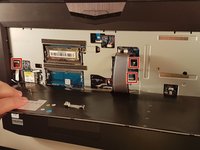
Steek een paperclip in de drie plekken die in het rood zijn aangegeven
-
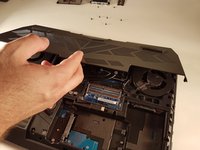
Til het toetsenbord op en wees niet bang om een beetje kracht te gebruiken
-
-
-
-
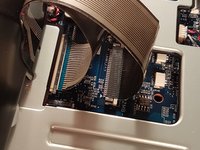
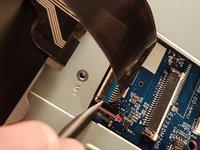
Trek de witte lade in de richting van de pijl om de connector te ontgrendelen
-
Koppel de connector los die rood is omcirkeld
-
-
-
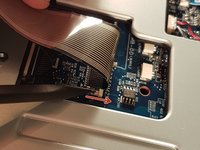
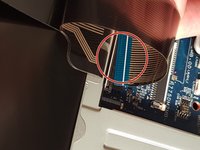
Trek de zwarte lade in de richting van de pijl om de connector te ontgrendelen
-
Koppel de rood omcirkelde connector los
-
-
-
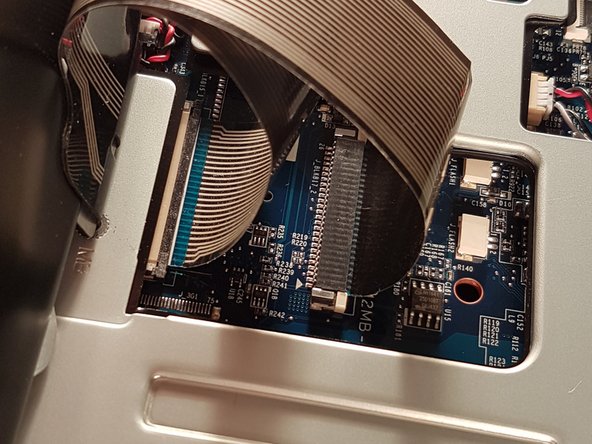
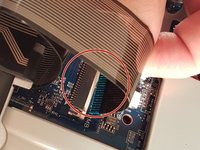
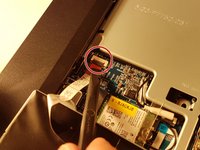
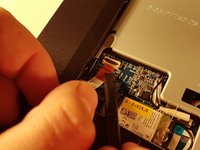
Til het klepje op dat de omcirkelde connector op de afbeelding vasthoudt
-
Koppel de omcirkelde connector op de afbeelding los
-
Verwijder het toetsenbord
-


 Vraag FixBot
















Volg deze instructies in omgekeerde volgorde om uw apparaat weer in elkaar te zetten.
Annuleren: ik heb deze handleiding niet afgemaakt.
6 andere personen hebben deze handleiding voltooid.

3Gids Commentaar
I wish to know whether it’s possible to pry off the key to clean off the contacts. (I spilled coffee on the keyboard).
Fortunately for me, the key was on the edge of the board (the down arrow key). It was stuck on.
I lifted the key up as much as I could and I cleaned it with Deoxit. That did the trick. My keyboard is now working.
Thanks for the steps!
Great instructions, but for my laptop, step 7 only indicated three of seven places (the other four are the top centre of the keyboard, and the three points symmetrical to the 3 you’ve indacted, on the right hand side of the keyboard).
