Ga door naar hoofdinhoud
Word lid van de reparatiegemeenschap - Account aanmaken

Oregon Scientific RM318PA Power Switch Replacement

Wat je nodig hebt

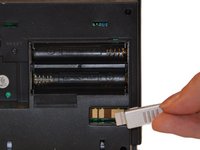
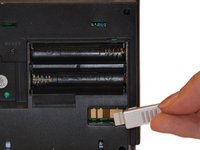
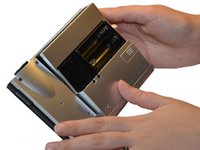
    1. Oregon Scientific RM318PA Power Switch Replacement, Battery Compartment Cover: stap 1, afbeelding 1 van 3 Oregon Scientific RM318PA Power Switch Replacement, Battery Compartment Cover: stap 1, afbeelding 2 van 3 Oregon Scientific RM318PA Power Switch Replacement, Battery Compartment Cover: stap 1, afbeelding 3 van 3
      • Hold clock so that the clock face is facing away from you.

      • Using your thumbs, push up on the battery cover.

      • Once battery cover is removed, pull down on AC Adapter Jack.

      Vraag FixBot

      Voeg opmerking toe

    2. Oregon Scientific RM318PA Power Switch Replacement, Batteries: stap 2, afbeelding 1 van 1
      • Use one hand to stabilize the clock.

      • Using your other hand, push batteries toward spring and pull out at an angle.

      Vraag FixBot

      Voeg opmerking toe

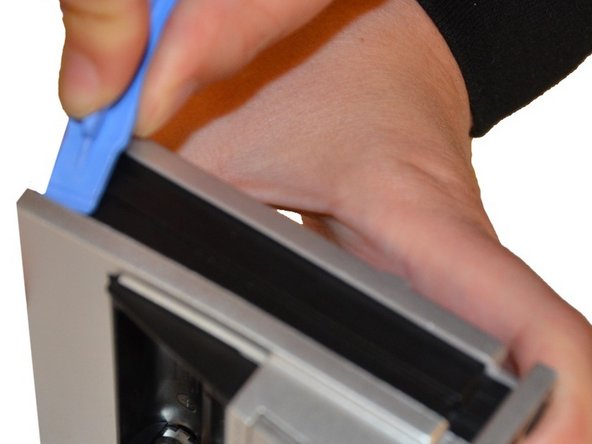
    3. Oregon Scientific RM318PA Power Switch Replacement, Back of Projection Clock: stap 3, afbeelding 1 van 3 Oregon Scientific RM318PA Power Switch Replacement, Back of Projection Clock: stap 3, afbeelding 2 van 3 Oregon Scientific RM318PA Power Switch Replacement, Back of Projection Clock: stap 3, afbeelding 3 van 3
      • Use a Plastic Opening Tool to pry off the silver casing on the back.

      • Pry at the top of device.

      • Once the back is open at the top, pry at the side of the device closest to the battery compartment.

      • On/Off switch should come off with casing.

      Vraag FixBot

      Voeg opmerking toe

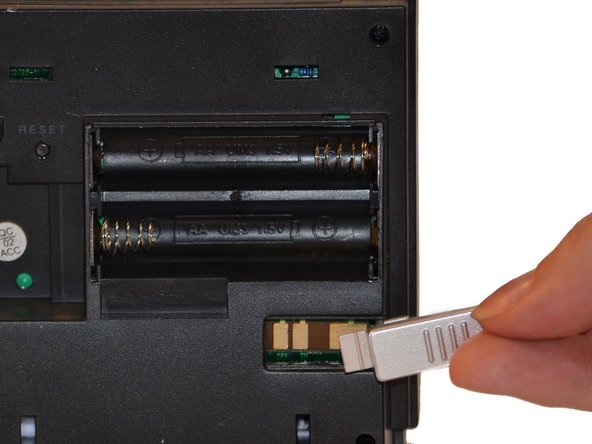
    4. Oregon Scientific RM318PA Power Switch Replacement, On/Off Switch: stap 4, afbeelding 1 van 2 Oregon Scientific RM318PA Power Switch Replacement, On/Off Switch: stap 4, afbeelding 2 van 2
      • Insert switch into slot as shown in picture. Push in until you hear a "click."

      • Replace the back of the clock by pressing cover back into place.

      Vraag FixBot

      Voeg opmerking toe

Conclusie

To reassemble your device, follow these instructions in reverse order.

Annuleren: ik heb deze handleiding niet afgemaakt.

3 andere personen hebben deze handleiding voltooid.

Maxine Holden

Lid sinds: 10/27/14

500 Reputatie

4 handleidingen geschreven

0Gids Commentaar

Voeg opmerking toe

Weergavestatistieken:

Afgelopen 24 uren: 0

Afgelopen 7 dagen: 9

Afgelopen 30 dagen: 32

Altijd: 1,874