Ga door naar hoofdinhoud
Word lid van de reparatiegemeenschap - Account aanmaken

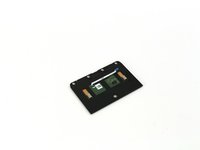
One Education Infinity Touchpad Replacement

Wat je nodig hebt

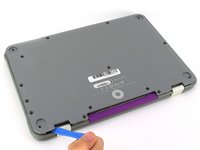
  1. One Education Infinity Touchpad Replacement, Back Case: stap 1, afbeelding 1 van 3 One Education Infinity Touchpad Replacement, Back Case: stap 1, afbeelding 2 van 3 One Education Infinity Touchpad Replacement, Back Case: stap 1, afbeelding 3 van 3
    • Always power off your device before beginning disassembly.

    • Remove the screw covers and rubber feet from the bottom of the laptop with a metal spudger.

    Vraag FixBot
  2. One Education Infinity Touchpad Replacement: stap 2, afbeelding 1 van 2 One Education Infinity Touchpad Replacement: stap 2, afbeelding 2 van 2
    • Using a Phillips #00 screwdriver, remove the sixteen 5.0 mm black screws from the back panel.

    Vraag FixBot
  3. One Education Infinity Touchpad Replacement: stap 3, afbeelding 1 van 3 One Education Infinity Touchpad Replacement: stap 3, afbeelding 2 van 3 One Education Infinity Touchpad Replacement: stap 3, afbeelding 3 van 3
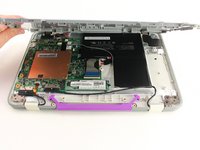
    • Using the iFixit plastic opening tool or spudger, start near the white hinge of the device and lift along the outer edges of the device until all clips are released.

    • Lift the back case off of the device.

    • Removing the back may create a loud snapping noise.

    Vraag FixBot
  4. One Education Infinity Touchpad Replacement, Battery: stap 4, afbeelding 1 van 3 One Education Infinity Touchpad Replacement, Battery: stap 4, afbeelding 2 van 3 One Education Infinity Touchpad Replacement, Battery: stap 4, afbeelding 3 van 3
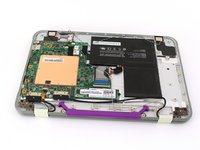
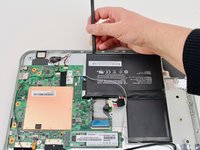
    • There may be black tape inside your device covering components or holding down wires. This tape is unimportant for the function of the device, and can be removed.

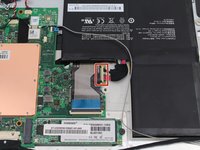
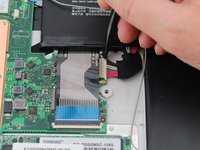
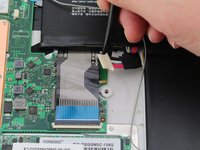
    • Carefully wiggle the battery cable to the right and out of the port with a plastic spudger.

    Vraag FixBot
  5. One Education Infinity Touchpad Replacement: stap 5, afbeelding 1 van 3 One Education Infinity Touchpad Replacement: stap 5, afbeelding 2 van 3 One Education Infinity Touchpad Replacement: stap 5, afbeelding 3 van 3
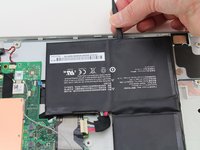
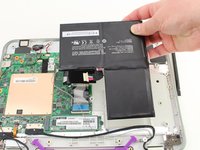
    • Wedge a plastic spudger underneath the battery from the upper edge and slide it carefully along the length of the battery to separate it from the case.

    • There is a mild adhesive holding down the battery. Take care not to puncture or excessively bend the battery while freeing it from the adhesive.

    • Lift the battery out from the internal case.

    Vraag FixBot
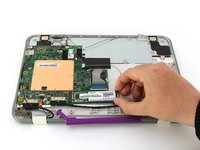
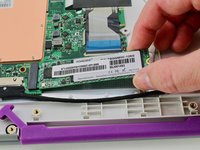
  6. One Education Infinity Touchpad Replacement, Solid State Drive: stap 6, afbeelding 1 van 3 One Education Infinity Touchpad Replacement, Solid State Drive: stap 6, afbeelding 2 van 3 One Education Infinity Touchpad Replacement, Solid State Drive: stap 6, afbeelding 3 van 3
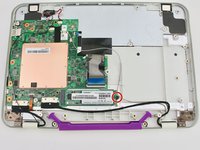
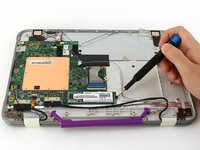
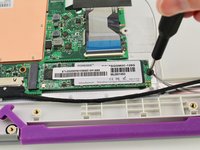
    • Use a Phillips #00 screwdriver to remove the single 2mm black screw from the SSD.

    Vraag FixBot
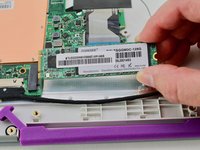
  7. One Education Infinity Touchpad Replacement: stap 7, afbeelding 1 van 3 One Education Infinity Touchpad Replacement: stap 7, afbeelding 2 van 3 One Education Infinity Touchpad Replacement: stap 7, afbeelding 3 van 3
    • Grab the SSD with your fingers and slide it slowly to the right and out of its port.

    Vraag FixBot
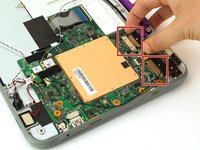
  8. One Education Infinity Touchpad Replacement, Motherboard: stap 8, afbeelding 1 van 2 One Education Infinity Touchpad Replacement, Motherboard: stap 8, afbeelding 2 van 2
    • Using your fingers, carefully pull the two ribbon cable locking clips out from their ports.

    Vraag FixBot
  9. One Education Infinity Touchpad Replacement: stap 9, afbeelding 1 van 1
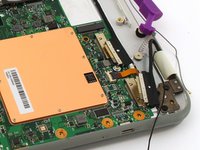
    • Using your fingers, carefully lift up the black tab and then unplug the gold ribbon cable.

    Vraag FixBot
  10. One Education Infinity Touchpad Replacement: stap 10, afbeelding 1 van 1
    • Using a spudger, carefully unplug the black and grey wires by popping them up off the wireless card.

    Vraag FixBot
  11. One Education Infinity Touchpad Replacement: stap 11, afbeelding 1 van 1
    • Using your fingers, carefully unplug the two speaker wires from the motherboard.

    Vraag FixBot
  12. One Education Infinity Touchpad Replacement: stap 12, afbeelding 1 van 2 One Education Infinity Touchpad Replacement: stap 12, afbeelding 2 van 2
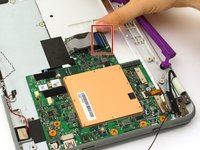
    • Using your fingers or an iFixit opening tool, carefully lift the black tab on top of the ZIF connector and remove the ribbon cable.

    Vraag FixBot
  13. One Education Infinity Touchpad Replacement: stap 13, afbeelding 1 van 1
    • Using your fingers, carefully lift up the black tab and then unplug the blue ribbon cable.

    Vraag FixBot
  14. One Education Infinity Touchpad Replacement: stap 14, afbeelding 1 van 2 One Education Infinity Touchpad Replacement: stap 14, afbeelding 2 van 2
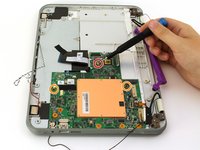
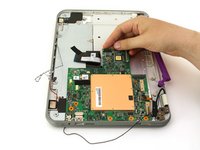
    • Using a Phillips #00 screwdriver, remove the single 4 mm silver screw from beneath the ribbon cable.

    • Using a Phillips #00 screwdriver, remove the two 2.5 mm black screws.

    • Using your fingers, carefully lift the motherboard out of the internal panel.

    Vraag FixBot
  15. One Education Infinity Touchpad Replacement, Touchpad: stap 15, afbeelding 1 van 1
    • Using a Phillips #00 screwdriver, remove the four 2mm silver screws.

    Vraag FixBot
  16. One Education Infinity Touchpad Replacement: stap 16, afbeelding 1 van 2 One Education Infinity Touchpad Replacement: stap 16, afbeelding 2 van 2
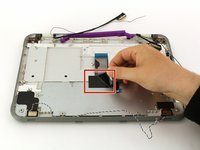
    • Peel back the black tape.

    • Using your fingers, carefully lift the metal plate out of the internal panel.

    Vraag FixBot
  17. One Education Infinity Touchpad Replacement: stap 17, afbeelding 1 van 1
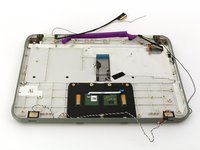
    • Using a Phillips #00 screwdriver, remove the two 2mm silver screws.

    Vraag FixBot
  18. One Education Infinity Touchpad Replacement: stap 18, afbeelding 1 van 2 One Education Infinity Touchpad Replacement: stap 18, afbeelding 2 van 2
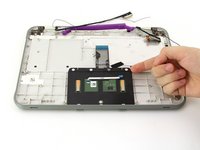
    • Using your fingers, carefully lift the touch-pad out of the internal panel.

    Vraag FixBot
Conclusie

To reassemble your device, follow these instructions in reverse order.

Jason Childers

Lid sinds: 10/10/19

109 Reputatie

1 Handleiding geschreven

Team

Cal Poly, Team S11-G4, Regan Fall 2019 Lid van Cal Poly, Team S11-G4, Regan Fall 2019

CPSU-REGAN-F19S11G4

3 Leden

4 handleidingen geschreven

0Gids Commentaar

Voeg opmerking toe

Weergavestatistieken:

Afgelopen 24 uren: 0

Afgelopen 7 dagen: 7

Afgelopen 30 dagen: 38

Altijd: 483