Deze vertaling is door een computer gegenereerd en is nog niet door iemand nagekeken. Spreek je deze taal? Bekijk het hier.
Inleiding
Er kunnen verbindingsproblemen optreden met dit apparaat door een defecte of kapotte antenne. U kunt contact opnemen met uw provider of online zoeken om een nieuwe antenne aan te schaffen ter vervanging. Deze handleiding geeft instructies voor het vervangen van de antenne.
Wat je nodig hebt
-
-
-
Verwijder het achterpaneel door het paneel in te drukken en van het apparaat af te trekken.
 Vraag FixBot
-
-
-
Plaats uw vinger op de achterkant van de batterij, dicht bij de rand van het apparaat.
-
Duw uw vinger in de batterij en til deze op om de batterij uit het apparaat te wippen.
-
-
-
-
-
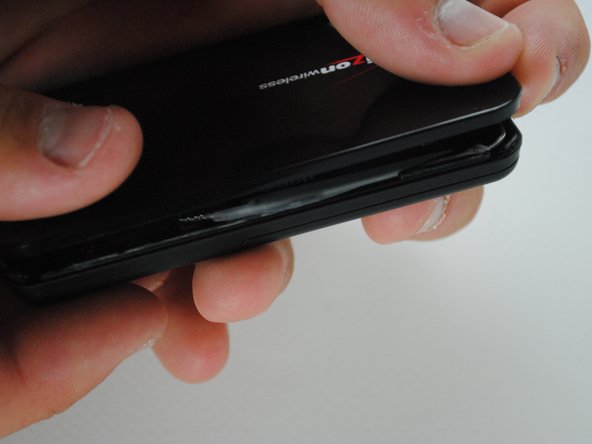
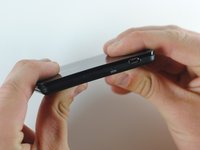
Gebruik een metalen spudger om het apparaat open te wrikken langs de naad tussen de voor- en achterbehuizing.
-
-
-
-
Zodra de afdichting helemaal rondom is verbroken, open je de behuizing met je handen.
-
-
-
-
-
Om de antenne los te koppelen, trek je de verbinding van de antenne omhoog van de Printplaat totdat deze losklikt.
-
-
-
Trek de antenne voorzichtig langs de rand van het apparaat naar buiten.
-
Er zit lijm op de antenne, dus het kan zijn dat deze niet gemakkelijk loskomt.
-
-
-
Sluit uw nieuwe antenne weer aan op de printplaat op dezelfde positie als beschreven in stap 3.
-
-
-
Breng dubbelzijdige tape aan op de binnenste boven- en onderhelften van het apparaat langs de naad die eerder werd losgemaakt.
-
Klik de twee helften op elkaar langs de lijmstrip om het apparaat weer te sluiten zoals het was.
-
-


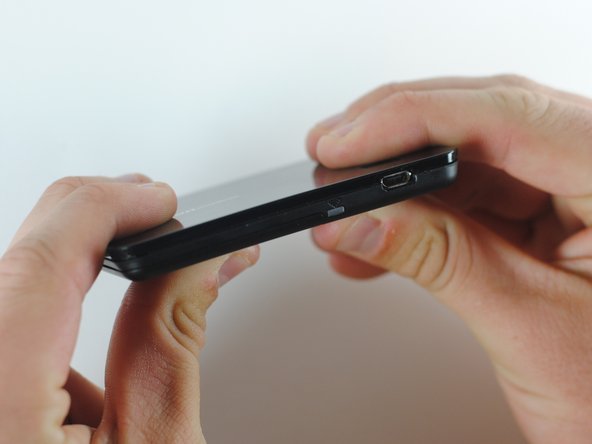
Met een nieuwe antenne zou uw apparaat weer naar behoren signaal moeten uitzenden. Houd er rekening mee dat u plakband nodig hebt om het apparaat stevig bij elkaar te houden.

Team

Cal Poly, Team 7-36, Maness Spring 2012 Lid van Cal Poly, Team 7-36, Maness Spring 2012
CPSU-MANESS-S12S7G36
5 Leden
60 handleidingen geschreven
