Ga door naar hoofdinhoud
Word lid van de reparatiegemeenschap - Account aanmaken

Nook Color Battery Replacement

Wat je nodig hebt

  1. Nook Color Battery Replacement, Back Cover: stap 1, afbeelding 1 van 2 Nook Color Battery Replacement, Back Cover: stap 1, afbeelding 2 van 2
    • Remove the two 3.8 mm screws located in the back right corner of the device using the T5 Torx screwdriver.

    Vraag FixBot

    Voeg opmerking toe

  2. Nook Color Battery Replacement: stap 2, afbeelding 1 van 2 Nook Color Battery Replacement: stap 2, afbeelding 2 van 2
    • Pry off the back cover with the plastic opening tool. Go around the device with the tool to ensure complete detachment.

    Vraag FixBot

    Voeg opmerking toe

  3. Nook Color Battery Replacement, Front Cover: stap 3, afbeelding 1 van 1
    • Remove the ten 4.0 mm screws from the device's perimeter using the T5 Torx screwdriver.

    Vraag FixBot

    Voeg opmerking toe

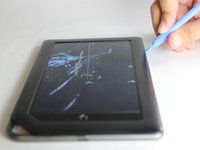
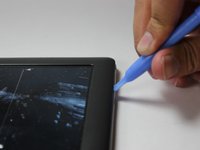
  4. Nook Color Battery Replacement: stap 4, afbeelding 1 van 2 Nook Color Battery Replacement: stap 4, afbeelding 2 van 2
    • Pry off the front panel using the plastic opening tool.

    Vraag FixBot

    Voeg opmerking toe

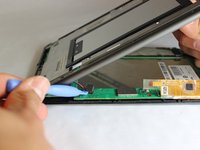
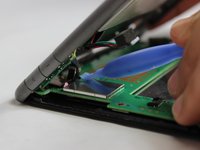
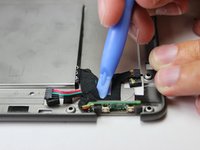
  5. Nook Color Battery Replacement: stap 5, afbeelding 1 van 2 Nook Color Battery Replacement: stap 5, afbeelding 2 van 2
    • Lift up on the connectors to disconnect them using the plastic opening tool.

    Vraag FixBot

    Voeg opmerking toe

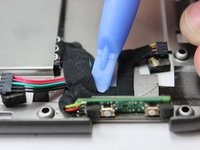
  6. Nook Color Battery Replacement, Battery: stap 6, afbeelding 1 van 2 Nook Color Battery Replacement, Battery: stap 6, afbeelding 2 van 2
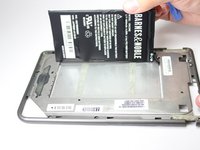
    • Remove the tape which holds the wiring to the battery using a plastic opening tool.

    Vraag FixBot

    Voeg opmerking toe

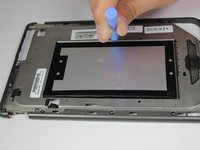
  7. Nook Color Battery Replacement: stap 7, afbeelding 1 van 3 Nook Color Battery Replacement: stap 7, afbeelding 2 van 3 Nook Color Battery Replacement: stap 7, afbeelding 3 van 3
    • On the back side of the middle panel, pry the battery using the plastic opening tools.

    • Use of force is necessary since the battery is glued down.

    Vraag FixBot

    Voeg opmerking toe

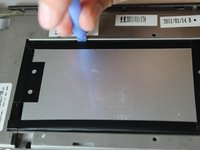
  8. Nook Color Battery Replacement: stap 8, afbeelding 1 van 2 Nook Color Battery Replacement: stap 8, afbeelding 2 van 2
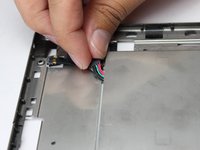
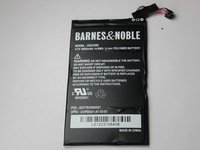
    • Slide the connecting wire through the opening of where the battery was placed.

    Vraag FixBot

    Voeg opmerking toe

Conclusie

To reassemble your device, follow these instructions in reverse order.

Annuleren: ik heb deze handleiding niet afgemaakt.

5 andere personen hebben deze handleiding voltooid.

John Goly

Lid sinds: 01/20/15

529 Reputatie

3 handleidingen geschreven

Team

USF Tampa, Team 11-5, Blackwell Winter 2015 Lid van USF Tampa, Team 11-5, Blackwell Winter 2015

USFT-BLACKWELL-W15S11G5

3 Leden

14 handleidingen geschreven

0Gids Commentaar

Voeg opmerking toe

Weergavestatistieken:

Afgelopen 24 uren: 0

Afgelopen 7 dagen: 5

Afgelopen 30 dagen: 44

Altijd: 3,543