Ga door naar hoofdinhoud
Word lid van de reparatiegemeenschap - Account aanmaken

Nokia N70 Back Camera Replacement

Wat je nodig hebt

  1. Nokia N70 Back Camera Replacement, Battery: stap 1, afbeelding 1 van 1
    • Orient the phone as shown.

    • Press the button with the plastic opening tool and slide the back case downward relative to the phone.

    Vraag FixBot

    Voeg opmerking toe

  2. Nokia N70 Back Camera Replacement: stap 2, afbeelding 1 van 1
    • Remove the battery cover by lifting it away from the phone.

    Vraag FixBot

    Voeg opmerking toe

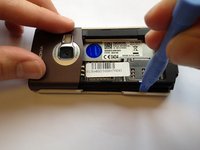
  3. Nokia N70 Back Camera Replacement: stap 3, afbeelding 1 van 1
    • Insert the plastic opening tool into the marked space.

    • Lift up the side of the battery closest to the bottom edge of the phone using the plastic opening tool.

    Vraag FixBot

    Voeg opmerking toe

  4. Nokia N70 Back Camera Replacement: stap 4, afbeelding 1 van 1
    • Remove the battery from the phone.

    Vraag FixBot

    Voeg opmerking toe

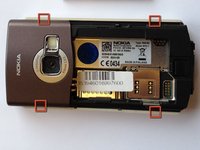
  5. Nokia N70 Back Camera Replacement, Keypad: stap 5, afbeelding 1 van 3 Nokia N70 Back Camera Replacement, Keypad: stap 5, afbeelding 2 van 3 Nokia N70 Back Camera Replacement, Keypad: stap 5, afbeelding 3 van 3
    • Insert the plastic opening tool in the marked areas in between the front and back covers.

    • Pry each corner with the plastic opening tool until the front case completely detaches.

    Vraag FixBot

    Voeg opmerking toe

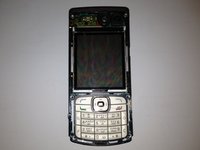
  6. Nokia N70 Back Camera Replacement: stap 6, afbeelding 1 van 3 Nokia N70 Back Camera Replacement: stap 6, afbeelding 2 van 3 Nokia N70 Back Camera Replacement: stap 6, afbeelding 3 van 3
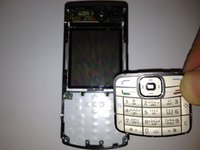
    • Orient the phone so that the keypad is facing you.

    • Remove the keypad by lifting it away from the phone.

    Vraag FixBot

    Voeg opmerking toe

  7. Nokia N70 Back Camera Replacement, Back Camera: stap 7, afbeelding 1 van 2 Nokia N70 Back Camera Replacement, Back Camera: stap 7, afbeelding 2 van 2
    • Using T6 Torx screwdriver remove the six 15 mm torx screws.

    Vraag FixBot

    Voeg opmerking toe

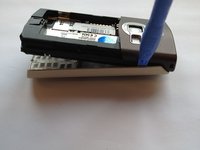
  8. Nokia N70 Back Camera Replacement: stap 8, afbeelding 1 van 3 Nokia N70 Back Camera Replacement: stap 8, afbeelding 2 van 3 Nokia N70 Back Camera Replacement: stap 8, afbeelding 3 van 3
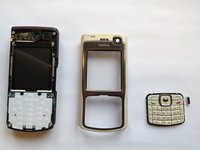
    • Separate the front panel from the back by lifting the bottom of the front panel at a 45 degree angle.

    • Remove the front panel by lifting the panel away from the phone at a 45 degree angle.

    Vraag FixBot

    Voeg opmerking toe

  9. Nokia N70 Back Camera Replacement: stap 9, afbeelding 1 van 3 Nokia N70 Back Camera Replacement: stap 9, afbeelding 2 van 3 Nokia N70 Back Camera Replacement: stap 9, afbeelding 3 van 3
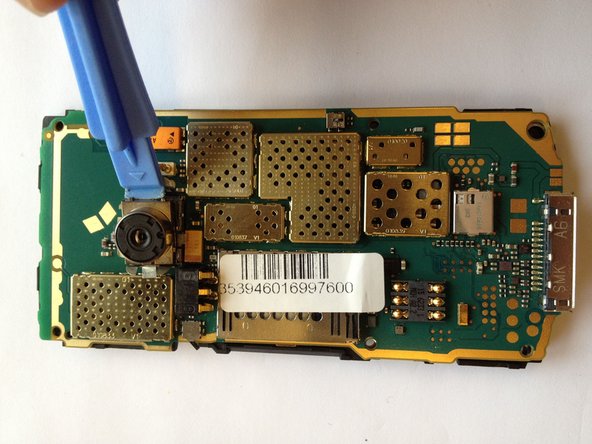
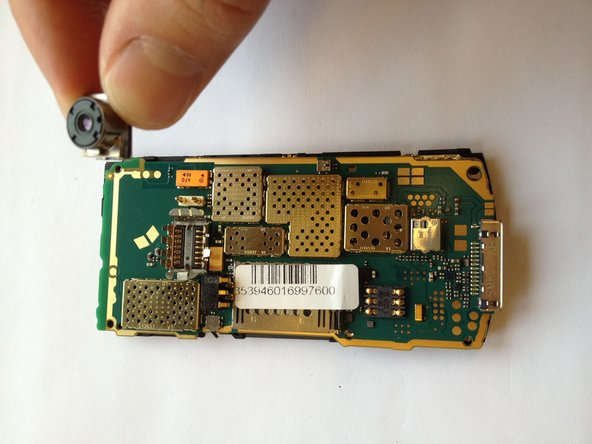
    • Locate the rear circuit board by flipping over the front panel.

    • Locate the rear camera and by using the plastic opening tool, gently lift the camera out of the slot.

    • Caution: Be careful when prying camera out of the slot for the connections are fragile.

    Vraag FixBot

    Voeg opmerking toe

Conclusie

To reassemble your device, follow these instructions in reverse order.

Annuleren: ik heb deze handleiding niet afgemaakt.

6 andere personen hebben deze handleiding voltooid.

Justin

Lid sinds: 10/12/11

1.026 Reputatie

5 handleidingen geschreven

Team

Cal Poly, Team 6-2, Regan Fall 2011 Lid van Cal Poly, Team 6-2, Regan Fall 2011

CPSU-REGAN-F11S6G2

4 Leden

11 handleidingen geschreven

1Gids Commentaar

mon nokia n70 est mal camera alors quest -ce qu*on va faire

sidiahmed ahmed - Antwoord Deel

Voeg opmerking toe

Weergavestatistieken:

Afgelopen 24 uren: 1

Afgelopen 7 dagen: 19

Afgelopen 30 dagen: 72

Altijd: 9,389