Ga door naar hoofdinhoud
Word lid van de reparatiegemeenschap - Account aanmaken

Nokia 3310 3G Screen Replacement

Wat je nodig hebt

  1. Nokia 3310 3G Screen Replacement, Battery: stap 1, afbeelding 1 van 2 Nokia 3310 3G Screen Replacement, Battery: stap 1, afbeelding 2 van 2
    • Using the thumbtab molded on the bottom of the phone, pry the back cover off using either a fingernail or a plastic opening tool.

    Vraag FixBot

    Voeg opmerking toe

  2. Nokia 3310 3G Screen Replacement: stap 2, afbeelding 1 van 2 Nokia 3310 3G Screen Replacement: stap 2, afbeelding 2 van 2
    • There is a molded notch in the white frame of the phone near the top right of the battery. Using either a finger or a plastic opening tool, utilize the notch to lift up on the battery, and remove it from the device.

    • This specific device did not come with a battery.

    Vraag FixBot

    Voeg opmerking toe

  3. Nokia 3310 3G Screen Replacement, Frame: stap 3, afbeelding 1 van 3 Nokia 3310 3G Screen Replacement, Frame: stap 3, afbeelding 2 van 3 Nokia 3310 3G Screen Replacement, Frame: stap 3, afbeelding 3 van 3
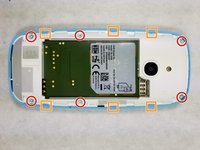
    • Using a T5 screwdriver bit, remove the (6) 5.0 mm screws along the outside edge of the frame.

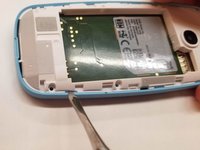
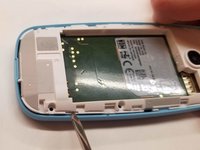
    • Using a metal spudger, wedge the 6 plastic tabs molded into the outer shell away from the frame to lift up and remove it.

    Vraag FixBot

    Voeg opmerking toe

  4. Nokia 3310 3G Screen Replacement, Motherboard: stap 4, afbeelding 1 van 3 Nokia 3310 3G Screen Replacement, Motherboard: stap 4, afbeelding 2 van 3 Nokia 3310 3G Screen Replacement, Motherboard: stap 4, afbeelding 3 van 3
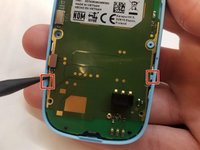
    • Use a spudger to simultaneously leverage the shell away and the motherboard up from the body of the shell.

    Vraag FixBot

    Voeg opmerking toe

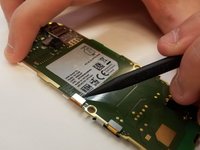
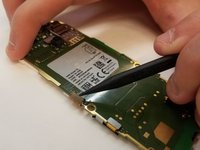
  5. Nokia 3310 3G Screen Replacement, Screen: stap 5, afbeelding 1 van 3 Nokia 3310 3G Screen Replacement, Screen: stap 5, afbeelding 2 van 3 Nokia 3310 3G Screen Replacement, Screen: stap 5, afbeelding 3 van 3
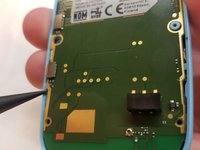
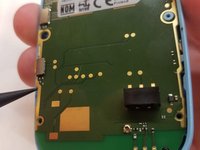
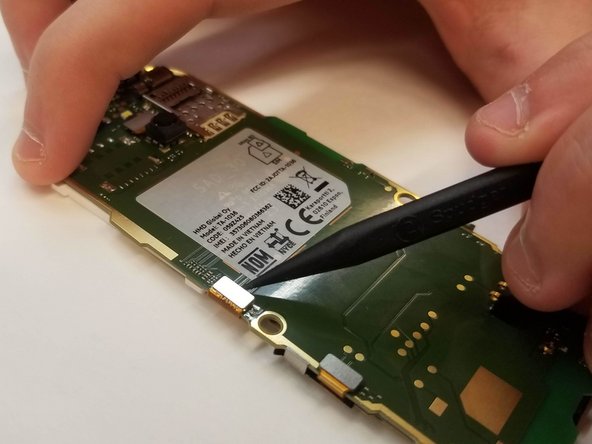
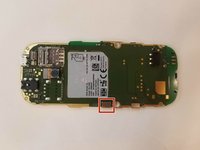
    • With the motherboard removed, the only thing holding the screen into place is the snap plug on the back of the motherboard.

    • Using a spudger, leverage the top snap up to disconnect it (photo shows motherboard rotated 90 degrees counterclockwise).

    Vraag FixBot

    Voeg opmerking toe

Conclusie

To reassemble your device, follow these instructions in reverse order.

Annuleren: ik heb deze handleiding niet afgemaakt.

6 andere personen hebben deze handleiding voltooid.

Aaron LeBlanc

Lid sinds: 10/24/18

753 Reputatie

5 handleidingen geschreven

Team

UMass Dartmouth, Team S3-G3, Peak Fall 2018 Lid van UMass Dartmouth, Team S3-G3, Peak Fall 2018

UMASSD-PEAK-F18S3G3

3 Leden

16 handleidingen geschreven

4Gids Commentaar

If you can break the screen without taking it apart, then you must not be human

Feyrowan - Antwoord Deel

The Cylons are greeting you.

M. H. - Antwoord Deel

Thank you!

I dont have cash for a new one,

but i could fix my old one.

There was soup on the display inside,

cleaned it, screen is clear now.

Yeay!

fred - Antwoord Deel

Where could I get a replacement screen?

Secret - Antwoord Deel

Voeg opmerking toe

Weergavestatistieken:

Afgelopen 24 uren: 1

Afgelopen 7 dagen: 18

Afgelopen 30 dagen: 77

Altijd: 2,616