Ga door naar hoofdinhoud
Word lid van de reparatiegemeenschap - Account aanmaken

Nokia 2630b Screen / Front Case Replacement

Wat je nodig hebt

  1. Nokia 2630b Screen / Front Case Replacement, Battery Case: stap 1, afbeelding 1 van 2 Nokia 2630b Screen / Front Case Replacement, Battery Case: stap 1, afbeelding 2 van 2
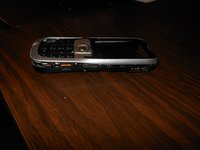
    • Press and the release button on both sides of the battery cover. While holding down the release buttons pull the battery cover away from the phone

    Vraag FixBot

    Voeg opmerking toe

  2. Nokia 2630b Screen / Front Case Replacement: stap 2, afbeelding 1 van 1
    • Pull out the battery by holding the top of the battery and tilting out.

    Vraag FixBot

    Voeg opmerking toe

  3. Nokia 2630b Screen / Front Case Replacement, Screen / Front Case: stap 3, afbeelding 1 van 1
    • Remove the two screws on either side of the battery case using a T5 Torx screwdriver.

    Vraag FixBot

    Voeg opmerking toe

  4. Nokia 2630b Screen / Front Case Replacement: stap 4, afbeelding 1 van 3 Nokia 2630b Screen / Front Case Replacement: stap 4, afbeelding 2 van 3 Nokia 2630b Screen / Front Case Replacement: stap 4, afbeelding 3 van 3
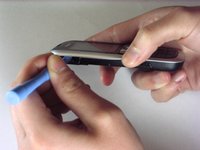
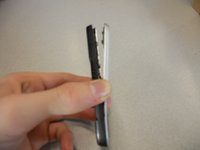
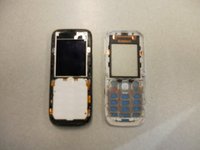
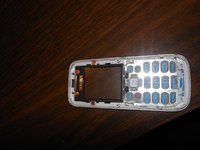
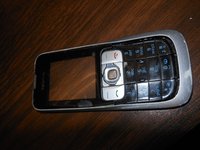
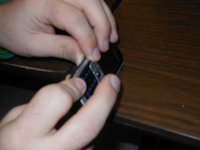
    • Separate the front case from the back case using the iPod opener.

    • The keypad is a loose piece and may fall out.

    Vraag FixBot

    Voeg opmerking toe

  5. Nokia 2630b Screen / Front Case Replacement: stap 5, afbeelding 1 van 1
    • Remove screws using the T5 Torx screwdriver to release the computer chip from the case.

    Vraag FixBot

    Voeg opmerking toe

  6. Nokia 2630b Screen / Front Case Replacement: stap 6, afbeelding 1 van 1
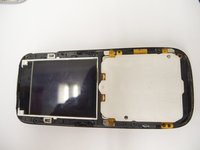
    • Carefully lift the black frame off the screen with your fingers.

    Vraag FixBot

    Voeg opmerking toe

  7. Nokia 2630b Screen / Front Case Replacement: stap 7, afbeelding 1 van 1
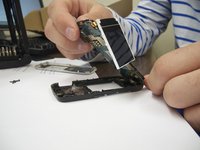
    • Carefully remove the computer chip and screen out of the black case with your fingers.

    Vraag FixBot

    Voeg opmerking toe

  8. Nokia 2630b Screen / Front Case Replacement: stap 8, afbeelding 1 van 2 Nokia 2630b Screen / Front Case Replacement: stap 8, afbeelding 2 van 2
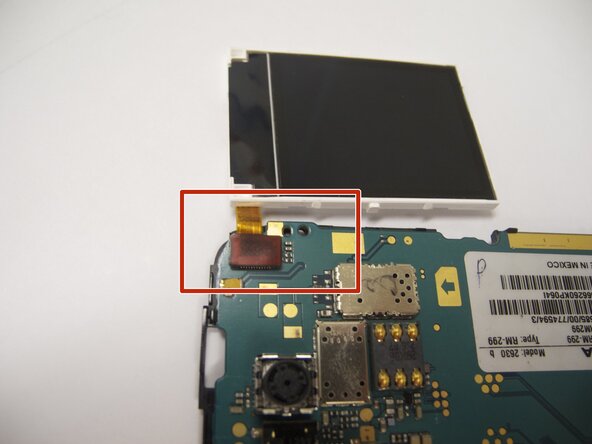
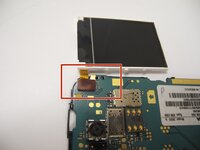
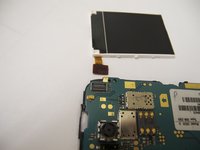
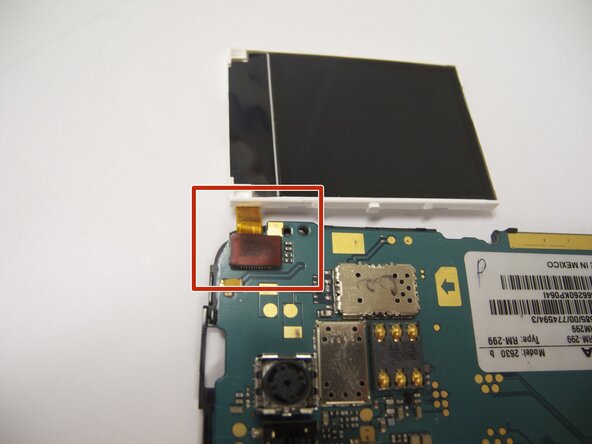
    • The screen is attached to the motherboard by an orange ribbon.

    • Carefully detach the ribbon from the motherboard using your fingers.

    Vraag FixBot

    Voeg opmerking toe

  9. Nokia 2630b Screen / Front Case Replacement: stap 9, afbeelding 1 van 1
    • Reattach new screen by connecting the orange ribbon to the computer chip.

    Vraag FixBot

    Voeg opmerking toe

  10. Nokia 2630b Screen / Front Case Replacement: stap 10, afbeelding 1 van 2 Nokia 2630b Screen / Front Case Replacement: stap 10, afbeelding 2 van 2
    • Place computer chip and screen back into black case.

    Vraag FixBot

    Voeg opmerking toe

  11. Nokia 2630b Screen / Front Case Replacement: stap 11, afbeelding 1 van 1
    • Place black frame back over screen.

    Vraag FixBot

    Voeg opmerking toe

  12. Nokia 2630b Screen / Front Case Replacement: stap 12, afbeelding 1 van 2 Nokia 2630b Screen / Front Case Replacement: stap 12, afbeelding 2 van 2
    • Carefully place keypad back in place.

    Vraag FixBot

    Voeg opmerking toe

  13. Nokia 2630b Screen / Front Case Replacement: stap 13, afbeelding 1 van 2 Nokia 2630b Screen / Front Case Replacement: stap 13, afbeelding 2 van 2
    • Snap the front case back in place with the bottom case with your fingers.

    Vraag FixBot

    Voeg opmerking toe

  14. Nokia 2630b Screen / Front Case Replacement: stap 14, afbeelding 1 van 1
    • Reassemble screws with microscrewdriver.

    Vraag FixBot

    Voeg opmerking toe

  15. Nokia 2630b Screen / Front Case Replacement: stap 15, afbeelding 1 van 1
    • Slide battery back into place.

    Vraag FixBot

    Voeg opmerking toe

  16. Nokia 2630b Screen / Front Case Replacement: stap 16, afbeelding 1 van 1
    • Snap battery cover back into place.

    Vraag FixBot

    Voeg opmerking toe

Conclusie

To reassemble your device, follow these instructions in reverse order. Make sure to snap the new screen / front case securely into place.

Annuleren: ik heb deze handleiding niet afgemaakt.

Eric

Lid sinds: 04/07/11

57 Reputatie

4 handleidingen geschreven

Team

Cal Poly, Team 9-61, Walters Spring 2011 Lid van Cal Poly, Team 9-61, Walters Spring 2011

CPSU-WALTERS-S11S9G61

5 Leden

6 handleidingen geschreven

2Gids Commentaar

Great guide :-) I have a Nokia 2630 too and people can no longer hear me on calls, even though I can hear them. Do you know what could be wrong? Do you think this is something I could fix myself? Thanks!

jfg - Antwoord Deel

You could try getting a neodymium magnet and run it across the earpiece grill. In my father's case, a lot of metal powder was in there, pressing in the speaker membrane; the alternative is cleaning it (which does require opening the phone using Eric's very nice guide). The alternative to those is ordering an earpiece online - but usually those are really bad quality, so trying to fix the original one would be advisable

Darie H - Antwoord Deel

Voeg opmerking toe

Weergavestatistieken:

Afgelopen 24 uren: 5

Afgelopen 7 dagen: 16

Afgelopen 30 dagen: 72

Altijd: 4,352