Ga door naar hoofdinhoud
Word lid van de reparatiegemeenschap - Account aanmaken

Nokia 2610 Front Pannel Replacement

Wat je nodig hebt

  1. Nokia 2610 Front Pannel Replacement, Battery and Sim Card: stap 1, afbeelding 1 van 3 Nokia 2610 Front Pannel Replacement, Battery and Sim Card: stap 1, afbeelding 2 van 3 Nokia 2610 Front Pannel Replacement, Battery and Sim Card: stap 1, afbeelding 3 van 3
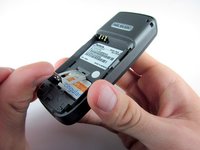
    • Place your thumb on the middle of the back cover and push it toward the bottom of the phone to slide the cover off.

    Vraag FixBot

    Voeg opmerking toe

  2. Nokia 2610 Front Pannel Replacement: stap 2, afbeelding 1 van 3 Nokia 2610 Front Pannel Replacement: stap 2, afbeelding 2 van 3 Nokia 2610 Front Pannel Replacement: stap 2, afbeelding 3 van 3
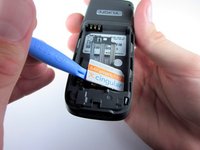
    • Use a plastic opening tool (or your finger) to gently pry the battery out of the battery slot on the back of the phone.

    Vraag FixBot

    Voeg opmerking toe

  3. Nokia 2610 Front Pannel Replacement: stap 3, afbeelding 1 van 3 Nokia 2610 Front Pannel Replacement: stap 3, afbeelding 2 van 3 Nokia 2610 Front Pannel Replacement: stap 3, afbeelding 3 van 3
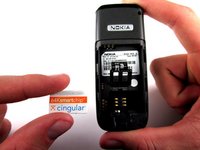
    • Lift the metal sim card holder (at the bottom of the battery slot) up and carefully pry the sim card out of its slot with a plastic opening tool or your finger.

    • After removal, lower the metal sim card holder into its original position.

    Vraag FixBot

    Voeg opmerking toe

  4. Nokia 2610 Front Pannel Replacement, Front Pannel: stap 4, afbeelding 1 van 2 Nokia 2610 Front Pannel Replacement, Front Pannel: stap 4, afbeelding 2 van 2
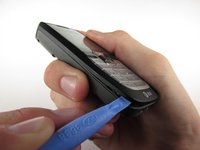
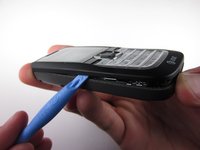
    • Insert the plastic opening tool into the crack between the front and back panels.

    • Gently pry the front cover away from the back cover while sliding the plastic opening tool towards the top of the phone.

    Vraag FixBot

    Voeg opmerking toe

  5. Nokia 2610 Front Pannel Replacement: stap 5, afbeelding 1 van 2 Nokia 2610 Front Pannel Replacement: stap 5, afbeelding 2 van 2
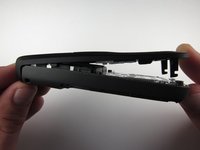
    • Lift the bottom of the front cover away from the phone.

    • Continue lifting until the top of the front cover is fully removed from the phone.

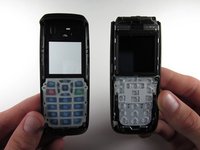
    • Note: To replace the Keypad, gently lift it out of the front cover. It is located below the clear viewing window.

    Vraag FixBot

    Voeg opmerking toe

Conclusie

To reassemble your device, follow these instructions in reverse order.

Annuleren: ik heb deze handleiding niet afgemaakt.

3 andere personen hebben deze handleiding voltooid.

Andrew Wood

Lid sinds: 10/05/10

336 Reputatie

3 handleidingen geschreven

Team

Cal Poly, Team 7-52, Amido Fall 2010 Lid van Cal Poly, Team 7-52, Amido Fall 2010

CPSU-AMIDO-F10S7G52

4 Leden

12 handleidingen geschreven

0Gids Commentaar

Voeg opmerking toe

Weergavestatistieken:

Afgelopen 24 uren: 1

Afgelopen 7 dagen: 9

Afgelopen 30 dagen: 35

Altijd: 2,475