Ga door naar hoofdinhoud
Word lid van de reparatiegemeenschap - Account aanmaken

Nokia C7 - 00 Touchscreen Replacement

  1. Nokia  C7 - 00 Touchscreen  Replacement, Touchscreen and LCD: stap 1, afbeelding 1 van 3 Nokia  C7 - 00 Touchscreen  Replacement, Touchscreen and LCD: stap 1, afbeelding 2 van 3 Nokia  C7 - 00 Touchscreen  Replacement, Touchscreen and LCD: stap 1, afbeelding 3 van 3
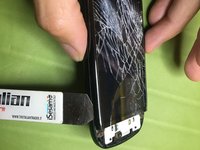
    • With a thin tool insert it in the cover at the bottom and pry up to release it

    Vraag FixBot

    Voeg opmerking toe

  2. Nokia  C7 - 00 Touchscreen  Replacement: stap 2, afbeelding 1 van 2 Nokia  C7 - 00 Touchscreen  Replacement: stap 2, afbeelding 2 van 2
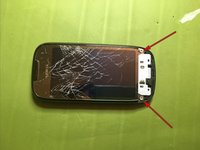
    • Pry up the two points indicated by the arrows to release the keyboard

    Vraag FixBot

    Voeg opmerking toe

  3. Nokia  C7 - 00 Touchscreen  Replacement: stap 3, afbeelding 1 van 2 Nokia  C7 - 00 Touchscreen  Replacement: stap 3, afbeelding 2 van 2
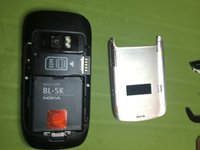
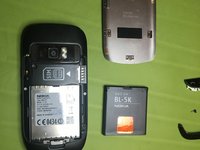
    • Remove battery and battery cover

    Vraag FixBot

    Voeg opmerking toe

  4. Nokia  C7 - 00 Touchscreen  Replacement: stap 4, afbeelding 1 van 2 Nokia  C7 - 00 Touchscreen  Replacement: stap 4, afbeelding 2 van 2
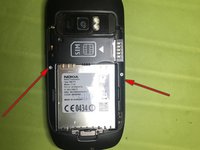
    • Unscrew the 2 rear screws

    • Unscrew the 2 front screws

    Vraag FixBot

    Voeg opmerking toe

  5. Nokia  C7 - 00 Touchscreen  Replacement: stap 5, afbeelding 1 van 3 Nokia  C7 - 00 Touchscreen  Replacement: stap 5, afbeelding 2 van 3 Nokia  C7 - 00 Touchscreen  Replacement: stap 5, afbeelding 3 van 3
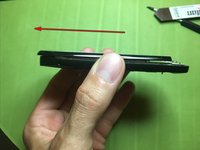
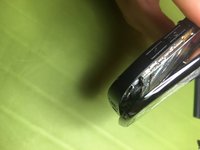
    • Gently lift the front glass and slide it slightly in the direction of the arrow so you can free it

    Vraag FixBot

    Voeg opmerking toe

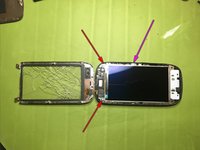
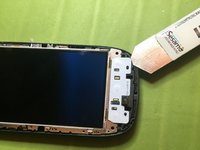
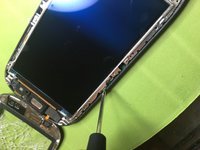
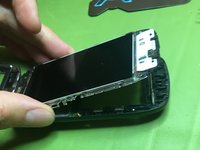
  6. Nokia  C7 - 00 Touchscreen  Replacement: stap 6, afbeelding 1 van 3 Nokia  C7 - 00 Touchscreen  Replacement: stap 6, afbeelding 2 van 3 Nokia  C7 - 00 Touchscreen  Replacement: stap 6, afbeelding 3 van 3
    • if the display needs to be replaced and then you have no problems if it is broken in the door, proceed with a heat source and a thin tool to be able to break it from underneath

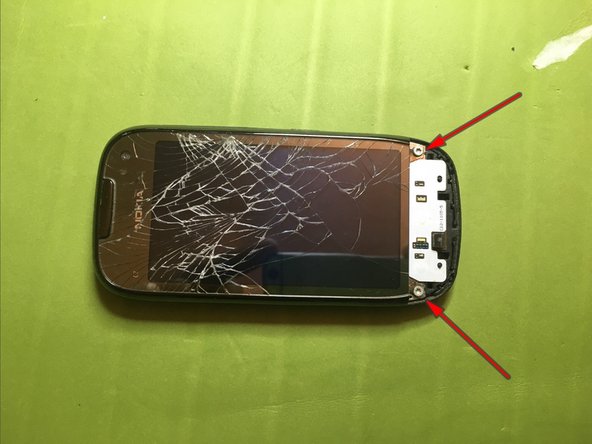
    • If the display is as good as in my case to avoid the risk of breaking it, unscrew the two red arrow screws

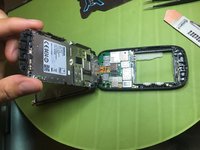
    • Gradually unscrew the purple arrow screw so that you do not lose too much on the back of the display to avoid breaking it, at the same time lift it from the keyboard area and gradually unscrew Dino to the complete lifting of the display and its housing doing Leva also laterally on the releases

    Vraag FixBot

    Voeg opmerking toe

  7. Nokia  C7 - 00 Touchscreen  Replacement: stap 7, afbeelding 1 van 2 Nokia  C7 - 00 Touchscreen  Replacement: stap 7, afbeelding 2 van 2
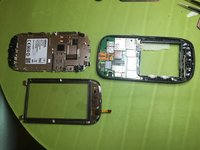
    • Lift up display assembly.

    Vraag FixBot

    Voeg opmerking toe

  8. Nokia  C7 - 00 Touchscreen  Replacement: stap 8, afbeelding 1 van 3 Nokia  C7 - 00 Touchscreen  Replacement: stap 8, afbeelding 2 van 3 Nokia  C7 - 00 Touchscreen  Replacement: stap 8, afbeelding 3 van 3
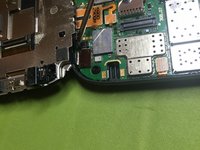
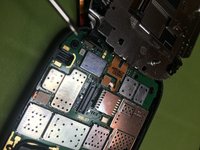
    • Disconnect touch screen connector

    • Disconnect display connector

    Vraag FixBot

    Voeg opmerking toe

Conclusie

To reassemble the device, follow these instructions in reverse order.

Annuleren: ik heb deze handleiding niet afgemaakt.

5 andere personen hebben deze handleiding voltooid.

Met dank aan deze vertalers:

it en

100%

Deze vertalers helpen ons de wereld te repareren! Doe je mee?
Begin met vertalen ›

Smilzo

Lid sinds: 11/09/13

12.320 Reputatie

39 handleidingen geschreven

0Gids Commentaar

Voeg opmerking toe

Weergavestatistieken:

Afgelopen 24 uren: 2

Afgelopen 7 dagen: 12

Afgelopen 30 dagen: 40

Altijd: 2,987