Ga door naar hoofdinhoud
Word lid van de reparatiegemeenschap - Account aanmaken

Nokero SunRay Pro Power Panel Capacitor Replacement

Wat je nodig hebt

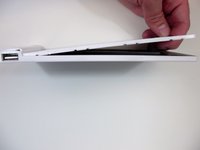
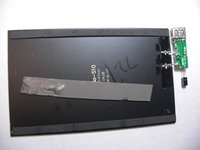
  1. Nokero SunRay Pro Power Panel Capacitor Replacement, Front and Back Case: stap 1, afbeelding 1 van 1
    • Turn over the device so that the back of the device is facing up.

    Vraag FixBot

    Voeg opmerking toe

  2. Nokero SunRay Pro Power Panel Capacitor Replacement: stap 2, afbeelding 1 van 3 Nokero SunRay Pro Power Panel Capacitor Replacement: stap 2, afbeelding 2 van 3 Nokero SunRay Pro Power Panel Capacitor Replacement: stap 2, afbeelding 3 van 3
    • Insert the first plastic opening tool along the side to pry open the case.

    • Sliding the plastic opening tool, while inserted, along the seam may help the removal process.

    • Use a second plastic opening tool to help separate the remaining seams.

    Vraag FixBot

    Voeg opmerking toe

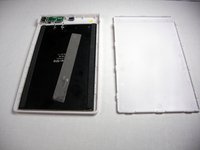
  3. Nokero SunRay Pro Power Panel Capacitor Replacement: stap 3, afbeelding 1 van 2 Nokero SunRay Pro Power Panel Capacitor Replacement: stap 3, afbeelding 2 van 2
    • There is a long strip of double sided adhesive foam tape that prevents the back case from easily being removed.

    • Pull the back case off by applying steady pressure to remove it from the adhesive foam tape.

    Vraag FixBot

    Voeg opmerking toe

  4. Nokero SunRay Pro Power Panel Capacitor Replacement: stap 4, afbeelding 1 van 2 Nokero SunRay Pro Power Panel Capacitor Replacement: stap 4, afbeelding 2 van 2
    • Use the Phillips precision screwdriver to unscrew the two 5.0 mm Phillips screws from the circuit board.

    • Remove the solar panel and circuit board from the front case.

    Vraag FixBot

    Voeg opmerking toe

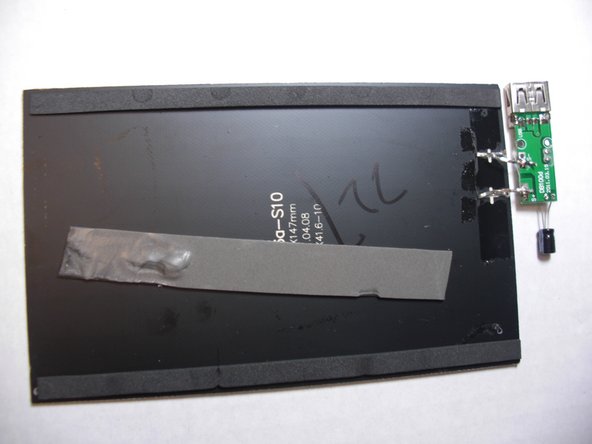
  5. Nokero SunRay Pro Power Panel Capacitor Replacement, Capacitor: stap 5, afbeelding 1 van 1
    • Use the soldering station to desolder the two contact points around the connections of the capacitor to loosen the metal.

    Vraag FixBot

    Voeg opmerking toe

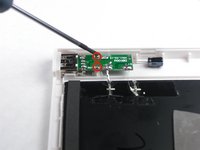
  6. Nokero SunRay Pro Power Panel Capacitor Replacement: stap 6, afbeelding 1 van 1
    • Pull the capacitor through the circuit board to remove it.

    Vraag FixBot

    Voeg opmerking toe

Conclusie

To reassemble your device, follow these instructions in reverse order.

Annuleren: ik heb deze handleiding niet afgemaakt.

Nicholas Orr

Lid sinds: 01/20/15

229 Reputatie

2 handleidingen geschreven

Team

USF Tampa, Team 9-3, Blackwell Winter 2015 Lid van USF Tampa, Team 9-3, Blackwell Winter 2015

USFT-BLACKWELL-W15S9G3

3 Leden

3 handleidingen geschreven

0Gids Commentaar

Voeg opmerking toe

Weergavestatistieken:

Afgelopen 24 uren: 0

Afgelopen 7 dagen: 10

Afgelopen 30 dagen: 31

Altijd: 517