Deze vertaling is door een computer gegenereerd en is nog niet door iemand nagekeken. Spreek je deze taal? Bekijk het hier.
Inleiding
Gebruik deze handleiding om een nieuwe front faceplate voor de Nintendo Wii U te installeren.
Wat je nodig hebt
-
-
-
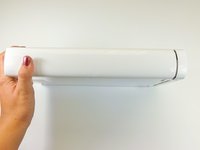
Met de onderkant van de console naar boven gericht, verwijder je de volgende 6 schroeven die verborgen zitten onder de witte vierkante stickers:
-
Drie 5,1 mm Phillips-kruiskopschroeven #000
-
Twee 6,1 mm Tri-wing Y0-schroeven
-
Eén 13,2 mm Tri-wing Y1-schroef
 Vraag FixBot
-
-
-
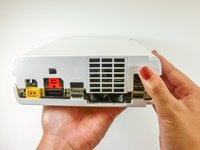
Draai de console 180 graden zodat de ventilatieroosters naar je toe wijzen.
-
Verwijder de twee 7,1 mm Phillips-kruiskopschroeven.
-
-
-
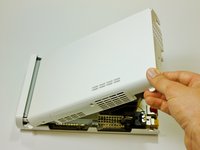
Schuif de achterbehuizing aan de kant tegenover de ventilatieopeningen naar de achterkant van de console en trek deze omhoog om hem los te maken.
-
-
-
-
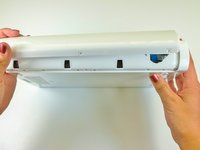
Verwijder de drie 13,2 mm Tri-wing Y1-schroeven aan de onderkant van de console onder de eerder verwijderde behuizing.
-
-
-
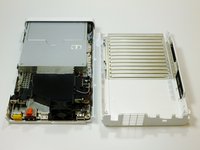
Til aan de achterkant van de console de bovenste bedekking op en maak deze los.
-
-
-
-
-
Draai het apparaat zo dat de frontplaat naar je toe gericht is.
-
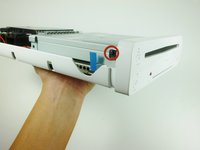
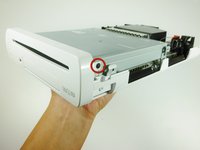
Verwijder aan weerszijden van de console de 3,5 mm kruiskopschroef (#0) die het dvd-station met de frontplaat verbindt.
-
-
-
Draai het apparaat zo dat de voorplaat aan de rechterkant zit en de lintkabel zichtbaar is.
-
De lintkabel is met het systeem verbonden door een vergrendeling die het blauwe lipje vasthoudt. Klap deze vergrendeling omhoog om hem te ontgrendelen.
-
Til het blauwe lipje op om de lintkabel los te maken.
-
-








Volg deze instructies in omgekeerde volgorde om je apparaat weer in elkaar te zetten.
Annuleren: ik heb deze handleiding niet afgemaakt.
11 andere personen hebben deze handleiding voltooid.

Team

Cal Poly, Team 17-20, Forte Winter 2013 Lid van Cal Poly, Team 17-20, Forte Winter 2013
CPSU-FORTE-W13S17G20
5 Leden
96 handleidingen geschreven
4Gids Commentaar
Great guide. I was able to fix the front USB door on my Wii u! Thanks guys!
My ribbon seems to work but the little connection it plugs into on the circuit board in the console broke off. Not just the black clip but the whole little circuit. Seems like a clean break. Can I solder it back on? If I push it back on and hold the ribbon in the red light comes on and blinks. Occasionally I can get the white light to come on for like a second but I never hear fans spinning/more of the unit coming to life before it shuts itself off.
Thoughts on how to fix it?
My daughter shoved change into my disc slot of my Wii I. I thought I got out all pulling through the faceplate dvd slot but now when I put in a game disc it won’t catcalls accept it. It pulls in, sounds like it turns a little bit and then ejects the disc. Could change still be stuck in the reader or do I need to replace it now?
Bit sad that it doesn't show how to re-insert the little ribbon cable. The tiny black latch came off, and there's no way to refix the latch back to the connector.
Regards,
Adrie
