Ga door naar hoofdinhoud
Word lid van de reparatiegemeenschap - Account aanmaken
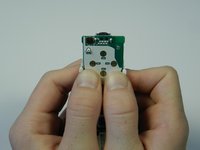
Nintendo Wii Remote B Trigger Button Replacement

Wat je nodig hebt

  1. Nintendo Wii Remote B Trigger Button Replacement, Front Cover Plate and Batteries: stap 1, afbeelding 1 van 2 Nintendo Wii Remote B Trigger Button Replacement, Front Cover Plate and Batteries: stap 1, afbeelding 2 van 2
    • Flip the Wii Remote over so the battery cover faces you.

    • Push up on the bottom tab.

    • Remove the battery cover.

    Vraag FixBot

    Voeg opmerking toe

  2. Nintendo Wii Remote B Trigger Button Replacement: stap 2, afbeelding 1 van 1
    • Remove the first battery by pressing down on the positive end and pulling the battery out.

    • Remove the second battery by pushing up on the positive end and pulling the battery out.

    Vraag FixBot

    Voeg opmerking toe

  3. Nintendo Wii Remote B Trigger Button Replacement: stap 3, afbeelding 1 van 1
    • Using a tri-point Y1 Screwdriver, remove the two center 7mm screws by turning them counterclockwise.

    • Repeat with the two bottom screws.

    Vraag FixBot

    Voeg opmerking toe

  4. Nintendo Wii Remote B Trigger Button Replacement: stap 4, afbeelding 1 van 2 Nintendo Wii Remote B Trigger Button Replacement: stap 4, afbeelding 2 van 2
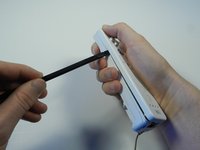
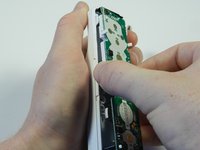
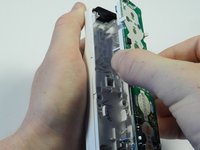
    • With the flat end of a spudger, gently apply pressure to the tabs located on left side of the controller.

    • These tabs are breakable. However, if the tabs are broken the controller will still function.

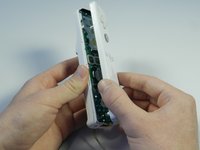
    • Open the front plate like a book.

    • Small parts may fall out as you open the front plate.

    Vraag FixBot

    Voeg opmerking toe

  5. Nintendo Wii Remote B Trigger Button Replacement, Motherboard: stap 5, afbeelding 1 van 2 Nintendo Wii Remote B Trigger Button Replacement, Motherboard: stap 5, afbeelding 2 van 2
    • Using the connector port, gently lift the motherboard about 2 cm from the base.

    • Electrostatic discharge may damage the device. Be careful and avoid touching the electronic components as much as possible.

    Vraag FixBot

    Voeg opmerking toe

  6. Nintendo Wii Remote B Trigger Button Replacement: stap 6, afbeelding 1 van 2 Nintendo Wii Remote B Trigger Button Replacement: stap 6, afbeelding 2 van 2
    • Grasp the edges of the motherboard and pull it straight away from the case.

    Vraag FixBot

    Voeg opmerking toe

  7. Nintendo Wii Remote B Trigger Button Replacement, B Trigger Button: stap 7, afbeelding 1 van 2 Nintendo Wii Remote B Trigger Button Replacement, B Trigger Button: stap 7, afbeelding 2 van 2
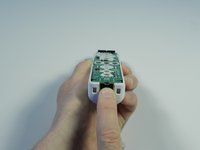
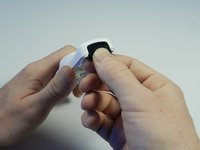
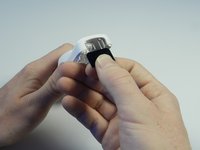
    • Locate the black sensor screen found at the bottom end of the Wii remote.

    • Grip the free edge of the black sensor screen and gently pull it down to remove from the Wii control.

    Vraag FixBot

    Voeg opmerking toe

  8. Nintendo Wii Remote B Trigger Button Replacement: stap 8, afbeelding 1 van 2 Nintendo Wii Remote B Trigger Button Replacement: stap 8, afbeelding 2 van 2
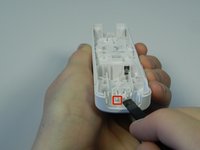
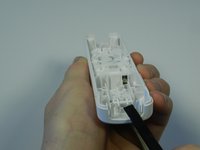
    • Find the two small tabs near the front end of the white plastic housing.

    • Place the flat end of the spudger tool under one tab and lightly push up until the tabs pop out of place.

    Vraag FixBot

    Voeg opmerking toe

  9. Nintendo Wii Remote B Trigger Button Replacement: stap 9, afbeelding 1 van 1
    • Flip the remote over and the plastic B trigger will fall out.

    • Catch the plastic trigger so it does not get lost.

    Vraag FixBot

    Voeg opmerking toe

  10. Nintendo Wii Remote B Trigger Button Replacement: stap 10, afbeelding 1 van 3 Nintendo Wii Remote B Trigger Button Replacement: stap 10, afbeelding 2 van 3 Nintendo Wii Remote B Trigger Button Replacement: stap 10, afbeelding 3 van 3
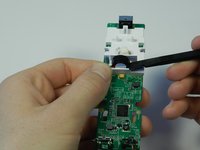
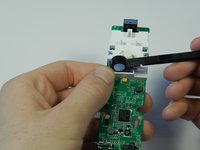
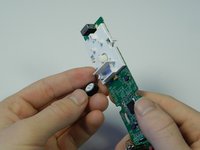
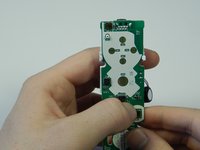
    • Flip the motherboard so that the rumble motor and the white plastic housing face up.

    • Place the flat end of the spudger tool under the round rumble motor and lightly push up.

    • Tilt the motherboard to the left and the rumble motor will fall out of the white housing.

    • Do not pull the rumble motor out, this could cause the wires to rip from the motherboard.

    Vraag FixBot

    Voeg opmerking toe

  11. Nintendo Wii Remote B Trigger Button Replacement: stap 11, afbeelding 1 van 3 Nintendo Wii Remote B Trigger Button Replacement: stap 11, afbeelding 2 van 3 Nintendo Wii Remote B Trigger Button Replacement: stap 11, afbeelding 3 van 3
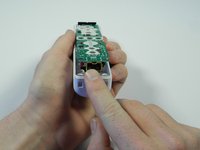
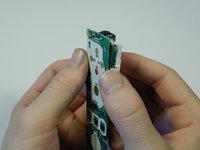
    • Flip the motherboard over and locate the two white tabs at the top the plastic housing.

    • Place both thumbs on the inside of the tabs and push the tabs outward.

    • Use the inner sides of your thumbs to separate the motherboard from the plastic housing.

    Vraag FixBot

    Voeg opmerking toe

  12. Nintendo Wii Remote B Trigger Button Replacement: stap 12, afbeelding 1 van 2 Nintendo Wii Remote B Trigger Button Replacement: stap 12, afbeelding 2 van 2
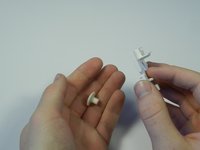
    • Gently push the rubber button out of the plastic housing.

    • The rubber button is bouncy, so be cautious after pushing it out.

    Vraag FixBot

    Voeg opmerking toe

Conclusie

To reassemble your device, follow these instructions in reverse order.

Annuleren: ik heb deze handleiding niet afgemaakt.

5 andere personen hebben deze handleiding voltooid.

Emily

Lid sinds: 04/14/13

2.010 Reputatie

6 handleidingen geschreven

Team

Cal Poly, Team 3-44, Amido Spring 2013 Lid van Cal Poly, Team 3-44, Amido Spring 2013

CPSU-AMIDO-S13S3G44

4 Leden

29 handleidingen geschreven

0Gids Commentaar

Voeg opmerking toe

Weergavestatistieken:

Afgelopen 24 uren: 7

Afgelopen 7 dagen: 38

Afgelopen 30 dagen: 183

Altijd: 20,391