Ga door naar hoofdinhoud
Word lid van de reparatiegemeenschap - Account aanmaken

Nintendo NES Advantage Start Button Replacement

Wat je nodig hebt

  1. Nintendo NES Advantage Start Button Replacement, Back Panel: stap 1, afbeelding 1 van 1
    • Remove the four sticky pads from the bottom of the device.

    • If the pads are stuck, use a spudger to remove them.

    Vraag FixBot

    Voeg opmerking toe

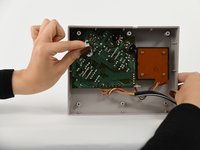
  2. Nintendo NES Advantage Start Button Replacement: stap 2, afbeelding 1 van 2 Nintendo NES Advantage Start Button Replacement: stap 2, afbeelding 2 van 2
    • Remove the six 8 mm screws from the bottom of the device with a Phillips #0 screwdriver.

    • Use your hands to pull the back panel away from the controller.

    Vraag FixBot

    Voeg opmerking toe

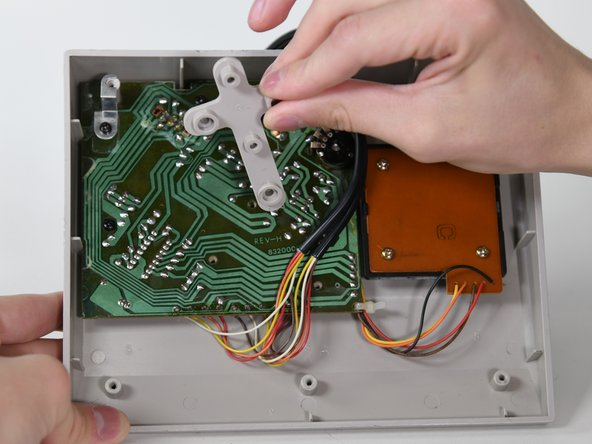
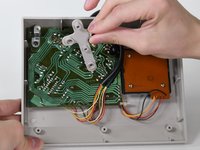
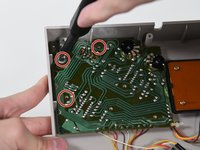
  3. Nintendo NES Advantage Start Button Replacement, Circuit Board: stap 3, afbeelding 1 van 2 Nintendo NES Advantage Start Button Replacement, Circuit Board: stap 3, afbeelding 2 van 2
    • Remove the three 14 mm screws from the gray cross with a Phillips #0 screwdriver.

    • Lift the gray component away from the device.

    Vraag FixBot

    Voeg opmerking toe

  4. Nintendo NES Advantage Start Button Replacement: stap 4, afbeelding 1 van 1
    • Lift up the black wire and move it to the side.

    Vraag FixBot

    Voeg opmerking toe

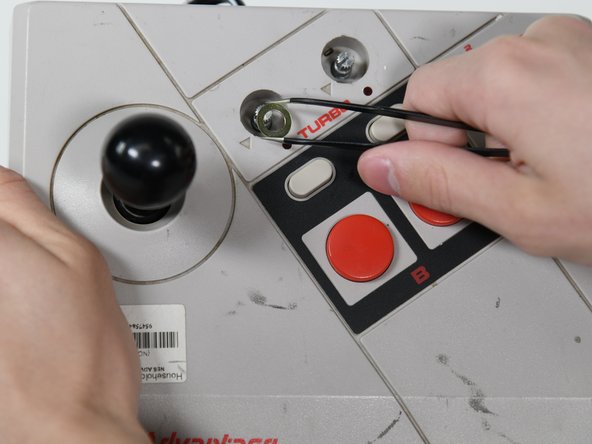
  5. Nintendo NES Advantage Start Button Replacement: stap 5, afbeelding 1 van 3 Nintendo NES Advantage Start Button Replacement: stap 5, afbeelding 2 van 3 Nintendo NES Advantage Start Button Replacement: stap 5, afbeelding 3 van 3
    Gereedschap gebruikt in deze stap:
    Tweezers
    $4.99
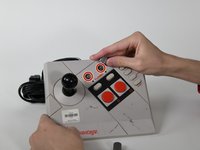
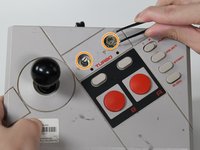
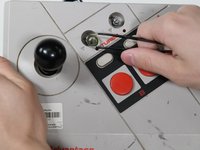
    • Remove the two silver knobs on the front of the device.

    • Unscrew the two silver nuts using a flathead screwdriver.

    • Remove each silver nut and silver washer using a pair of tweezers.

    Vraag FixBot

    Voeg opmerking toe

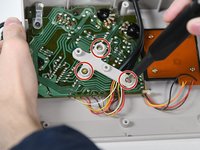
  6. Nintendo NES Advantage Start Button Replacement: stap 6, afbeelding 1 van 2 Nintendo NES Advantage Start Button Replacement: stap 6, afbeelding 2 van 2
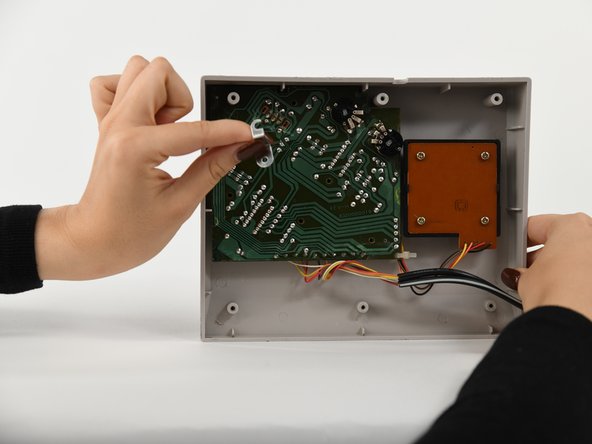
    • Remove the remaining three 8 mm screws on the circuit board with a Phillips #0 screwdriver.

    • Remove the silver bracket from the top of the circuit board.

    Vraag FixBot

    Voeg opmerking toe

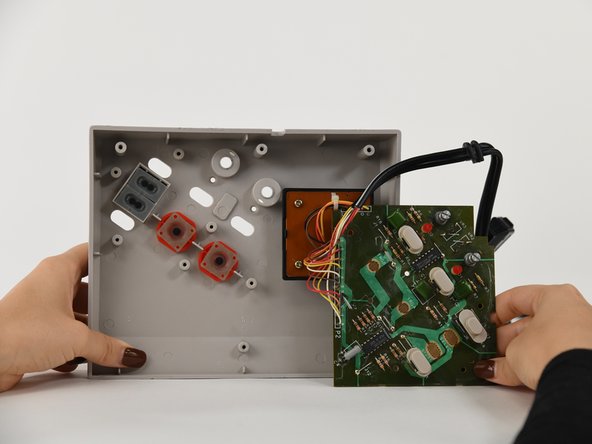
  7. Nintendo NES Advantage Start Button Replacement: stap 7, afbeelding 1 van 1
    • Remove the circuit board from the controller.

    Vraag FixBot

    Voeg opmerking toe

  8. Nintendo NES Advantage Start Button Replacement, Start Button: stap 8, afbeelding 1 van 1
    • Remove Start Button.

    Vraag FixBot

    Voeg opmerking toe

Conclusie

To reassemble your device, follow these instructions in reverse order.

Annuleren: ik heb deze handleiding niet afgemaakt.

Sylvia Pena

Lid sinds: 09/06/22

79 Reputatie

1 Handleiding geschreven

0Gids Commentaar

Voeg opmerking toe

Weergavestatistieken:

Afgelopen 24 uren: 3

Afgelopen 7 dagen: 4

Afgelopen 30 dagen: 22

Altijd: 515