Ga door naar hoofdinhoud
Word lid van de reparatiegemeenschap - Account aanmaken

Ninja Professional Blender BL660 Power Button Panel Replacement

Wat je nodig hebt

    1. Ninja Professional Blender BL660 Power Button Panel Replacement, Blender Base: stap 1, afbeelding 1 van 2 Ninja Professional Blender BL660 Power Button Panel Replacement, Blender Base: stap 1, afbeelding 2 van 2
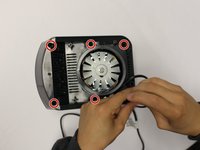
      • Using the Phillips #1 screwdriver, remove the 5 screws (13mm long, 6mm wide) holding the outer base.

      • Lift the base up to remove it.

      Vraag FixBot

      Voeg opmerking toe

    2. Ninja Professional Blender BL660 Power Button Panel Replacement: stap 2, afbeelding 1 van 2 Ninja Professional Blender BL660 Power Button Panel Replacement: stap 2, afbeelding 2 van 2
      • Remove the midsection by pulling it up. If the section is stuck, use the iFixit plastic opening tool to pry it off.

      • Pull the power cord through the mid-section opening.

      Vraag FixBot

      Voeg opmerking toe

    3. Ninja Professional Blender BL660 Power Button Panel Replacement: stap 3, afbeelding 1 van 2 Ninja Professional Blender BL660 Power Button Panel Replacement: stap 3, afbeelding 2 van 2
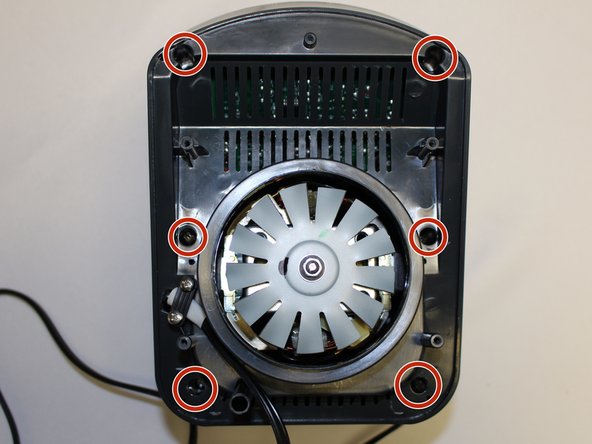
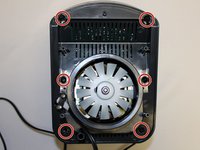
      • Using the Phillips #1 screwdriver, remove the 6 screws (13 mm long, 6 mm wide).

      Vraag FixBot

      Voeg opmerking toe

    4. Ninja Professional Blender BL660 Power Button Panel Replacement: stap 4, afbeelding 1 van 2 Ninja Professional Blender BL660 Power Button Panel Replacement: stap 4, afbeelding 2 van 2
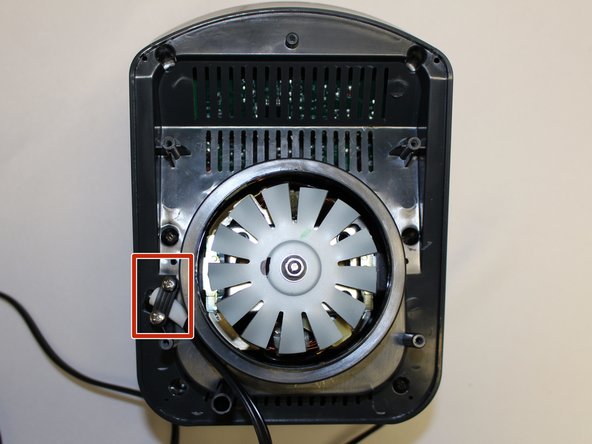
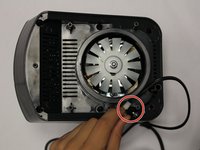
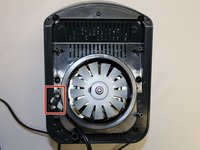
      • Using the Phillips #1 screwdriver, remove the two screws (5 mm long, 3 mm wide) holding the power cord onto the motor cover.

      Vraag FixBot

      Voeg opmerking toe

    5. Ninja Professional Blender BL660 Power Button Panel Replacement: stap 5, afbeelding 1 van 2 Ninja Professional Blender BL660 Power Button Panel Replacement: stap 5, afbeelding 2 van 2
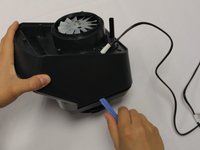
      • Using the iFixit plastic opening tool, pry the motor cover off the general housing. Once it is loose, lift it up to remove it off the base.

      • Slide the cover all the way to the end of the power cord.

      • Please note that the power cord does not completely come off the cover.

      Vraag FixBot

      Voeg opmerking toe

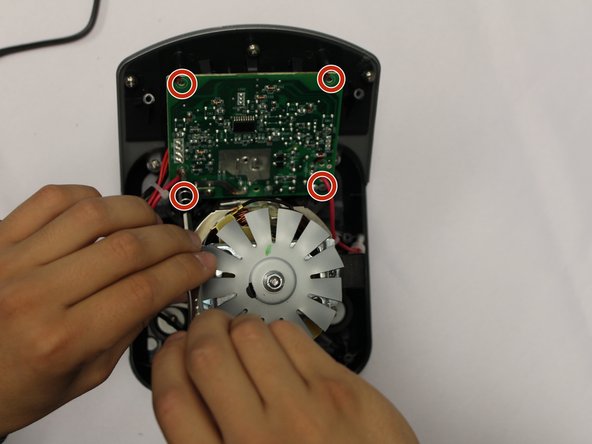
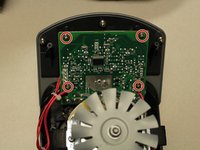
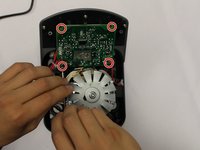
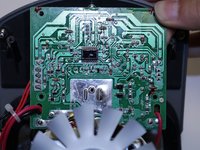
    1. Ninja Professional Blender BL660 Power Button Panel Replacement, Power Button Panel: stap 6, afbeelding 1 van 3 Ninja Professional Blender BL660 Power Button Panel Replacement, Power Button Panel: stap 6, afbeelding 2 van 3 Ninja Professional Blender BL660 Power Button Panel Replacement, Power Button Panel: stap 6, afbeelding 3 van 3
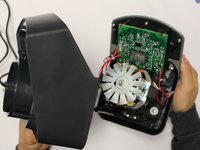
      • Using the Phillips #2 screwdriver, remove the four screws holding the circuit board to the housing.

      Vraag FixBot

      Voeg opmerking toe

    2. Ninja Professional Blender BL660 Power Button Panel Replacement: stap 7, afbeelding 1 van 1
      • Using a pair of scissors, cut the zip ties holding the power wires in order to give the circuit board mobility.

      Vraag FixBot

      Voeg opmerking toe

    3. Ninja Professional Blender BL660 Power Button Panel Replacement: stap 8, afbeelding 1 van 1
      • Using a Phillips #2 screwdriver, remove the 5 screws holding the power button panel cover.

      Vraag FixBot

      Voeg opmerking toe

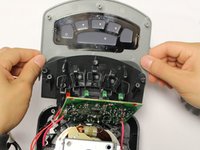
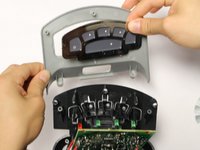
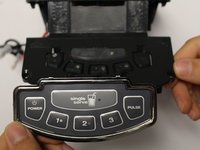
    4. Ninja Professional Blender BL660 Power Button Panel Replacement: stap 9, afbeelding 1 van 3 Ninja Professional Blender BL660 Power Button Panel Replacement: stap 9, afbeelding 2 van 3 Ninja Professional Blender BL660 Power Button Panel Replacement: stap 9, afbeelding 3 van 3
      • Pull the power button panel cover off.

      • The power button panel comes off as a whole unit. Replace as needed.

      • Ninja Kitchen does not sell the power button panel. You will have to purchase one from a third party vendor.

      Vraag FixBot

      Voeg opmerking toe

Conclusie

To reassemble your device, follow these instructions in reverse order.

Annuleren: ik heb deze handleiding niet afgemaakt.

0Gids Commentaar

Voeg opmerking toe

Weergavestatistieken:

Afgelopen 24 uren: 1

Afgelopen 7 dagen: 10

Afgelopen 30 dagen: 45

Altijd: 2,027