Ga door naar hoofdinhoud
Word lid van de reparatiegemeenschap - Account aanmaken

Nikon COOLPIX S610c Lens Assembly Replacement

Wat je nodig hebt

  1. Nikon COOLPIX S610c Lens Assembly Replacement, Battery: stap 1, afbeelding 1 van 1
    • On the bottom right of the camera, locate the battery flap switch.

  2. Nikon COOLPIX S610c Lens Assembly Replacement: stap 2, afbeelding 1 van 1
    • Move this switch to the right so the battery flap can flip open.

  3. Nikon COOLPIX S610c Lens Assembly Replacement: stap 3, afbeelding 1 van 1
    • Slide the orange switch to the right as shown. Now the battery can be pulled out. Reverse these steps to re-install.

  4. Nikon COOLPIX S610c Lens Assembly Replacement, Rear Casing: stap 4, afbeelding 1 van 1
    • Remove the three 3x3mm screws attached to the rear casing.

  5. Nikon COOLPIX S610c Lens Assembly Replacement: stap 5, afbeelding 1 van 1
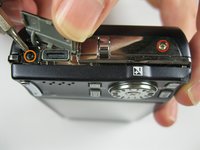
    • The panel can be identified by the wifi logo on its upper half on the camera's side.

    • Remove the 5x3mm screw holding down the panel on the side closest to the lens.

  6. Nikon COOLPIX S610c Lens Assembly Replacement: stap 6, afbeelding 1 van 1
    • Pry the panel off from the bottom using your fingernail.

  7. Nikon COOLPIX S610c Lens Assembly Replacement: stap 7, afbeelding 1 van 1
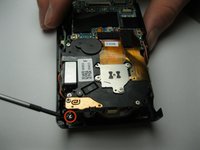
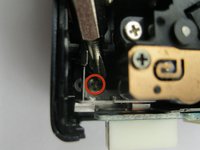
    • Remove the 3x2mm screw underneath the panel near the top of the camera.

  8. Nikon COOLPIX S610c Lens Assembly Replacement: stap 8, afbeelding 1 van 2 Nikon COOLPIX S610c Lens Assembly Replacement: stap 8, afbeelding 2 van 2
    • Remove the 4x3mm on the opposite side near the selector wheel.

    • Remove the 2x2mm and 3x2mm screws underneath the a/v flap.

  9. Nikon COOLPIX S610c Lens Assembly Replacement: stap 9, afbeelding 1 van 2 Nikon COOLPIX S610c Lens Assembly Replacement: stap 9, afbeelding 2 van 2
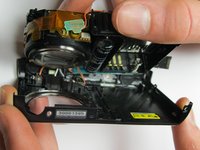
    • Pry the back panel away from the body of the camera, using the space you just opened up.

    • Be careful not to damage the ribbon cable on the opposite end of the camera.

    • A small piece of the frame of the camera may fall off, but it can be easily put back into place during reassembly.

  10. Nikon COOLPIX S610c Lens Assembly Replacement: stap 10, afbeelding 1 van 2 Nikon COOLPIX S610c Lens Assembly Replacement: stap 10, afbeelding 2 van 2
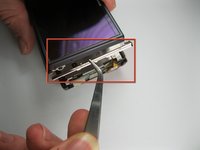
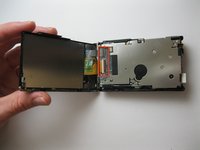
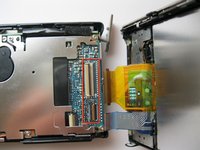
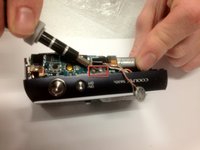
    • Pry up the plastic ribbon connectors on the body of the camera to release the ribbon cables.

    • The center connector is detached by flipping the black latch up and away from the center of the camera.

    • The smaller connector is detached by flipping the tan latch up and away from the edge of the camera.

  11. Nikon COOLPIX S610c Lens Assembly Replacement, Front Casing: stap 11, afbeelding 1 van 1
    • Remove the three 3x3mm screws that attach the front casing to the bottom.

  12. Nikon COOLPIX S610c Lens Assembly Replacement: stap 12, afbeelding 1 van 1
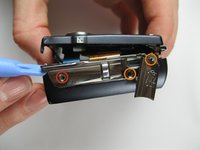
    • Remove the two 3x2 screws and two 3.5x2.5 screws attaching the rear panel to the motherboard.

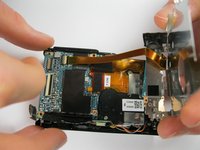
  13. Nikon COOLPIX S610c Lens Assembly Replacement: stap 13, afbeelding 1 van 2 Nikon COOLPIX S610c Lens Assembly Replacement: stap 13, afbeelding 2 van 2
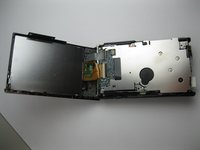
    • Lift the back panel off the motherboard.

    • Be careful not to damage the ribbon cable that attaches the mother board to the rear panel.

  14. Nikon COOLPIX S610c Lens Assembly Replacement: stap 14, afbeelding 1 van 2 Nikon COOLPIX S610c Lens Assembly Replacement: stap 14, afbeelding 2 van 2
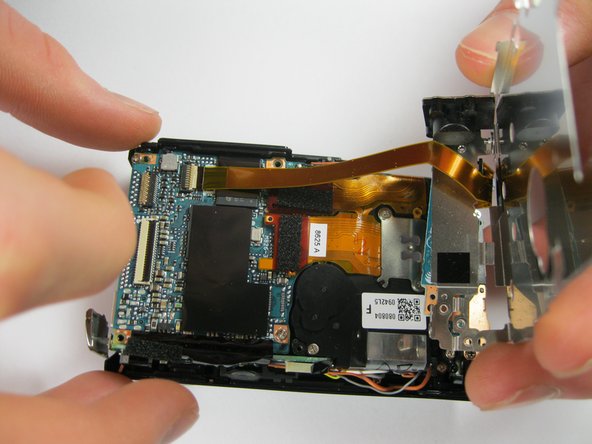
    • Detach the ribbon cable from the motherboard by flipping up the latch on the ribbon connector.

    • Note that the white ribbon connector latch flips away from the ribbon cable.

  15. Nikon COOLPIX S610c Lens Assembly Replacement: stap 15, afbeelding 1 van 2 Nikon COOLPIX S610c Lens Assembly Replacement: stap 15, afbeelding 2 van 2
    • Remove the final 4x3mm screw at the top of the camera near the lens.

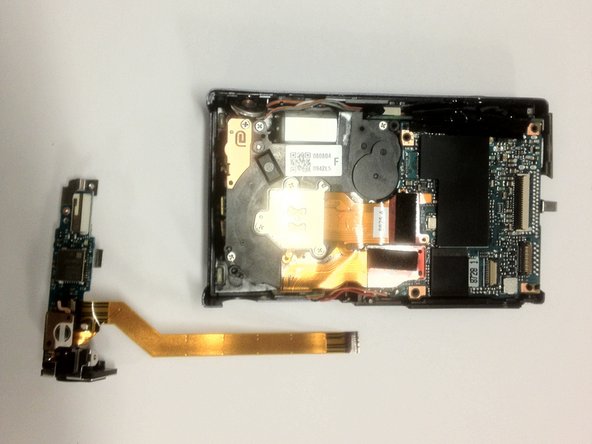
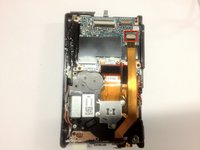
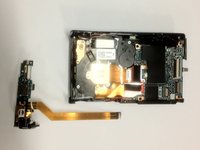
  16. Nikon COOLPIX S610c Lens Assembly Replacement: stap 16, afbeelding 1 van 2 Nikon COOLPIX S610c Lens Assembly Replacement: stap 16, afbeelding 2 van 2
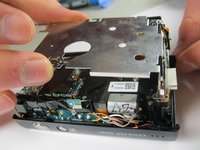
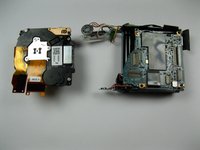
    • Pry the front casing away from the body of the camera.

    • Be careful not to damage the wires that attach the front panel to the motherboard.

    • Short the leads on the capacitor near the flash to avoid a nasty shock when separating the casing from the body.

  17. Nikon COOLPIX S610c Lens Assembly Replacement: stap 17, afbeelding 1 van 1
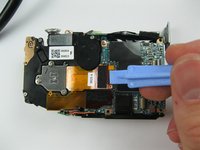
    • Unscrew the three 3x2mm screws that attach the cables to the front casing.

  18. Nikon COOLPIX S610c Lens Assembly Replacement, Lens Assembly: stap 18, afbeelding 1 van 2 Nikon COOLPIX S610c Lens Assembly Replacement, Lens Assembly: stap 18, afbeelding 2 van 2
    • Pry up the ribbon connector that connects the ribbon cable to the lens assembly.

    • Take note that the ribbon connector pulls away from the ribbon.

Conclusie

To reassemble your device, follow these instructions in reverse order.

Kevin Backers

Lid sinds: 01/26/12

304 Reputatie

4 handleidingen geschreven

Team

Cal Poly, Team 9-5, Regan Winter 2012 Lid van Cal Poly, Team 9-5, Regan Winter 2012

CPSU-REGAN-W12S9G5

5 Leden

12 handleidingen geschreven

0Gids Commentaar

Voeg opmerking toe

Weergavestatistieken:

Afgelopen 24 uren: 1

Afgelopen 7 dagen: 19

Afgelopen 30 dagen: 83

Altijd: 1,178