Ga door naar hoofdinhoud
Word lid van de reparatiegemeenschap - Account aanmaken

Nexus Q LED Board Replacement

Wat je nodig hebt

    1. Nexus Q LED Board Replacement, Ball Bearing Ring: stap 1, afbeelding 1 van 1
      • Squeeze and pull the cap to remove it from the Nexus Q.

      Vraag FixBot

      Voeg opmerking toe

    2. Nexus Q LED Board Replacement: stap 2, afbeelding 1 van 1
      • Use a spudger to disconnect the Taoglas Wi-Fi Dual Band Antenna.

      Vraag FixBot

      Voeg opmerking toe

    3. Nexus Q LED Board Replacement: stap 3, afbeelding 1 van 1
      • Undo the ZIF connector by prying it with a spudger.

      Vraag FixBot

      Voeg opmerking toe

    4. Nexus Q LED Board Replacement: stap 4, afbeelding 1 van 1
      • Use a Phillips #0 screwdriver to unscrew the four 1.3 mm screws.

      • After removing the screws, there will be two parts. The top part contains the daughterboard. Store it safely. It will not be used.

      Vraag FixBot

      Voeg opmerking toe

    5. Nexus Q LED Board Replacement: stap 5, afbeelding 1 van 1
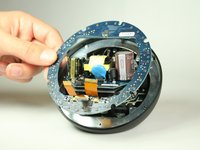
      • View the bottom half of the Nexus Q.

      • Use a Phillips #0 screwdriver to remove the four 0.8 mm screws holding the ball bearing ring in place.

      Vraag FixBot

      Voeg opmerking toe

    6. Nexus Q LED Board Replacement: stap 6, afbeelding 1 van 1
      • Remove the ball bearing ring.

      • When placing a new ring in its place, make sure to orient it right or the top will not close.

      Vraag FixBot

      Voeg opmerking toe

    1. Nexus Q LED Board Replacement, LED Board: stap 7, afbeelding 1 van 2 Nexus Q LED Board Replacement, LED Board: stap 7, afbeelding 2 van 2
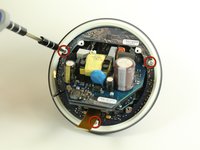
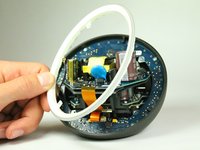
      • Once you remove the ball bearing ring from the bottom half of the Nexus Q, you will be exposed to a diffuser (white ring) held in with three T6 Torx screws.

      • Use a #0 Philips head screwdriver to remove the three 0.8 mm screws holding the diffuser in place.

      Vraag FixBot

      Voeg opmerking toe

    2. Nexus Q LED Board Replacement: stap 8, afbeelding 1 van 2 Nexus Q LED Board Replacement: stap 8, afbeelding 2 van 2
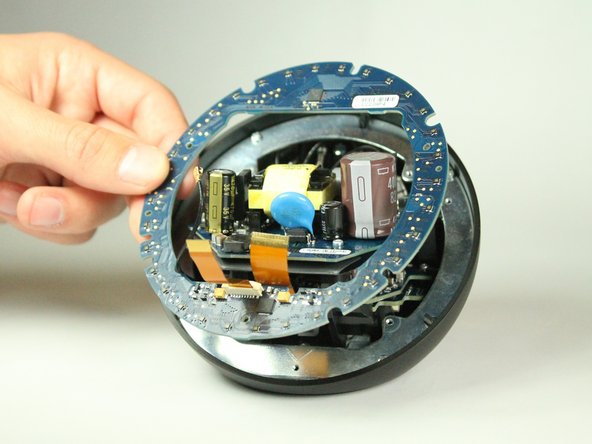
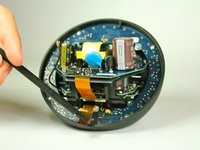
      • With the diffuser out, we are exposed to the LED Board.

      • Use a spudger to lightly lift the LED board out.

      Vraag FixBot

      Voeg opmerking toe

Conclusie

To reassemble your device, follow these instructions in reverse order.

Annuleren: ik heb deze handleiding niet afgemaakt.

Taewan Kim

Lid sinds: 01/31/13

22 Reputatie

2 handleidingen geschreven

Team

Cal Poly, Team 7-10, Maness Winter 2013 Lid van Cal Poly, Team 7-10, Maness Winter 2013

CPSU-MANESS-W13S7G10

4 Leden

45 handleidingen geschreven

0Gids Commentaar

Voeg opmerking toe

Weergavestatistieken:

Afgelopen 24 uren: 1

Afgelopen 7 dagen: 4

Afgelopen 30 dagen: 31

Altijd: 868