Ga door naar hoofdinhoud
Word lid van de reparatiegemeenschap - Account aanmaken

NP-R540-JA09US Keyboard Replacement

Wat je nodig hebt

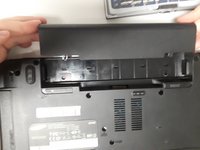
  1. NP-R540-JA09US Keyboard Replacement, Battery: stap 1, afbeelding 1 van 1
    • Turn off laptop before starting.

    • Remove power cable before starting.

    • Flip the laptop over so that the bottom of the laptop is facing upwards.

    Vraag FixBot

    Voeg opmerking toe

  2. NP-R540-JA09US Keyboard Replacement: stap 2, afbeelding 1 van 1
    • Pull the two latches outward.

    Vraag FixBot

    Voeg opmerking toe

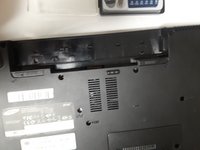
  3. NP-R540-JA09US Keyboard Replacement: stap 3, afbeelding 1 van 2 NP-R540-JA09US Keyboard Replacement: stap 3, afbeelding 2 van 2
    • Slide the battery out of the laptop.

    Vraag FixBot

    Voeg opmerking toe

  4. NP-R540-JA09US Keyboard Replacement, Optical Drive: stap 4, afbeelding 1 van 1
    • Remove securing screw with the PH0 head.

    Vraag FixBot

    Voeg opmerking toe

  5. NP-R540-JA09US Keyboard Replacement: stap 5, afbeelding 1 van 1
    • Slide the optical drive out and remove it from the device.

    Vraag FixBot

    Voeg opmerking toe

  6. NP-R540-JA09US Keyboard Replacement, Keyboard: stap 6, afbeelding 1 van 1
    • Remove the two Phillips #0 screws labeled KBD.

    Vraag FixBot

    Voeg opmerking toe

    • There are 5 clips along the top of the keyboard. Insert a thin opener tool (iSessamo tool or similar) between each clip and the keyboard tray to release it.

    • Make sure to pry the metal keyboard base and not the keycaps.

    Vraag FixBot

    Voeg opmerking toe

  7. NP-R540-JA09US Keyboard Replacement: stap 8, afbeelding 1 van 1
    • Do not bend your keyboard as shown in this picture.

    • Lift the keyboard up to release catches on the sides, then slide the keyboard towards the screen to slide tabs out of the slots at the bottom.

    Vraag FixBot

    Voeg opmerking toe

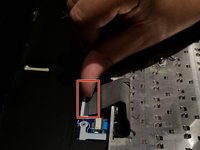
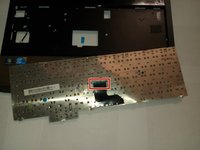
  8. NP-R540-JA09US Keyboard Replacement: stap 9, afbeelding 1 van 2 NP-R540-JA09US Keyboard Replacement: stap 9, afbeelding 2 van 2
    • Disconnect the keyboard cable from the motherboard.

    Vraag FixBot

    Voeg opmerking toe

Conclusie

To reassemble your device, follow these instructions in reverse order.

Annuleren: ik heb deze handleiding niet afgemaakt.

2 andere personen hebben deze handleiding voltooid.

0Gids Commentaar

Voeg opmerking toe

Weergavestatistieken:

Afgelopen 24 uren: 4

Afgelopen 7 dagen: 21

Afgelopen 30 dagen: 71

Altijd: 1,300