Ga door naar hoofdinhoud
Word lid van de reparatiegemeenschap - Account aanmaken

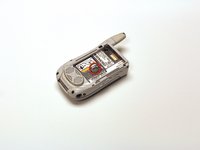
Motorola i450 Boost Mobile Keypad Replacement

Wat je nodig hebt

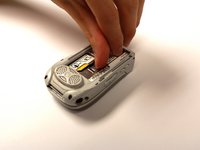
    1. Motorola i450 Boost Mobile Keypad Replacement, Back Cover: stap 1, afbeelding 1 van 3 Motorola i450 Boost Mobile Keypad Replacement, Back Cover: stap 1, afbeelding 2 van 3 Motorola i450 Boost Mobile Keypad Replacement, Back Cover: stap 1, afbeelding 3 van 3
      • Place the phone on a flat surface with the front facing down.

      • Insert your finger under the gray plastic cover at the bottom end of the phone.

      • Lift the cover off the phone.

      Vraag FixBot

      Voeg opmerking toe

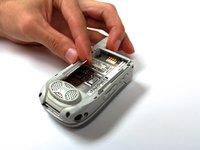
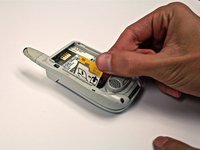
    1. Motorola i450 Boost Mobile Keypad Replacement, Battery: stap 2, afbeelding 1 van 3 Motorola i450 Boost Mobile Keypad Replacement, Battery: stap 2, afbeelding 2 van 3 Motorola i450 Boost Mobile Keypad Replacement, Battery: stap 2, afbeelding 3 van 3
      • Place your thumb in the notch in the lower left corner of the battery compartment.

      • Lift the battery up and away from the phone.

      • Remove the battery.

      Vraag FixBot

      Voeg opmerking toe

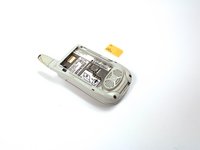
    1. Motorola i450 Boost Mobile Keypad Replacement, SIM Card: stap 3, afbeelding 1 van 2 Motorola i450 Boost Mobile Keypad Replacement, SIM Card: stap 3, afbeelding 2 van 2
      • Locate the metal slider that holds the SIM card in place.

      • Push the slider away from the metal flap which contains the SIM card. The flap will pop up.

      Vraag FixBot

      Voeg opmerking toe

    2. Motorola i450 Boost Mobile Keypad Replacement: stap 4, afbeelding 1 van 3 Motorola i450 Boost Mobile Keypad Replacement: stap 4, afbeelding 2 van 3 Motorola i450 Boost Mobile Keypad Replacement: stap 4, afbeelding 3 van 3
      • Lift the metal flap to gain access to the bottom of the SIM card.

      • Remove the SIM card by sliding it out parallel to the bottom of the flap.

      Vraag FixBot

      Voeg opmerking toe

    1. Motorola i450 Boost Mobile Keypad Replacement, Circuit Board: stap 5, afbeelding 1 van 1
      • Extend the antenna.

      Vraag FixBot

      Voeg opmerking toe

    2. Motorola i450 Boost Mobile Keypad Replacement: stap 6, afbeelding 1 van 1
      • Remove the four 4.8 mm Torx T6 screws from the corners of the back of the phone.

      • If the antenna is not fully extended, the top left screw will not be accessible.

      Vraag FixBot

      Voeg opmerking toe

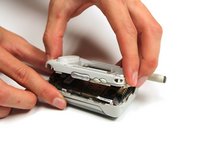
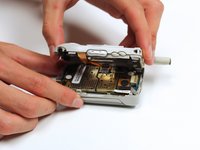
    3. Motorola i450 Boost Mobile Keypad Replacement: stap 7, afbeelding 1 van 3 Motorola i450 Boost Mobile Keypad Replacement: stap 7, afbeelding 2 van 3 Motorola i450 Boost Mobile Keypad Replacement: stap 7, afbeelding 3 van 3
      • Gently lift off the back half of the phone and set to the side.

      • Permanent circuit connections prevent the cover from completely separating from the phone. Do not attempt to disconnect these circuits.

      Vraag FixBot

      Voeg opmerking toe

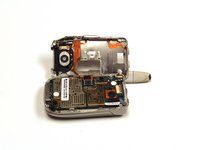
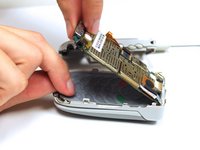
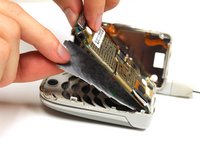
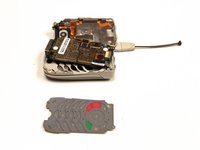
    1. Motorola i450 Boost Mobile Keypad Replacement, Keypad: stap 8, afbeelding 1 van 3 Motorola i450 Boost Mobile Keypad Replacement, Keypad: stap 8, afbeelding 2 van 3 Motorola i450 Boost Mobile Keypad Replacement, Keypad: stap 8, afbeelding 3 van 3
      • Gently lift the end of the circuit board farthest from the phone hinge.

      • The circuit board is permanently connected to the phone casing at the end nearest to the hinge.

      • Grasp the keypad at the bottom of the phone, raise it, and pull it away.

      Vraag FixBot

      Voeg opmerking toe

Conclusie

To reassemble your device, follow these instructions in reverse order.

Annuleren: ik heb deze handleiding niet afgemaakt.

Garrison Stevens

Lid sinds: 10/22/12

1 Reputatie

6 handleidingen geschreven

Team

Clemson, Team 15-2, Benson Fall 2012 Lid van Clemson, Team 15-2, Benson Fall 2012

CLEM-BENSON-F12S15G2

4 Leden

63 handleidingen geschreven

0Gids Commentaar

Voeg opmerking toe

Weergavestatistieken:

Afgelopen 24 uren: 0

Afgelopen 7 dagen: 1

Afgelopen 30 dagen: 17

Altijd: 746