Ga door naar hoofdinhoud
Word lid van de reparatiegemeenschap - Account aanmaken

Motorola W490 SIM Card Replacement

Wat je nodig hebt

  1. Motorola W490 SIM Card Replacement, Phone Casing: stap 1, afbeelding 1 van 2 Motorola W490 SIM Card Replacement, Phone Casing: stap 1, afbeelding 2 van 2
    • Pick up the cell phone with the back facing towards you.

    • Push down on the silver tab located at the top center of the back of the Motorola W490 cellphone.

    • While pushing down on the silver tab, slide the back cover towards the silver tab. Remove the back cover.

    Vraag FixBot

    Voeg opmerking toe

  2. Motorola W490 SIM Card Replacement, Battery: stap 2, afbeelding 1 van 2 Motorola W490 SIM Card Replacement, Battery: stap 2, afbeelding 2 van 2
    • Remove the battery by pulling the battery from the top corners labeled "Pull Here" located on either side of the top of the battery.

    • Set the battery aside.

    Vraag FixBot

    Voeg opmerking toe

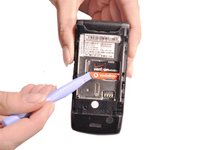
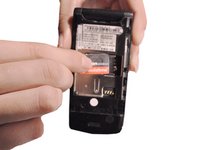
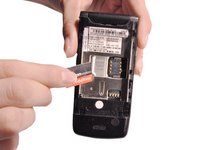
  3. Motorola W490 SIM Card Replacement, SIM Card: stap 3, afbeelding 1 van 3 Motorola W490 SIM Card Replacement, SIM Card: stap 3, afbeelding 2 van 3 Motorola W490 SIM Card Replacement, SIM Card: stap 3, afbeelding 3 van 3
    • Use a plastic opening tool to make a gap between the SIM card and the phone.

    • Use your thumb and index finger to pull the SIM card from the phone.

    Vraag FixBot

    Voeg opmerking toe

Conclusie

To reassemble your device, follow these instructions in reverse order.

Annuleren: ik heb deze handleiding niet afgemaakt.

Will Edwards

Lid sinds: 10/22/12

61 Reputatie

9 handleidingen geschreven

Team

Clemson, Team 14-1, Benson Fall 2012 Lid van Clemson, Team 14-1, Benson Fall 2012

CLEM-BENSON-F12S14G1

4 Leden

23 handleidingen geschreven

0Gids Commentaar

Voeg opmerking toe

Weergavestatistieken:

Afgelopen 24 uren: 1

Afgelopen 7 dagen: 6

Afgelopen 30 dagen: 48

Altijd: 1,141