Ga door naar hoofdinhoud
Word lid van de reparatiegemeenschap - Account aanmaken

Motorola SLVR L9 Keypad Replacement

Wat je nodig hebt

  1. Motorola SLVR L9 Keypad Replacement, Battery: stap 1, afbeelding 1 van 2 Motorola SLVR L9 Keypad Replacement, Battery: stap 1, afbeelding 2 van 2
    • Turn the phone over so that the back of the phone is facing up.

    Vraag FixBot
    Voeg opmerking toe

  2. Motorola SLVR L9 Keypad Replacement: stap 2, afbeelding 1 van 3 Motorola SLVR L9 Keypad Replacement: stap 2, afbeelding 2 van 3 Motorola SLVR L9 Keypad Replacement: stap 2, afbeelding 3 van 3
    • Press down on the silver battery cover latch located at the top of the phone.

    • Pull the battery cover down and away from the latch; then lift it up to remove the battery cover.

    Vraag FixBot

    Voeg opmerking toe

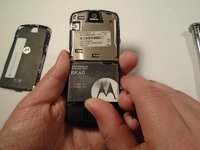
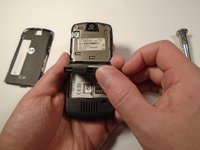
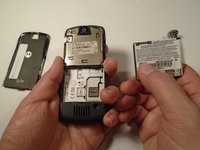
  3. Motorola SLVR L9 Keypad Replacement: stap 3, afbeelding 1 van 3 Motorola SLVR L9 Keypad Replacement: stap 3, afbeelding 2 van 3 Motorola SLVR L9 Keypad Replacement: stap 3, afbeelding 3 van 3
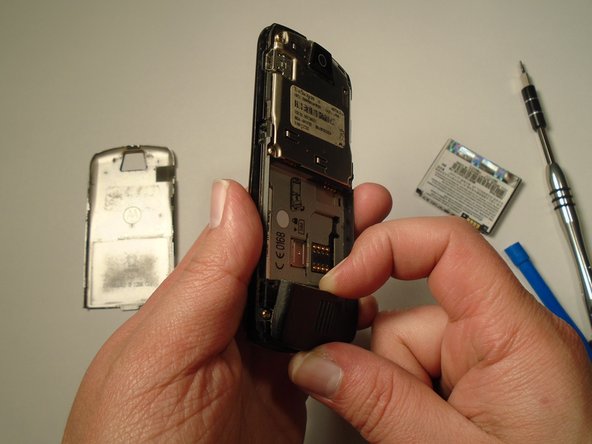
    • To remove the battery, pull the battery up from the bottom center.

    Vraag FixBot
    Voeg opmerking toe

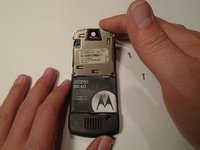
  4. Motorola SLVR L9 Keypad Replacement, Camera Lens Cover: stap 4, afbeelding 1 van 2 Motorola SLVR L9 Keypad Replacement, Camera Lens Cover: stap 4, afbeelding 2 van 2
    • Turn the phone over so that the back of the phone is facing towards you.

    Vraag FixBot
    Voeg opmerking toe

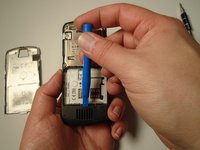
  5. Motorola SLVR L9 Keypad Replacement: stap 5, afbeelding 1 van 3 Motorola SLVR L9 Keypad Replacement: stap 5, afbeelding 2 van 3 Motorola SLVR L9 Keypad Replacement: stap 5, afbeelding 3 van 3
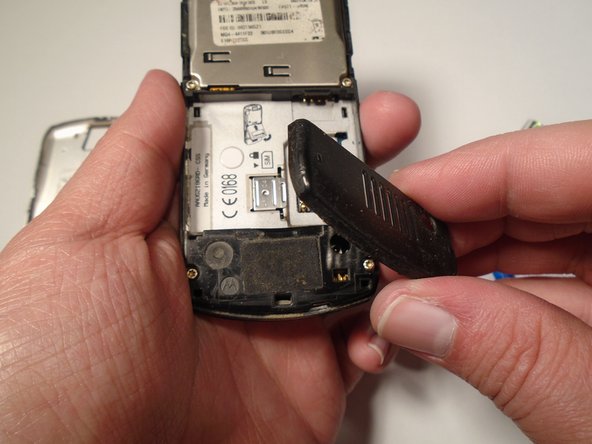
    • Press down on the battery cover latch located at the top of the phone.

    • Pull the battery cover down and away from the latch; then lift it up to remove the battery cover.

    Vraag FixBot
    Voeg opmerking toe

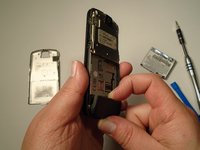
  6. Motorola SLVR L9 Keypad Replacement: stap 6, afbeelding 1 van 1
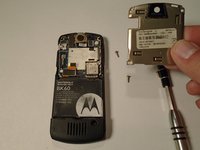
    • Remove the four housing screws (1/8") from each corner of the transceiver PC board shield. Use a screwdriver with a T6 Torx screwdriver head to turn the screws counter-clockwise (left).

    Vraag FixBot
    Voeg opmerking toe

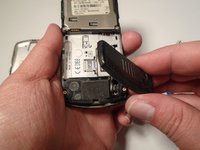
  7. Motorola SLVR L9 Keypad Replacement: stap 7, afbeelding 1 van 2 Motorola SLVR L9 Keypad Replacement: stap 7, afbeelding 2 van 2
    • Once you have removed all of the screws, lift the transceiver PC board shield up to remove it.

    Vraag FixBot
    Voeg opmerking toe

  8. Motorola SLVR L9 Keypad Replacement, Antenna Cover: stap 8, afbeelding 1 van 3 Motorola SLVR L9 Keypad Replacement, Antenna Cover: stap 8, afbeelding 2 van 3 Motorola SLVR L9 Keypad Replacement, Antenna Cover: stap 8, afbeelding 3 van 3
    • Use the plastic opening tool to loosen the cover latch.

    • Once the cover latch has been loosened, gently pull the cover latch off of the device.

    Vraag FixBot

    Voeg opmerking toe

  9. Motorola SLVR L9 Keypad Replacement, Keypad: stap 9, afbeelding 1 van 1
    • Use a screwdriver with a T6 Torx screwdriver head to remove both screws (1/8") from the speaker housing. Turn the screw counter-clockwise (left).

    Vraag FixBot

    Voeg opmerking toe

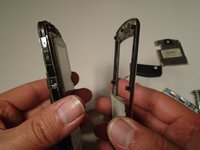
  10. Motorola SLVR L9 Keypad Replacement: stap 10, afbeelding 1 van 3 Motorola SLVR L9 Keypad Replacement: stap 10, afbeelding 2 van 3 Motorola SLVR L9 Keypad Replacement: stap 10, afbeelding 3 van 3
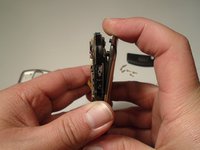
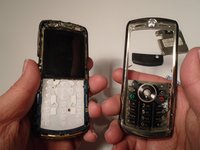
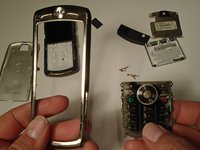
    • Using the grooves around the edge of the phone, gently pull the front plate away from the phone until it is fully removed from the device.

    Vraag FixBot

    Voeg opmerking toe

  11. Motorola SLVR L9 Keypad Replacement: stap 11, afbeelding 1 van 2 Motorola SLVR L9 Keypad Replacement: stap 11, afbeelding 2 van 2
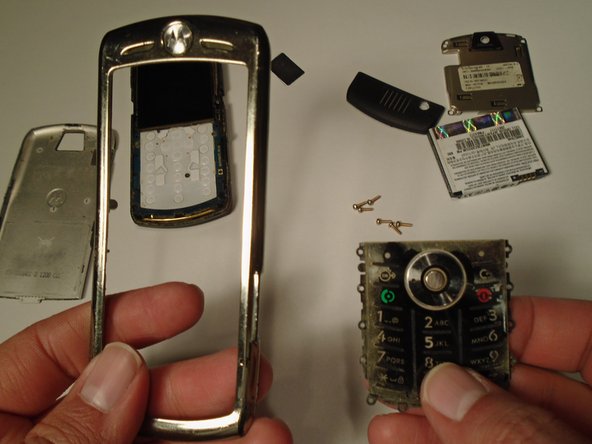
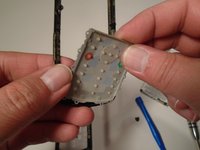
    • Lift the keypad up from the front plate to remove.

    Vraag FixBot

    Voeg opmerking toe

Conclusie

To reassemble your device, follow these instructions in reverse order.

Annuleren: ik heb deze handleiding niet afgemaakt.
Eric Lopez

Lid sinds: 10/13/15

201 Reputatie

2 handleidingen geschreven

Team

0Gids Commentaar

Voeg opmerking toe

Weergavestatistieken:

Afgelopen 24 uren: 0

Afgelopen 7 dagen: 3

Afgelopen 30 dagen: 19

Altijd: 581