Inleiding
This guide will walk you through the process of replacing the volume buttons in a Motorola Moto G4 Plus phone.
Before you begin, download the Software Fix app to backup your device and diagnose whether your problem is software or hardware related.
Wat je nodig hebt
-
-
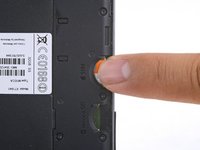
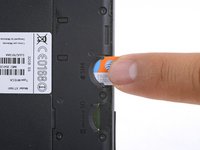
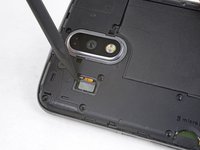
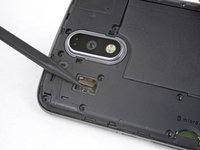
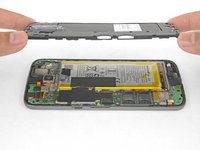
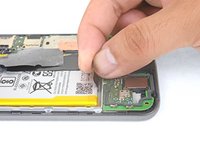
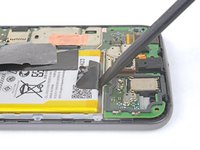
Insert a fingernail or a spudger into the notch on bottom edge of the phone near the charging port.
-
Pry the back cover away from the body of the phone.
-
-
-
Gereedschap gebruikt in deze stap:Tweezers$4.99
-
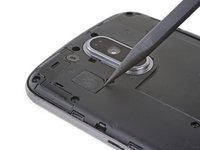
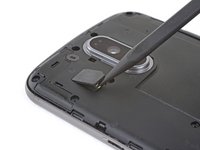
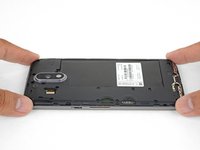
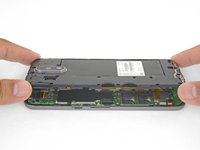
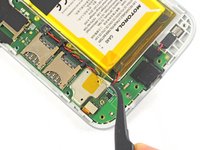
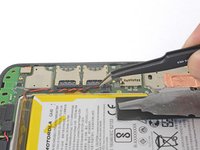
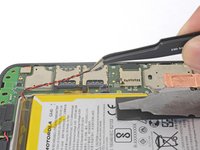
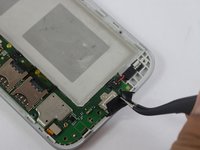
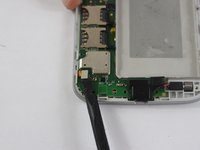
Using tweezers, lift up the black silicon piece connecting the motherboard to the front casing.
-
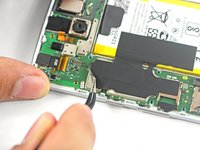
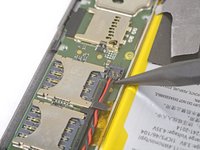
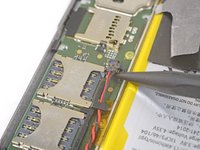
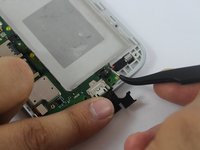
Using tweezers, remove the red and black cable connecting the motherboard to the front casing.
-
-
Gereedschap gebruikt in deze stap:Tweezers$4.99
-
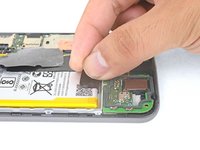
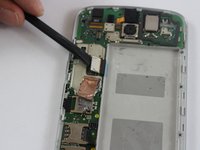
Using tweezers, remove the volume buttons.
-






















To reassemble your device, follow these instructions in reverse order.
Annuleren: ik heb deze handleiding niet afgemaakt.
3 andere personen hebben deze handleiding voltooid.

Team

USF Tampa, Team S2-G6, Sullivan Spring 2017 Lid van USF Tampa, Team S2-G6, Sullivan Spring 2017
USFT-SULLIVAN-S17S2G6
4 Leden
14 handleidingen geschreven
