Ga door naar hoofdinhoud
Word lid van de reparatiegemeenschap - Account aanmaken

Motorola Defy LCD Replacement

Wat je nodig hebt

  1. Motorola Defy LCD Replacement, Rear Case: stap 1, afbeelding 1 van 1
    • Using the screwdriver and the T-5 bit, unscrew the seven 5 mm screws around the outside of the phone.

    Vraag FixBot

    Voeg opmerking toe

  2. Motorola Defy LCD Replacement: stap 2, afbeelding 1 van 2 Motorola Defy LCD Replacement: stap 2, afbeelding 2 van 2
    • Remove the back cover of the phone by sliding the bottom black button to the unlock position and lifting it up.

    Vraag FixBot

    Voeg opmerking toe

  3. Motorola Defy LCD Replacement, Battery: stap 3, afbeelding 1 van 1
    • Use a plastic opening tool to pry the battery out of the phone.

    Vraag FixBot

    Voeg opmerking toe

  4. Motorola Defy LCD Replacement, Midframe: stap 4, afbeelding 1 van 1
    • Unscrew the two silver screws located at the top of the back of the phone.

    Vraag FixBot

    Voeg opmerking toe

  5. Motorola Defy LCD Replacement: stap 5, afbeelding 1 van 1
    • Use a plastic opening tool to gently pry the midframe from the rest of the phone.

    Vraag FixBot

    Voeg opmerking toe

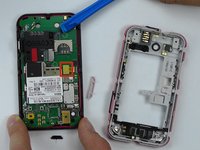
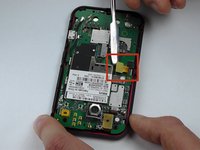
  6. Motorola Defy LCD Replacement, Motherboard: stap 6, afbeelding 1 van 2 Motorola Defy LCD Replacement, Motherboard: stap 6, afbeelding 2 van 2
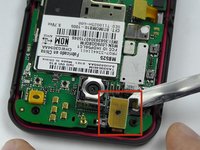
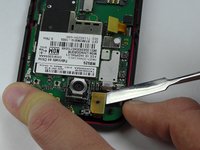
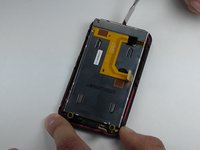
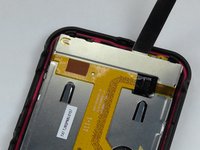
    • Use metal spudger to pry off the middle yellow flap carefully.

    Vraag FixBot

    Voeg opmerking toe

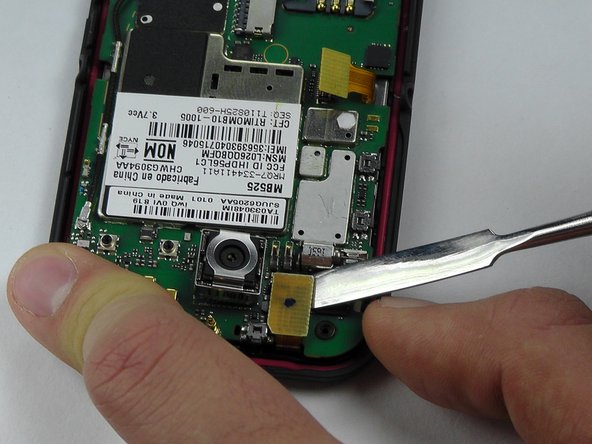
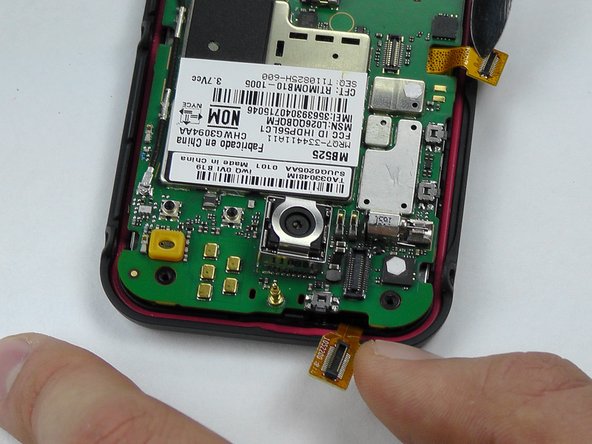
  7. Motorola Defy LCD Replacement: stap 7, afbeelding 1 van 3 Motorola Defy LCD Replacement: stap 7, afbeelding 2 van 3 Motorola Defy LCD Replacement: stap 7, afbeelding 3 van 3
    Gereedschap gebruikt in deze stap:
    Tweezers
    $4.99
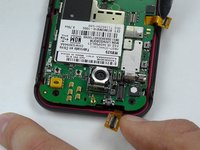
    • Use tweezers again to pry off the second yellow flap carefully.

    Vraag FixBot

    Voeg opmerking toe

  8. Motorola Defy LCD Replacement: stap 8, afbeelding 1 van 1
    • The motherboard is the whole green board. Pry it off carefully with tweezers from the sides and place it aside.

    Vraag FixBot

    Voeg opmerking toe

  9. Motorola Defy LCD Replacement, Removing the LCD: stap 9, afbeelding 1 van 2 Motorola Defy LCD Replacement, Removing the LCD: stap 9, afbeelding 2 van 2
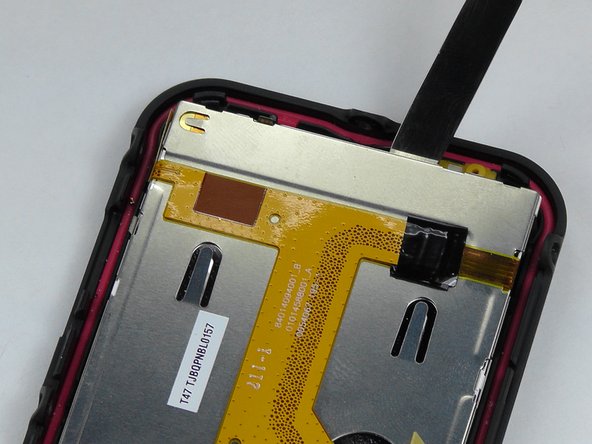
    • Stick the metal spudger in between the LCD screen and the case of the phone.

    • Remove the LCD screen and replace with a new one.

    Vraag FixBot

    Voeg opmerking toe

Conclusie

To reassemble your device, follow these instructions in reverse order.

Annuleren: ik heb deze handleiding niet afgemaakt.

2 andere personen hebben deze handleiding voltooid.

Ebrahem AlRayes

Lid sinds: 10/08/14

183 Reputatie

1 Handleiding geschreven

Team

USF Tampa, Team 14-2, Leahy Fall 2014 Lid van USF Tampa, Team 14-2, Leahy Fall 2014

USFT-LEAHY-F14S14G2

4 Leden

12 handleidingen geschreven

0Gids Commentaar

Voeg opmerking toe

Weergavestatistieken:

Afgelopen 24 uren: 1

Afgelopen 7 dagen: 3

Afgelopen 30 dagen: 22

Altijd: 1,455