Ga door naar hoofdinhoud

Midframe Removal

Alleen vereisten
Deze gids is alleen bedoeld voor beginners! Deze gids maakt deel uit van een andere procedure en is niet bedoeld om alleen te worden gebruikt.

Wat je nodig hebt

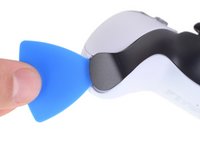
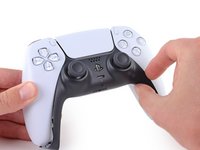
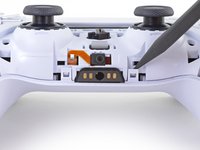
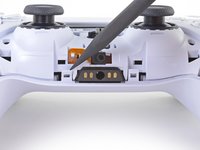
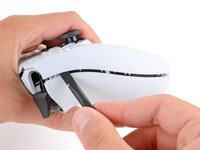
  1. Midframe Removal, Unclip the right end of the middle trim: stap 1, afbeelding 1 van 2 Midframe Removal, Unclip the right end of the middle trim: stap 1, afbeelding 2 van 2
    • Disconnect and power down your controller before you begin.

    • Insert an opening pick underneath the middle trim at the bottom-right corner of the controller to release the clips securing it to the case.

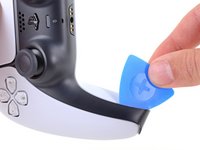
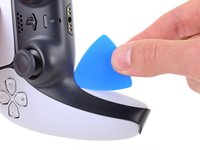
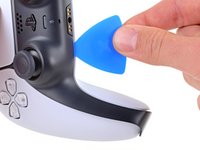
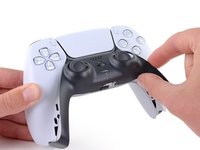
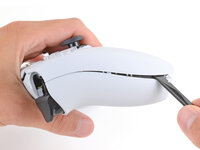
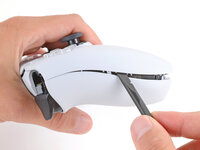
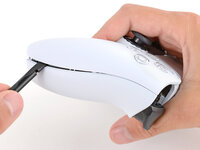
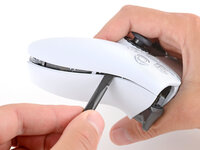
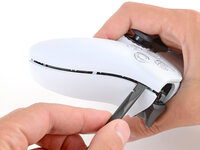
  2. Midframe Removal, Unclip the lower-right edge of the middle trim: stap 2, afbeelding 1 van 3 Midframe Removal, Unclip the lower-right edge of the middle trim: stap 2, afbeelding 2 van 3 Midframe Removal, Unclip the lower-right edge of the middle trim: stap 2, afbeelding 3 van 3
    • Slide the opening pick along the lower-right edge of the middle trim to release the clips securing it to the case.

  3. Midframe Removal, Unclip the left end of the middle trim: stap 3, afbeelding 1 van 2 Midframe Removal, Unclip the left end of the middle trim: stap 3, afbeelding 2 van 2
    • Insert an opening pick underneath the middle trim at the bottom-left corner of the controller to release the clips securing it to the case.

  4. Midframe Removal, Unclip the lower-left edge of the middle trim: stap 4, afbeelding 1 van 3 Midframe Removal, Unclip the lower-left edge of the middle trim: stap 4, afbeelding 2 van 3 Midframe Removal, Unclip the lower-left edge of the middle trim: stap 4, afbeelding 3 van 3
    • Slide the opening pick along the lower-left edge of the middle trim to release the clips securing it to the case.

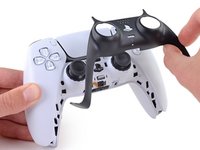
  5. Midframe Removal, Remove the middle trim: stap 5, afbeelding 1 van 3 Midframe Removal, Remove the middle trim: stap 5, afbeelding 2 van 3 Midframe Removal, Remove the middle trim: stap 5, afbeelding 3 van 3
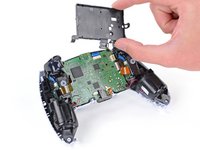
    • Use your fingers to lift up the bottom edge of the middle trim to release the remaining clips.

    • Lift the middle trim over the joysticks to remove it.

  6. Midframe Removal, Remove the L1 button: stap 6, afbeelding 1 van 3 Midframe Removal, Remove the L1 button: stap 6, afbeelding 2 van 3 Midframe Removal, Remove the L1 button: stap 6, afbeelding 3 van 3
    • With one hand, grip the controller and use your thumb to hold down the left trigger.

    • With your free hand, insert the flat end of a spudger between the L1 and L2 buttons.

    • Use the spudger to gently pry the L1 button away from the controller and remove it, holding your finger over the button so it doesn't eject.

  7. Midframe Removal, Remove the R1 button: stap 7, afbeelding 1 van 3 Midframe Removal, Remove the R1 button: stap 7, afbeelding 2 van 3 Midframe Removal, Remove the R1 button: stap 7, afbeelding 3 van 3
    • Repeat the previous step to remove the R1 button.

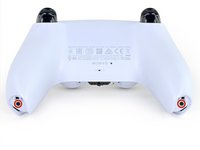
  8. Midframe Removal, Remove the rear case screws: stap 8, afbeelding 1 van 2 Midframe Removal, Remove the rear case screws: stap 8, afbeelding 2 van 2
    • Use a Phillips screwdriver to remove the two 6.4 mm screws securing the bottom corners of the lower case.

  9. Midframe Removal: stap 9, afbeelding 1 van 2 Midframe Removal: stap 9, afbeelding 2 van 2
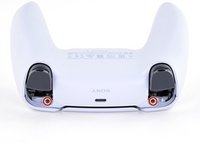
    • Use a Phillips screwdriver to remove the two 6.4 mm screws behind the L1 and R1 buttons.

  10. Midframe Removal, Separate the rear case: stap 10, afbeelding 1 van 3 Midframe Removal, Separate the rear case: stap 10, afbeelding 2 van 3 Midframe Removal, Separate the rear case: stap 10, afbeelding 3 van 3
    • Be gentle when releasing the rear cover clips—they're delicate and can easily break.

    • Use the point of a spudger to release the two clips on either side of the headset jack.

  11. Midframe Removal: stap 11, afbeelding 1 van 3 Midframe Removal: stap 11, afbeelding 2 van 3 Midframe Removal: stap 11, afbeelding 3 van 3
    • Tight plastic clips secure the left and right edges of the rear case.

    • Insert the flat end of a spudger between the front and rear shells near the bottom of the left edge.

    • Slide the spudger along the left edge and gently pry the shells apart to release the clips.

  12. Midframe Removal: stap 12, afbeelding 1 van 3 Midframe Removal: stap 12, afbeelding 2 van 3 Midframe Removal: stap 12, afbeelding 3 van 3
    • Repeat the previous step on the right edge to release its clips.

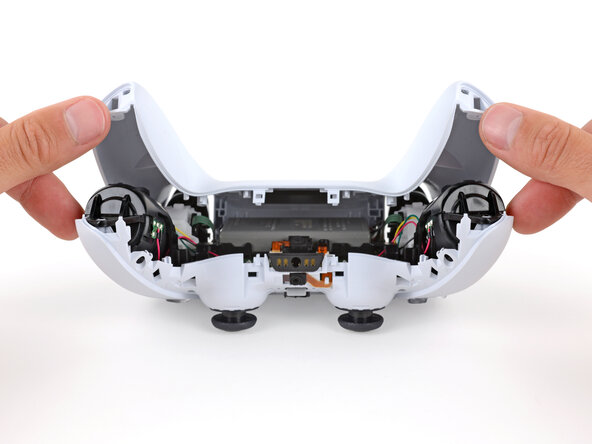
  13. Midframe Removal: stap 13, afbeelding 1 van 2 Midframe Removal: stap 13, afbeelding 2 van 2
    • Lay your controller upside down so the joysticks are on your work surface.

    • Hold the controller down with your fingers and use your thumbs to lift the rear case away from the controller to fully separate it.

  14. Midframe Removal, Remove the rear case: stap 14, afbeelding 1 van 1
    • Remove the rear case.

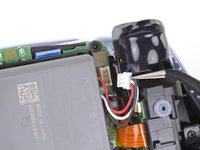
  15. Midframe Removal, Disconnect the battery: stap 15, afbeelding 1 van 2 Midframe Removal, Disconnect the battery: stap 15, afbeelding 2 van 2
    Gereedschap gebruikt in deze stap:
    Tweezers
    $4.99
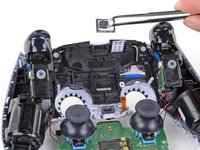
    • Use a pair of tweezers or your fingers to disconnect the battery from the motherboard.

    • Grip the connector, not the wires, when disconnecting.

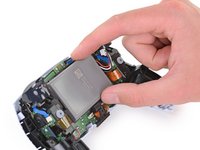
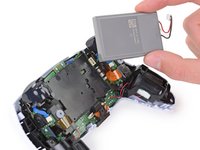
  16. Midframe Removal, Remove the battery: stap 16, afbeelding 1 van 2 Midframe Removal, Remove the battery: stap 16, afbeelding 2 van 2
    • Lift the battery straight out of the battery bracket.

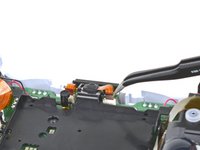
  17. Midframe Removal, Remove the lower microphone: stap 17, afbeelding 1 van 2 Midframe Removal, Remove the lower microphone: stap 17, afbeelding 2 van 2
    Gereedschap gebruikt in deze stap:
    Tweezers
    $4.99
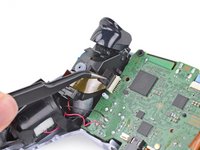
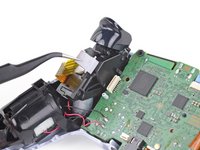
    • Grab the lower microphone ribbon cable pull tab with your fingers or a pair of tweezers and disconnect it from the motherboard.

  18. Midframe Removal, Remove the battery bracket: stap 18, afbeelding 1 van 2 Midframe Removal, Remove the battery bracket: stap 18, afbeelding 2 van 2
    • Use a Phillips screwdriver to remove the 6.4 mm screw securing the battery bracket.

  19. Midframe Removal: stap 19, afbeelding 1 van 2 Midframe Removal: stap 19, afbeelding 2 van 2
    • Lift the battery bracket out of the motherboard.

  20. Midframe Removal, Disconnect the right trigger assembly: stap 20, afbeelding 1 van 2 Midframe Removal, Disconnect the right trigger assembly: stap 20, afbeelding 2 van 2
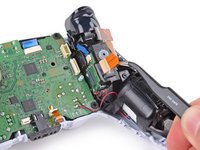
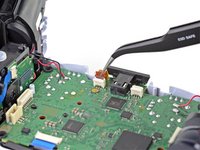
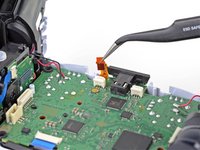
    • Grip the right trigger assembly ribbon cable pull tab with a pair of tweezers or your fingers and pull up to disconnect it from the motherboard.

    • Do not completely remove the ribbon cable yet.

  21. Midframe Removal: stap 21, afbeelding 1 van 2 Midframe Removal: stap 21, afbeelding 2 van 2
    • Grip the right trigger assembly ribbon cable pull tab with a pair of tweezers or your fingers, and pull up to disconnect it from the trigger assembly.

    • Remove the ribbon cable.

  22. Midframe Removal, Disconnect the left trigger assembly: stap 22, afbeelding 1 van 2 Midframe Removal, Disconnect the left trigger assembly: stap 22, afbeelding 2 van 2
    • Grip the left trigger assembly ribbon cable pull tab with a pair of tweezers or your fingers and pull up to disconnect it from the motherboard.

    • Do not completely remove the ribbon cable yet.

  23. Midframe Removal: stap 23, afbeelding 1 van 2 Midframe Removal: stap 23, afbeelding 2 van 2
    • Grip the left trigger assembly ribbon cable pull tab with a pair of tweezers or your fingers, and pull up to disconnect it from the trigger assembly.

    • Remove the ribbon cable.

  24. Midframe Removal, Disconnect the upper microphone: stap 24, afbeelding 1 van 2 Midframe Removal, Disconnect the upper microphone: stap 24, afbeelding 2 van 2
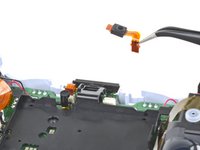
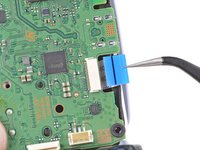
    • Use a pair of tweezers or your fingers to grip the upper microphone ribbon cable pull tab, and pull up to disconnect it from the motherboard.

  25. Midframe Removal, Disconnect the touchpad: stap 25, afbeelding 1 van 2 Midframe Removal, Disconnect the touchpad: stap 25, afbeelding 2 van 2
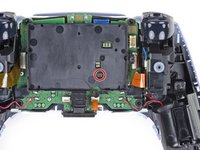
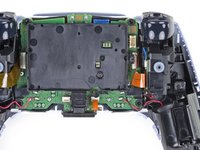
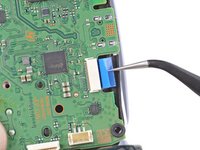
    • Use a pair of tweezers or your fingers to grip the touchpad ribbon cable pull tab, and pull it straight out of the motherboard connector.

  26. Midframe Removal, Lift out the motherboard: stap 26, afbeelding 1 van 3 Midframe Removal, Lift out the motherboard: stap 26, afbeelding 2 van 3 Midframe Removal, Lift out the motherboard: stap 26, afbeelding 3 van 3
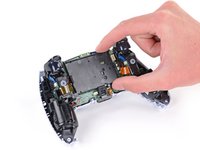
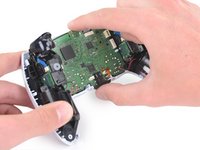
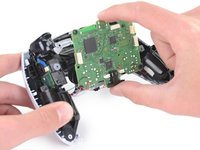
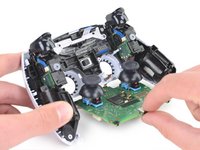
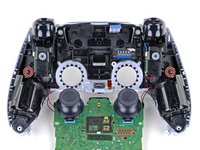
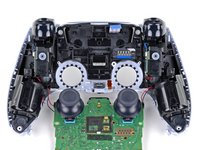
    • Carefully guide the joysticks through the front case and lift the motherboard out.

    • The motherboard is held down by two clips. One between the motherboard itself and the right trigger assembly, and one between the motherboard itself and the left trigger assembly. Gently push on either clip to release the motherboard from its restraints.

    • Do not completely remove the motherboard. There are four soldered wires tethering the motherboard to the vibrator motors.

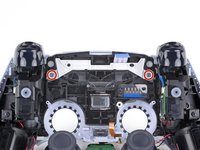
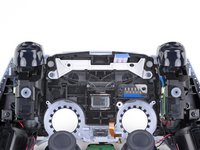
  27. Midframe Removal, Remove the light guide: stap 27, afbeelding 1 van 2 Midframe Removal, Remove the light guide: stap 27, afbeelding 2 van 2
    • Use a Phillips screwdriver to remove the two 8.5 mm screws securing the light guide.

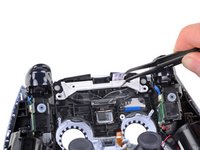
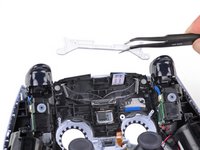
  28. Midframe Removal: stap 28, afbeelding 1 van 2 Midframe Removal: stap 28, afbeelding 2 van 2
    Gereedschap gebruikt in deze stap:
    Tweezers
    $4.99
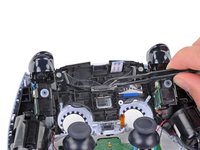
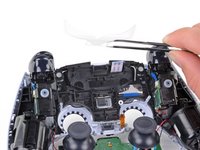
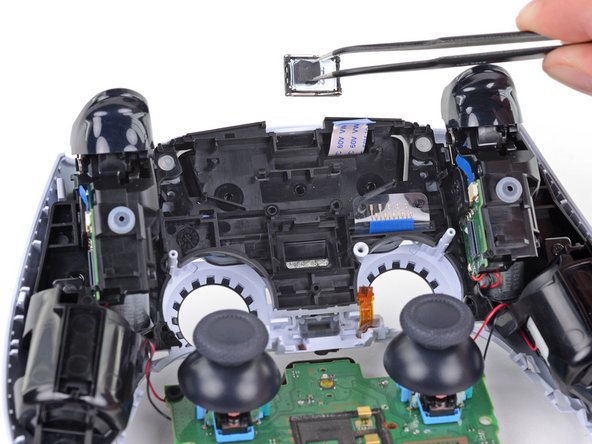
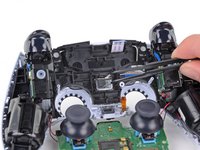
    • Use a pair of tweezers or your fingers to remove the light guide bracket.

  29. Midframe Removal: stap 29, afbeelding 1 van 2 Midframe Removal: stap 29, afbeelding 2 van 2
    • Use a pair of tweezers or your fingers to remove the light guide.

  30. Midframe Removal, Remove the speaker: stap 30, afbeelding 1 van 3 Midframe Removal, Remove the speaker: stap 30, afbeelding 2 van 3 Midframe Removal, Remove the speaker: stap 30, afbeelding 3 van 3
    Gereedschap gebruikt in deze stap:
    Tweezers
    $4.99
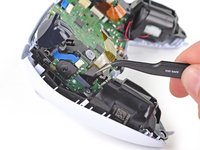
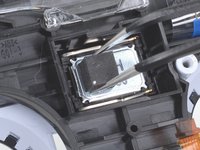
    • Use a pair of tweezers to remove the speaker from the midframe.

    • Be sure to reinstall the speaker in the correct orientation with the foam pad on the left side and the gold contact points on the right.

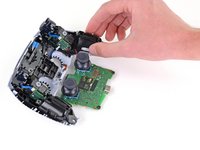
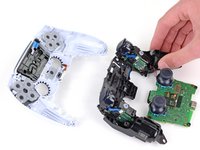
  31. Midframe Removal, Remove the midframe: stap 31, afbeelding 1 van 2 Midframe Removal, Remove the midframe: stap 31, afbeelding 2 van 2
    • Use a Phillips screwdriver to remove the two 6.4 mm screws securing the midframe to the front case.

  32. Midframe Removal: stap 32, afbeelding 1 van 3 Midframe Removal: stap 32, afbeelding 2 van 3 Midframe Removal: stap 32, afbeelding 3 van 3
    • Carefully lift the midframe and motherboard up and out of the front case.

    • Be careful not to strain the vibrator motor wires.

    • During reassembly, feed the touchpad's ribbon cable back through its rectangular opening in the midframe.

Conclusie

To reassemble your device, follow the above steps in reverse order.

Take your e-waste to an R2 or e-Stewards certified recycler.

Repair didn’t go as planned? Try some basic troubleshooting, or ask our Answers community for help.

Sam Omiotek

Lid sinds: 02/25/19

93.409 Reputatie

290 handleidingen geschreven

0Gids Commentaar

Voeg opmerking toe

Weergavestatistieken:

Afgelopen 24 uren: 0

Afgelopen 7 dagen: 2

Afgelopen 30 dagen: 9

Altijd: 117